Mastering Task Management with Time Tracking for Better Workflows
When you combine task management with time tracking, you're doing more than just logging hours. You’re directly connecting your to-do list with a system that measures the effort you put into each item. This creates a powerful feedback loop where effort is directly mapped to output, giving you a crystal-clear view of your productivity, focus, and even project costs.
It’s less about filling out a timesheet and more about building a personal system for deep work and seeing real, measurable progress.
Why Integrated Task and Time Tracking Is a Game Changer
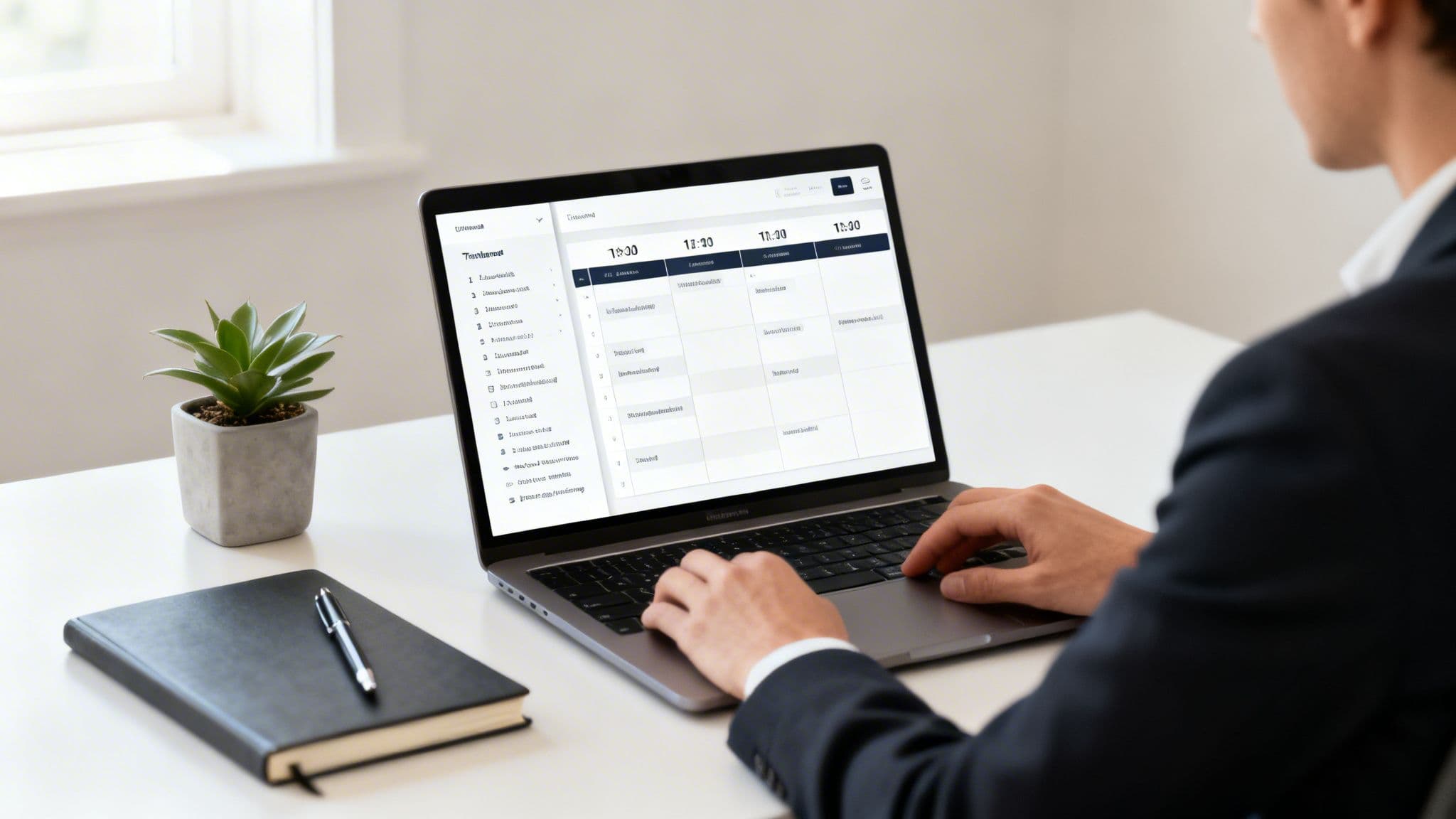
Let’s be honest, the modern workday is a mess of fragmented tools and digital distractions. We’re constantly jumping between project boards, calendars, note-taking apps, and Slack, losing a bit of focus with every single switch. This scattered approach makes it nearly impossible to answer a critical question: where did my time actually go?
The shift to remote and hybrid work has only made this problem worse. Without the natural structure of a physical office, the lines between focused work, administrative busywork, and outright distractions have all but disappeared. This is exactly why combining task management with time tracking has become so essential for anyone trying to regain control.
Shifting from Reactive to Intentional Work
An integrated system completely changes how you see your to-do list. It stops being a passive collection of things you react to and becomes an active plan for your day. By attaching time to your tasks, you're not just listing what needs to get done—you’re budgeting your most valuable and finite resource: your attention.
This simple connection introduces a layer of accountability that’s often missing. It forces you to be more realistic about what you can actually accomplish in a day and helps you prioritize the work that truly moves the needle. You stop getting pulled in a dozen different directions and start making conscious decisions about where to invest your effort.
This isn't about micromanagement or boxing yourself into a rigid schedule. It's about building a clear, personal system that connects your daily actions to your long-term goals, turning vague intentions into tangible, measurable progress.
The Real Cost of Disconnected Systems
When you use separate tools for tasks and time, you create a ton of hidden friction. Maybe you finish a task in your project manager, but then you have to remember to open another app to log the time, often guessing what you did and for how long. This disconnect is a recipe for inaccurate data, forgotten entries, and a completely distorted view of your own productivity.
Here’s a quick comparison of the common frustrations with separate tools versus the clear advantages of combining task and time management.
From Disconnected Efforts to an Integrated Workflow
| Challenge with Separate Systems | Advantage of Integrated Systems |
|---|---|
| Inaccurate time entries based on memory. | Time is tracked in real-time as work happens. |
| Constant context switching between apps. | Focus stays on the task, not the tooling. |
| Hard to see how effort connects to results. | Clear link between time spent and tasks completed. |
| Forgetting to log time altogether. | Timer is part of the task workflow, reducing errors. |
| Difficult to generate accurate project reports. | Reports are built automatically from precise data. |
The difference is night and day. An integrated approach removes the guesswork and administrative overhead, letting you focus on the work itself.
The economic impact of this inefficiency is huge. As companies grapple with the realities of remote work, the global time tracking market has exploded, valued at USD 8.16 billion in 2024 and projected to soar to USD 37.04 billion by 2033. This growth is a direct response to a painful problem: the average worker achieves just 2 hours and 53 minutes of truly productive output a day, with a shocking 51% of time wasted on low-value activities. We explore this further in our guide on effective time tracking for remote workers.
When you directly link your effort (time) to your output (tasks), the benefits are immediate:
- Crystal-Clear Clarity: You finally see exactly how long certain types of work take, which makes your future project estimates far more accurate.
- Enhanced Motivation: There’s a powerful sense of accomplishment in watching your tracked time add up as you complete a task. It builds momentum.
- Smarter Prioritization: When you realize that "quick five-minute task" actually eats up an hour of your day, you can make better decisions about whether it's worth doing now, later, or not at all.
Ultimately, integrating these two functions isn’t some minor workflow tweak; it's a strategic shift in how you approach your work. You move from just managing tasks to actively directing your focus, creating a solid foundation for consistent, high-quality output in a world filled with digital noise.
Creating a Single Source of Truth for Your Work
Let's be honest: juggling multiple apps is a massive drain on your focus. The real goal is to stop the constant, exhausting context-switching and build one place where your tasks, notes, and time all live together. This isn't just about being neat; it's about creating an environment where you can actually get into a flow state and do deep work without friction.
Think of it as your single source of truth. It’s the spot where you figure out what to do, actually do it, and then look back at what you accomplished. When everything you need is right there, you stop wasting mental energy on just managing your work and can start solving the real problems.
Connecting the Tools You Already Use
Most of us aren't starting from scratch. Your tasks are probably sitting in a project management tool like Jira or Linear. Those are fantastic for team alignment, but they’re not built for an individual's day-to-day focus. The first real step is pulling those tasks into your personal productivity hub.
But you need more than just a one-time import. A true two-way sync is the only way to go. This means when you pull in an issue from Jira, any change you make—like updating the status or adding a note—gets pushed right back. And if a teammate comments on the original Jira ticket, that comment shows up on your task, too.
This kind of seamless integration keeps you from having to manually cross-reference everything. You can trust that you're always looking at the most current information.
From Vague Task to Actionable Plan
Once a task is in your space, you need to flesh it out. A title like "Fix login bug" is a start, but it's not enough to get you moving. This is where adding layers of context makes all the difference.
I find it incredibly helpful to use subtasks and detailed notes to build a complete picture before I even start tracking time.
- Subtasks: Break that big, intimidating task into tiny, concrete steps. For the login bug, this could be "Reproduce the error," "Check server logs," "Write the patch," and "Deploy to staging." Each one feels manageable.
- Notes: This is your brain dump. Drop in code snippets, link to the relevant API docs, embed a screenshot of the bug in action, or just write down your thoughts as you work through the problem.
Doing this not only gives you a clear path forward but also creates a perfect log of your work. When you pick up a task again after a break, all the context is right there waiting for you.
A task packed with context is more than just a to-do. It’s a self-contained work package with the problem, the plan, and the process all in one place. This upfront prep work makes it so much easier to just dive in and get started.
Your Daily Planning Ritual
A great setup is useless if you don't use it consistently. The trick is to build a simple, repeatable ritual that becomes a habit. For me, the most important one is my morning planning session.
Before I even glance at Slack or email, I spend ten minutes reviewing my tasks for the day. I'll drag them onto a calendar to visually block out my time, scheduling my focus sessions around my meetings. This simple act turns a jumbled list into a deliberate plan. It gives my day structure and helps me stay proactive instead of just reacting to whatever comes my way.
It's clear I'm not the only one thinking this way. The global time tracking software market is expected to explode from USD 24.11 billion in 2026 to a staggering USD 149.92 billion by 2034. That growth is fueled by the need for tools that integrate smoothly with our project management systems, especially with 36.2 million Americans now working remotely. You can read more about this trend on Fortune Business Insights. It's all pointing toward the same conclusion: we need a single, cohesive environment to plan our work and execute without distractions.
Designing Your Daily Ritual for Deep Work
Having a great system is one thing, but making it a habit is what really drives results. This is where you turn the idea of task management with time tracking into a daily routine that consistently produces high-quality work. We’re not talking about a rigid, to-the-minute schedule here. The goal is to build a simple, sustainable workflow that protects your focus and makes sure your daily goals actually get done.
Think of it as creating a natural rhythm for your day that cuts down on decision fatigue and paves the way for deep, focused work. It all starts with a quick planning session and flows right into execution.
This little diagram breaks down the core idea: get your tasks in, give them some structure, and then lay out your day.
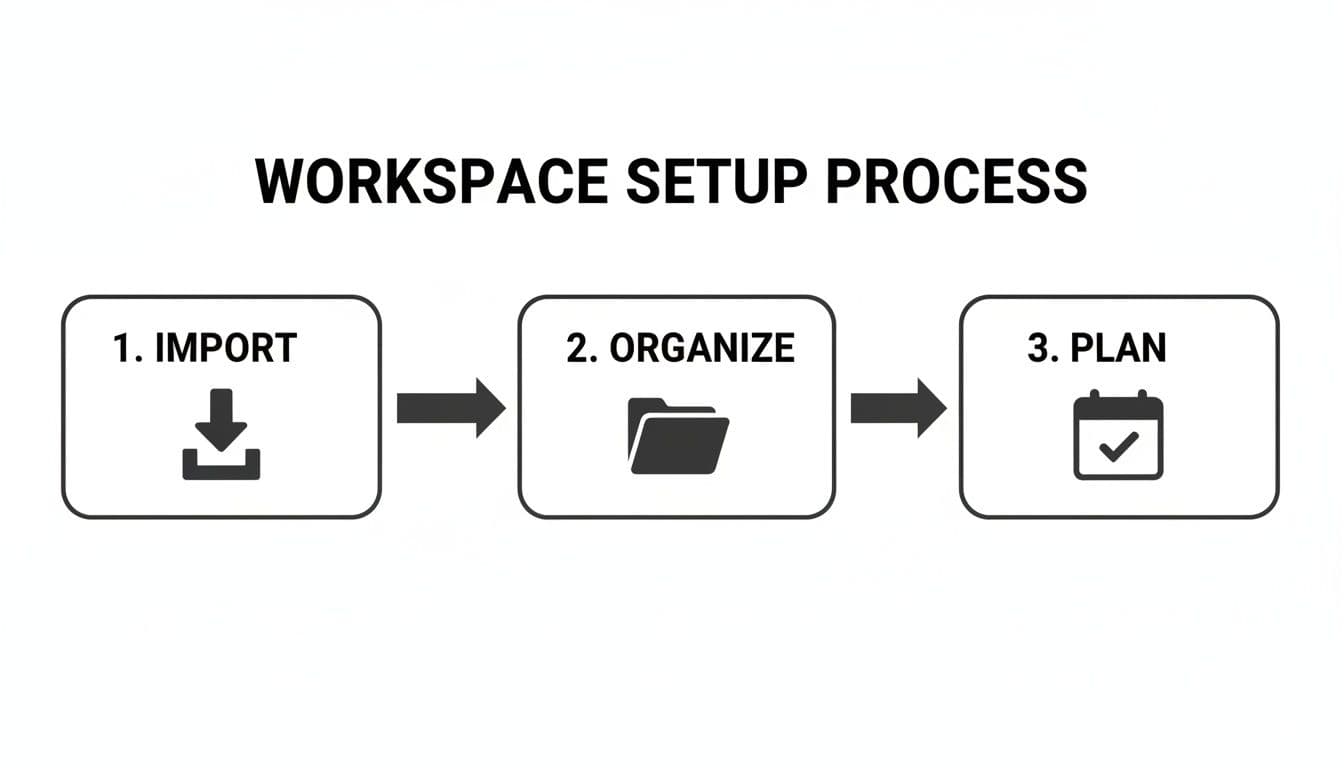
This process—import, organize, plan—is the backbone of an effective morning ritual.
The Morning Planning Ritual
Start your day with purpose, not by reacting to a flood of notifications. Before you even glance at your inbox, set aside just 10-15 minutes to plan. It’s a small investment that pays off big time in clarity and control. The only question you need to answer is, "What does a successful day look like?"
Pull up your imported tasks and start dragging your top priorities onto a calendar view to create visual time blocks. I find this "time blocking" approach incredibly effective for a few reasons:
- It keeps you honest. You can’t cram eight hours of work into a four-hour window when you see it laid out visually. It forces you to be realistic.
- It walls off your focus time. When you block out 90 minutes for "Refactor user authentication module," you're making a commitment to yourself to do that one thing.
- It works around your schedule. Drop your meetings on the calendar first. That way, you can plan your focus sessions around the immovable parts of your day.
This simple exercise turns a messy to-do list into a clear, visual roadmap. For a deeper dive into structuring your day, we put together a guide on creating a daily task checklist that actually sticks.
Launching a Focus Session
With your day mapped out, it’s time to execute. This is where a truly integrated system makes all the difference. Instead of just hitting a generic timer, you launch a focus session right from the task you planned to work on. That one click sets off a chain reaction designed to get you into a state of flow.
The timer starts instantly, capturing every minute of work against that specific task. No more wondering, "Did I remember to start my timer?" It makes your time data completely accurate without you even thinking about it.
At the same time, the system can kick in a distraction blocker, temporarily cutting off access to Twitter, news sites, or whatever your personal digital kryptonite is. This creates a little bubble for your attention, making it so much easier to stay on task. Even a small barrier is often enough to stop you from mindless browsing.
The magic of a focus session is that it automates good habits. It combines time tracking and distraction blocking into a single, effortless action, removing the willpower needed to stay on task and letting you dedicate all your mental energy to the work itself.
Signaling Your Focus to Teammates
Nothing shatters deep work faster than an unexpected interruption. A huge challenge, especially in a collaborative setting, is letting your team know you're head-down without constantly popping over to Slack to update your status.
This is another problem a smart workflow solves. When you start a focus session, your system should automatically update your Slack status to something like, "In a focus session, will reply later." It’s a simple, automated "do not disturb" sign for your colleagues.
This one small feature has a huge impact:
- It protects your concentration without any extra effort from you.
- It manages expectations by letting your team know you'll get back to them.
- It prevents the constant context-switching that kills productivity.
By building a daily ritual around these key practices—planning, launching focus sessions, and signaling your status—you create a powerful and repeatable habit. You’re no longer just reacting to your day; you’re proactively shaping it to ensure your most important work gets the undivided attention it deserves.
Capturing Meaningful Context and Accurate Time
Truly effective time tracking is about much more than just hitting a "start" button. It’s about building a rich story of your work—one that captures not just the duration but the context behind every minute spent. This is the difference between a simple time log and a detailed work journal that actually serves you, your team, and your clients.
The trick is to get into the habit of documenting your progress, key decisions, and any roadblocks directly within each task as you're working on it. This small shift in behavior transforms a basic to-do list into a living record of your process, making every logged hour far more valuable.
Turning Tasks into a Knowledge Base
Think about the last time you had to hand off a project. How much time did you burn just explaining your progress, the issues you ran into, and the steps you took to solve them? When you build this context directly into your tasks from the start, that information is already there, perfectly organized and ready to go.
Using subtasks and notes is the easiest way to make this happen. A big, vague task like "Develop new user onboarding flow" suddenly becomes manageable and trackable when you break it down.
- Subtasks as a Checklist: Deconstruct the main goal into smaller, concrete steps. For the onboarding flow, this could be "Design UI mockups," "Write API endpoint for user data," and "Implement front-end components." Ticking these off gives you a clear sense of momentum.
- Notes for the Narrative: This is where you document the "why" and "how." Maybe you paste in a code snippet that solved a tricky bug, link to an important design file in Figma, or just jot down some quick feedback you got from a stakeholder.
This approach essentially creates a mini-wiki for every significant piece of work you tackle.
When context is attached directly to your logged time, you’re not just tracking hours—you're building a searchable, shareable knowledge base that documents your thought process and proves the value of your effort.
Automatic Time Capture for Unquestionable Accuracy
Let’s be honest: the biggest flaw with manual time entry is that we often do it as an afterthought. We forget to start the timer, get pulled into a meeting, and then have to guess how long something took at the end of the day. Those little inaccuracies add up, leading to unreliable data for both personal reviews and client billing.
This is where automatic time capture during focus sessions is a game-changer. When you kick off a focus session for a specific task, the clock just starts. No extra clicks, no mental friction. Your time is captured with precision and tied directly to the work at hand, letting you stay completely immersed in what you're doing.
The data you get isn't just accurate; it's trustworthy. You're no longer relying on memory or guesstimates. For anyone who has to bill for their time, like freelancers and consultants, this level of precision is gold. To dig deeper, check out our guide on accurately tracking billable hours, which can make your invoicing process a whole lot smoother.
Real-World Scenarios in Action
So, what does this look like in practice for different roles?
For a Software Engineer: Imagine a developer is tackling a bug report for an unexpected API error.
- Main Task:
Fix API-404 error on user profile page - Subtasks:
Replicate bug in staging,Analyze server logs for anomalies,Write and commit patch,Deploy fix and verify - Notes: As they work, they might add comments like, "Error seems to be caused by a recent change in the auth middleware," and paste in the relevant log outputs. Every focus session automatically logs time against the main task, creating an exact record of their debugging effort.
For a Content Marketer: A marketer is getting a new social media campaign off the ground.
- Main Task:
Launch Q3 Social Media Campaign - Subtasks:
Finalize ad copy and creative,Schedule posts across all platforms,Set up UTM tracking,Monitor initial engagement - Notes: Here, they might drop in a link to the final ad designs or note, "A/B testing headline variations A and C for the first 48 hours."
In both examples, anyone looking at the task—a manager, a client, or even their future self—gets the full picture. They see not only how much time was spent but exactly what was accomplished and discovered along the way.
Using Data to Review and Refine Your Workflow
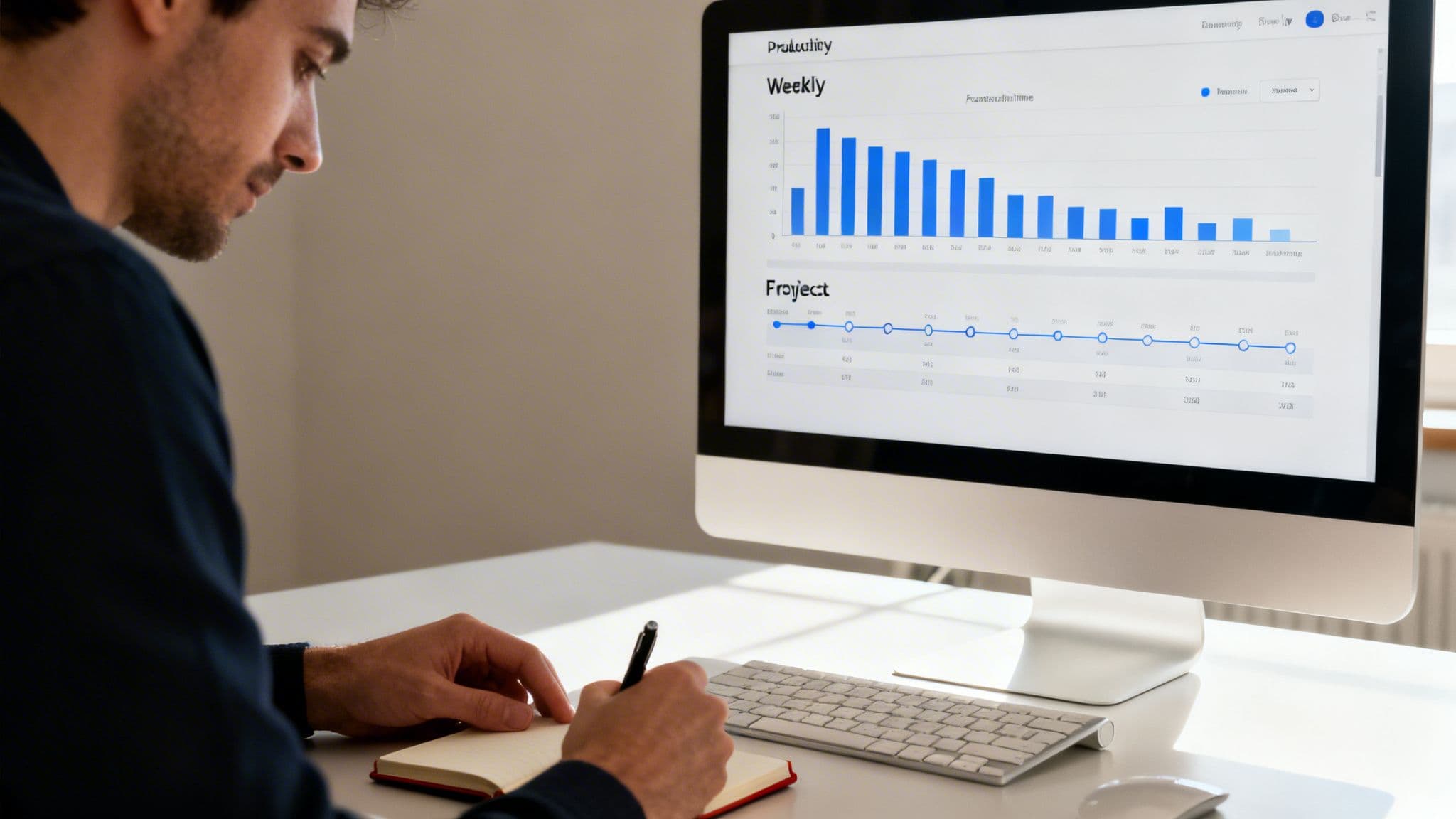
This is where the magic really happens. The whole point of combining task management with time tracking isn’t just to clock in and out; it’s to learn from what you've done. All that data you’ve been gathering is a goldmine, ready to show you how to work smarter, not just harder.
The goal is to stop looking at logged hours as just a number and start seeing them as actionable intelligence. This is the final, crucial step in the workflow where you close the loop—using your past performance to make smarter plans for the future.
Analyzing Your Productivity Patterns
First things first, you need to actually look at the reports your system generates. This is how you move from a vague feeling of being "busy" to seeing exactly where your time and energy went. To get the full picture, try slicing and dicing the data in a few different ways.
- Review by Project: This view shows you the true cost of your work. You might be shocked to discover that a project you considered a minor part of your week is actually eating up a huge chunk of your time. That’s powerful information for future quotes and resource planning.
- Analyze by Day or Week: This is a fantastic way to understand your personal energy rhythms. Maybe you're a powerhouse on Tuesday mornings but hit a wall every Friday afternoon. Knowing this lets you schedule your most demanding deep work for when you're naturally at your peak.
This isn’t about judging yourself. It’s about gathering cold, hard evidence to make better decisions tomorrow.
By regularly reviewing your time data, you replace guesswork and assumptions with facts. You stop wondering where the day went and start intentionally directing where it will go next, building a workflow that aligns with how you actually work best.
Identifying Time Sinks and Optimizing Focus
Your time tracking data is the best diagnostic tool you have for finding hidden productivity drains. As you scan your reports, keep an eye out for tasks that consistently take way longer than you estimated. These are your "time sinks," and spotting them is the first step to reclaiming your focus.
Did that "quick bug fix" spiral into a three-hour debugging marathon? Did a simple "website copy update" get derailed by endless back-and-forth revisions? When you see it laid out in a report, it’s impossible to ignore. Once you’ve flagged a time sink, you can start asking the right questions:
- Was the scope of the task clear from the beginning?
- Was I getting interrupted constantly while I tried to work?
- Did I have everything I needed before I started?
With those answers, you can start making real changes. Maybe you need to insist on a more detailed brief, block out "no-interruption" focus sessions, or create more granular subtasks before diving in.
Streamlining Client Reporting and Invoicing
For anyone who bills by the hour—freelancers, consultants, agencies—proving the value of your work is everything. Accurate, transparent reporting is the foundation of client trust and makes invoicing a breeze.
Instead of wrestling with messy spreadsheets, an integrated system lets you generate a detailed report with a couple of clicks. You can export these reports as a CSV or PDF and attach them directly to your invoices, providing a crystal-clear breakdown of where every single billable hour went.
This level of detail nips potential questions and disputes in the bud, which means you get paid faster and build stronger client relationships. It’s no surprise the online time tracking market is projected to hit USD 310.59 million by 2032, with features like AI-powered task classification that can slash administrative work by 50%. You can dig into the numbers in this in-depth market analysis. Your time data isn't just for you anymore; it’s one of your most powerful communication tools.
Answering Common Questions About Task and Time Management
Whenever you're thinking about shaking up your workflow, a few questions are bound to pop up. Let's tackle some of the most common ones I hear when people start connecting their task lists directly to their time. Getting these cleared up from the start can make all the difference.
"My To-Do List Is a Complete Mess. Where Do I Even Begin?"
If you're looking at a mountain of tasks, the idea of moving them all into a new system feels impossible. So don't. The secret is to ignore the mountain for now and just focus on the next few steps.
Start by picking just three to five things that absolutely must get done tomorrow. That’s it. Bring only those into your new setup and plan them out as dedicated focus sessions. This isn't about perfectly organizing your entire backlog overnight; it's about proving to yourself that a new, more focused way of working is possible. Once you feel that first win, you’ll naturally start chipping away at the bigger list.
"Is Automatic Time Tracking That Much Better Than Just Logging It Manually?"
Honestly, yes. It's a game-changer for both accuracy and staying in a state of flow. We’ve all done the 5 PM scramble, trying to remember what we worked on and for how long. Manual logs are almost always guesstimates, and they’re just one more tedious thing to do.
When your time tracking is tied directly to a focus session, it captures your effort in real-time, as it happens.
It gets rid of the guesswork and gives you a true picture of your day. But more importantly, it frees you from the mental chore of hitting start and stop on a timer. You just do the work, and the tracking takes care of itself.
This single shift helps you protect your focus and stay immersed in the actual task, which is the whole point.
"How Does This Fit in with a Team Already Using Jira?"
This is where this kind of integrated system really shines for teams. It acts as the perfect bridge between a high-level project board like Jira and the day-to-day reality of a developer's workflow.
Think of it this way: a developer pulls their assigned Jira ticket into their personal planner. They can then break that big ticket down into smaller, concrete subtasks and tackle each one in a timed focus session. This creates a win-win scenario:
- Better Data: The time is tracked automatically against the original Jira issue, but with much more detail. This helps the developer see exactly where their time went, making future estimates way more accurate.
- Smooth Syncing: Project managers still see the high-level status updates in Jira, so they have full visibility without micromanaging or interrupting anyone's flow.
- A True Workspace: Developers get an environment built for concentration. They can work through their queue without having to constantly jump back and forth between their code, their notes, and the project board.
In the end, managers get the accurate data they need for better sprint planning, and developers get a tool that actually helps them focus and produce their best work. It respects the team’s need for coordination and the individual’s need for deep, uninterrupted work.
Ready to build a focused workflow that connects your tasks directly to your time? Locu provides a minimalist workspace that combines your to-do list, notes, and a focus timer to help you produce consistent, high-quality output every day. Start your 10-day free trial and experience a smarter way to work at https://locu.app.
Turn tasks into measurable, focused work
Join freelancers and engineers who link time to tasks and ship reliably.