Master Deep Work with a To Do List With Notes
A simple to do list with notes doesn't just organize your work—it fundamentally changes how you work. By embedding context directly into your tasks, you stop wasting time hunting for scattered information. This creates a focused environment where you can actually execute, not just plan.
It’s the difference between knowing what to do and truly understanding the why and how behind every single item.
Why Your Standard To Do List Kills Deep Work
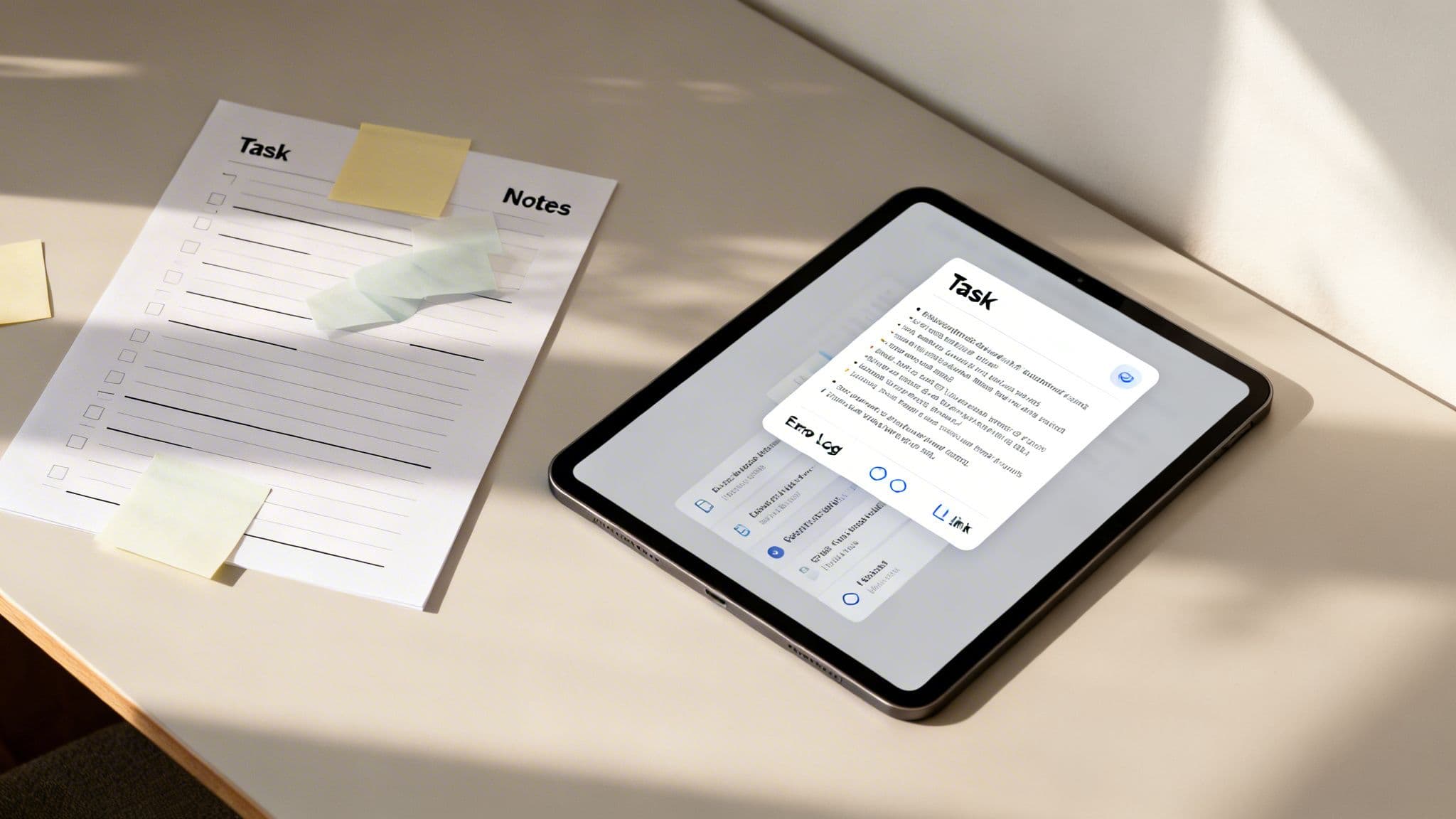
That simple checklist you keep on your desk or in a basic app feels productive. In reality, it’s a hidden source of friction that completely sabotages deep work. Traditional to-do lists are fundamentally broken for modern knowledge work because they rip the task away from its context.
This separation forces constant mental resets. Every time you start a new task, you have to go on a scavenger hunt for the necessary information—that one email thread, the meeting summary, a specific link, or a crucial piece of feedback. Each search is a small but significant interruption, pulling you out of focus and draining your cognitive fuel.
The Problem of Missing Context
Think about a common scenario for a developer: tackling a complex bug. A standard to-do list might just say, "Fix login authentication bug." That simple entry is deceptive; it hides a world of complexity that you can't even begin to address without immediate context.
Without integrated notes, the developer’s workflow is a mess of context switching:
- First, they have to find the original bug report in Jira or GitHub.
- Next, they need to locate the relevant error logs from the server.
- Then, they try to recall specific user feedback from a Slack conversation last week.
- Finally, they might need to pull up a specific section of the API documentation.
Each step is another opportunity for distraction. This is where the power of a to do list with notes becomes glaringly obvious. Instead of a bare-bones item, the task "Fix login authentication bug" becomes a self-contained workspace with everything needed to solve the problem.
A task without its context is just a reminder of work you can't start yet. True productivity comes from having the 'what,' 'why,' and 'how' all in one place, ready for immediate action.
The Evolution Toward Integrated Workspaces
The shift from simple checklists to integrated systems is reshaping how we all work. We've moved from paper scraps to digital tools that embed the notes, and it's changed the game for developers, freelancers, and founders. Recognizing this need, the U.S. productivity management software market is forecast to hit $70.48 billion by 2032, with structured work management solutions leading the charge.
This growth highlights a simple truth: for complex knowledge work, tasks and the information needed to complete them have to live together. By bridging this gap, you create an environment that supports the sustained concentration required for high-impact output. If you're trying to build better habits around this, check out our guide on how to improve focus at work.
Alright, let's move from theory to action. This is where your productivity system really starts to take shape. Building a powerful to do list with notes isn't about finding some magical app; it’s about crafting a personal workflow that connects what you need to do with the information you need to actually do it. The entire point is to kill the friction between planning your work and executing on it.
The whole system is built on a tool that can seamlessly blend a clean, minimalist task list with a rich, flexible note editor. You need a space where a task isn't just a one-liner, but a container for your thoughts, links, code snippets, and stray questions. This is what turns a passive checklist into an active, breathing workspace.
Create Your Core Workspace Structure
Before you dump a single task into your list, you need a simple, high-level structure that mirrors how you actually think about your work. Don't fall into the trap of building some labyrinthine folder system—that just creates more stuff to manage. Instead, start with broad categories that cleanly separate the different parts of your professional life.
For most of us in tech or knowledge work, simple is almost always better. Think about starting with something like this:
- Client Projects: A dedicated home for each client you're working with. This keeps all the communication, deliverables, and project-specific notes neatly walled off from everything else.
- Internal Initiatives: This is for all the company or team-specific work. Think Q3 planning, shipping a new feature, or finally improving that internal documentation everyone complains about.
- Quick Tasks: Your catch-all for the small, one-off admin items that don't belong to a bigger project. This is where you put "Submit expense report" or "Follow up with that vendor."
This initial setup stops your main list from turning into a cluttered junk drawer. It gives you just enough structure to keep things tidy without making you feel like you're managing a complex database. You can always tweak these categories as your work changes.
Deconstruct Goals with Subtasks and Notes
The real magic of an integrated system happens when you start breaking down those huge, fuzzy goals into small, actionable steps. A task like "Develop New API Endpoint" is way too vague. You can't just do that. It needs to be deconstructed into a series of concrete subtasks.
Each subtask then becomes its own mini-workspace, complete with its own dedicated notes. This is where you stash all the context needed for that one specific piece of the puzzle.
Your to-do list should be a series of clear, next actions, not a list of abstract goals. Subtasks are the bridge between a big idea and the first step you need to take to make it happen.
For instance, that "Develop New API Endpoint" task could be broken down like this:
- Research Database Schema: The note attached to this subtask would have links to the right database docs, a few initial questions for the data engineering team, and maybe a rough outline of the fields you think you'll need.
- Write Initial Draft of Endpoint Logic: In these notes, you could drop a few code snippets you found for inspiration, a link to a similar endpoint that already exists in the codebase, and a quick checklist of the authentication checks you have to include.
- Create Unit Tests: The attached notes here would list out specific edge cases to test for, some sample API request bodies, and the expected JSON responses.
When you work this way, your to do list with notes transforms into a detailed project blueprint. We dive deeper into organizing your daily work in our guide on using a daily task tracker. By linking rich notes directly to individual subtasks, you guarantee that every single time you sit down to work, all the context you need is right there, waiting for you. No more hunting around.
Structuring Your Notes for Maximum Clarity and Action
Alright, so you’ve got a basic system in place. Now for the real magic: how you structure the information inside each task. A messy, unstructured note is barely an upgrade from having no note at all.
The goal here isn't just to jot things down. It’s to create consistent, scannable templates that feed you the exact information you need, right when you need it. This is what turns a simple to do list with notes into a personal knowledge base that actually works.
Without a consistent approach, your notes just become a digital junk drawer. You’ll have a flash of insight during a meeting, capture it, and then completely lose it a week later because it's buried in a wall of text. Adopting simple, repeatable templates is the key to turning those scattered thoughts into something you can act on.
This whole process really boils down to three core steps: choosing your tool, building a structure, and then deconstructing your work with rich, organized notes.
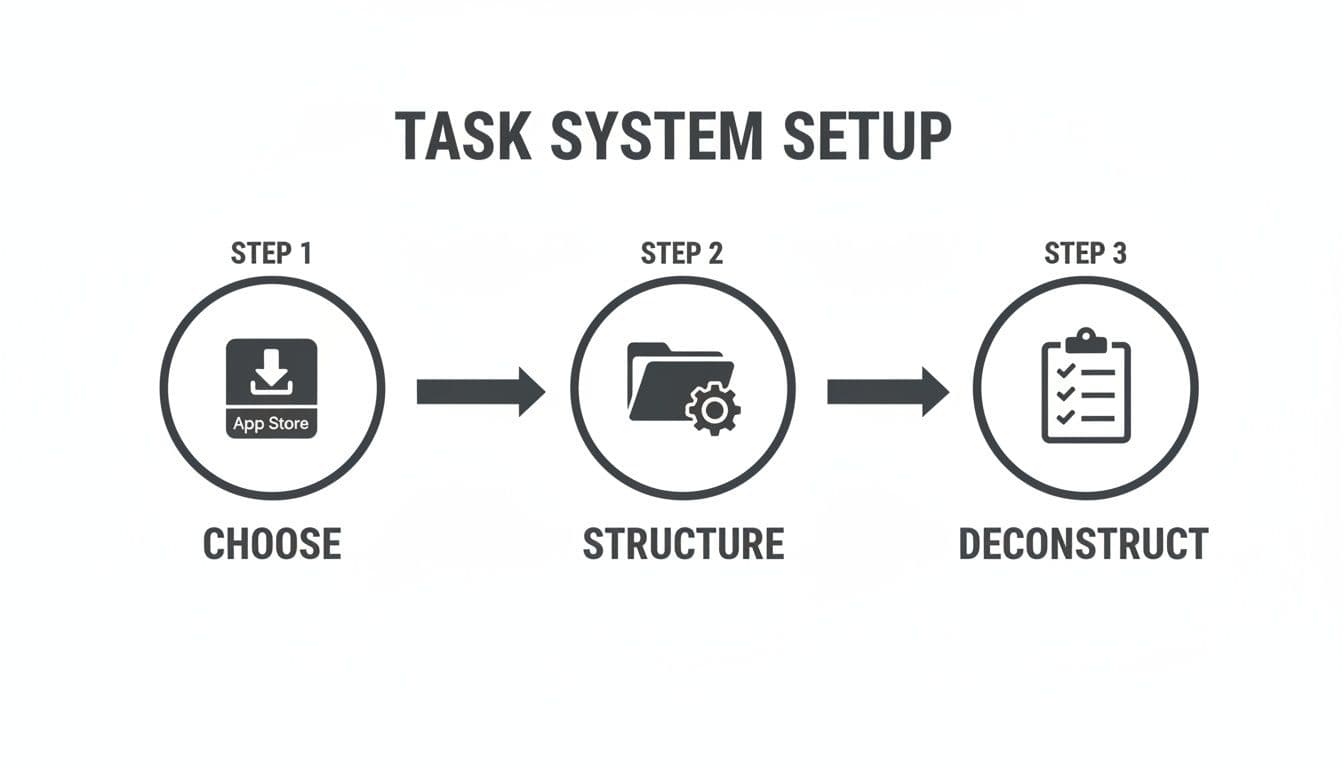
This visual gets to the heart of it: a solid foundation is non-negotiable. You can't effectively break down tasks with detailed notes if your core system is a chaotic mess.
Templates for Real-World Knowledge Work
Let's get practical. For most of us in development or other knowledge work, a handful of note types cover 90% of what we do day-to-day. Creating dead-simple templates for these scenarios saves an incredible amount of mental energy. You stop thinking about how to organize the info and just focus on the content itself.
Take meetings, for instance. A vague task like "Team Sync" is a missed opportunity. It should be a container for a structured, valuable record.
Here’s a bare-bones template I live by:
Meeting Notes Template:
- Attendees: A quick list of who was there. Invaluable for context later.
- Agenda: I copy-paste this in before the meeting starts. It keeps us on track.
- Key Decisions: A bulleted list of firm conclusions. No ambiguity.
- Action Items: I tag people directly (@name) with crystal-clear follow-ups and due dates.
This simple format transforms a fleeting conversation into a permanent, searchable artifact that's linked directly to the task on my list.
For knowledge workers, especially developers, having a few go-to templates is a game-changer. It ensures you capture what matters without reinventing the wheel every time you create a new note.
Note-Taking Templates for Knowledge Workers
A structured note is a complete note. These templates help ensure all the critical information is captured, whether it's for a quick meeting or a complex technical document.
| Note Type | Key Sections to Include | Primary Goal |
|---|---|---|
| Meeting Notes | Attendees, Agenda, Key Decisions, Action Items | Create a clear, actionable record of discussions and outcomes. |
| Technical RFC | Summary, Problem, Proposed Solution, Alternatives | Get structured feedback on a technical proposal before implementation. |
| Post-Mortem | Timeline of Events, Root Cause Analysis, Lessons Learned, Action Items | Document an incident to prevent it from happening again. |
| Project Brief | Goals, Scope (In/Out), Key Deliverables, Stakeholders | Align everyone on the project's purpose and boundaries from day one. |
Having these skeletons ready to go means you spend your brainpower on solving the problem, not on formatting your notes.
Why You Need to Get Good at Tagging
Tags are your secret weapon for adding a flexible, powerful layer of organization. Forget rigid folders. Think of tags as a cross-project filing system that lets a single note live in multiple contexts at once.
A good tagging system is your personal search engine. It ensures you never lose critical context, even when picking up a task you haven’t touched in weeks.
By using simple, intuitive tags like #research, #feedback, or #bug, you can instantly slice and dice your entire workspace to find exactly what you’re looking for.
It looks something like this in practice:
- A task to "Review Q3 Marketing Plan" might have notes tagged with #feedback and #strategy.
- A coding task for a new feature could include notes tagged #bug and #api.
This is how you pull up all notes related to a specific theme in seconds, regardless of which project they live in. It's a small habit, but the payoff is huge when you’re trying to recall a specific detail from a month ago. When every item in your to do list with notes is properly structured and tagged, you’re not just managing tasks—you’re building an interconnected web of knowledge that fuels focused, effective work.
Your Daily Ritual for Planning and Focus
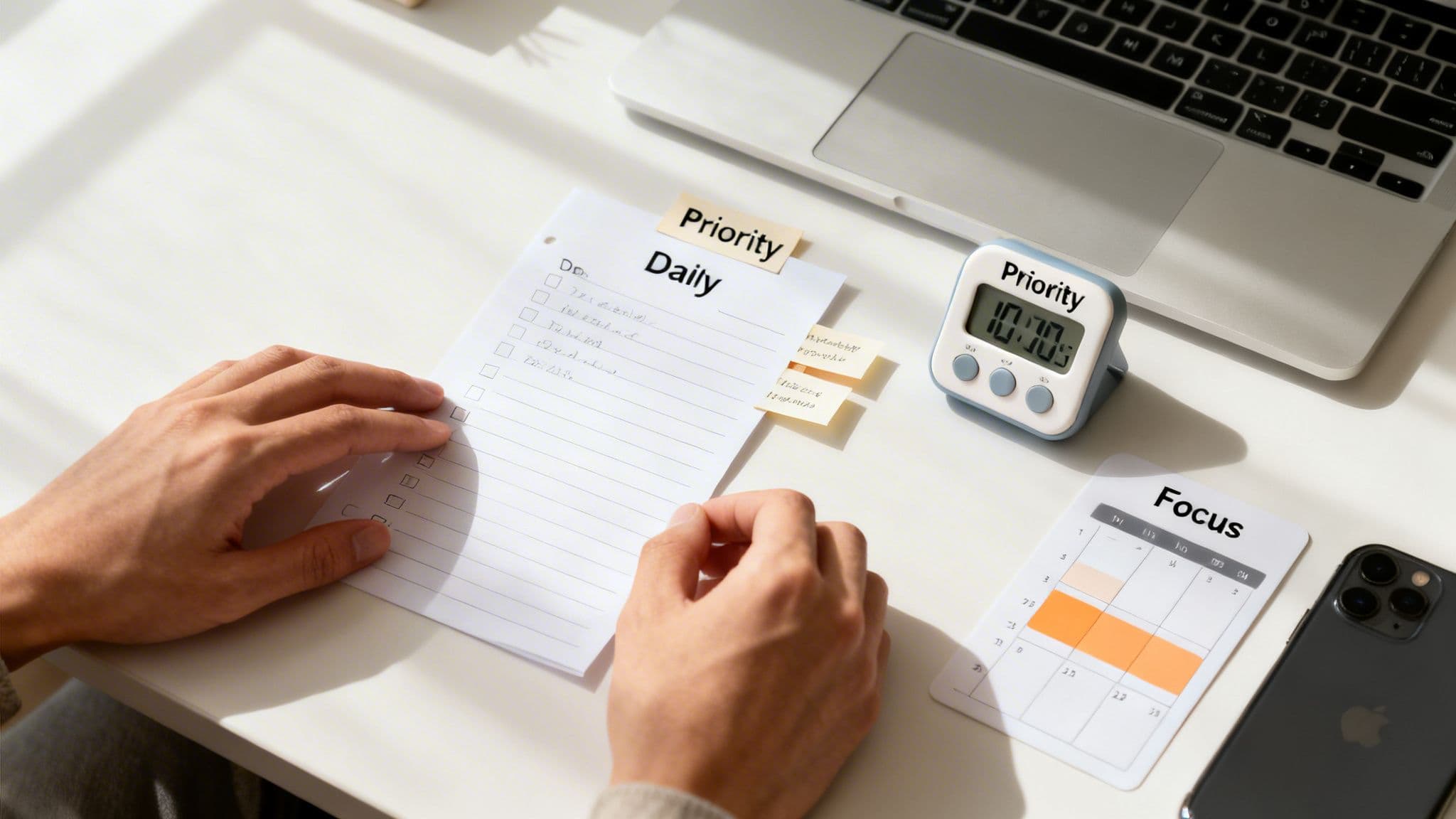
A perfectly organized system is useless without a routine to bring it to life. This is where the real work happens. Your daily ritual is what turns a passive to do list with notes into an active partner for getting things done. It’s about building a predictable rhythm that stops decision fatigue cold and funnels your energy where it actually counts.
This all starts with a non-negotiable morning planning session. Before the first email or Slack message hits, dedicate just 10-15 minutes to your master list. The point isn't to get overwhelmed by the mountain of tasks you could do, but to strategically decide what you will do today.
The Morning Planning Session
Think of your morning plan as a focusing lens for the day. It creates a clear boundary, protecting your attention from the inevitable chaos of incoming requests. This short, sharp session sets the tone for everything that follows.
Here’s a simple flow that just works:
- Glance at Your Master List: Do a quick scan of your main projects and backlogs. This isn't about deep analysis; it’s about getting a bird's-eye view of your commitments.
- Pick Your 3-5 Priorities: This is the critical step. Pull out a small number of high-impact tasks that will be your focus. This forces you to be ruthless and ensures you’re working on what’s important, not just what’s yelling the loudest.
- Block It on Your Calendar: Immediately drag these priorities into specific time slots on your calendar. This simple act makes your intentions real. It transforms a vague "to-do" into a concrete commitment and defends your focus time from being eaten by meetings.
Once this is done, you have a roadmap. Each task on your daily list is now a scheduled event, with all the context you need tucked right inside its notes. For a few more ideas on structuring your day, you might find our guide on creating a daily task checklist helpful.
Activating Focus with Guided Sessions
With the plan set, it's time to execute. This is where the tight coupling of your tasks, notes, and a timer creates the perfect environment for deep work. Before you dive into a task, spend 60 seconds reviewing its associated notes. This one action instantly loads all the critical context—links, requirements, past decisions—into your brain.
A focus session transforms your to-do list from a place where you record work to a place where you do the work. The notes become a dynamic workspace, not just a static reference.
Once you’re primed, start a timer for a dedicated focus session. As you work, treat the note field like a scratchpad. Jot down ideas as they pop up, capture questions or roadblocks, and log your progress in real-time. This practice keeps you anchored to the task at hand.
In a world where 70% of knowledge workers say distraction is their biggest productivity killer, this integrated approach is more than a nice-to-have. The demand for tools that merge tasks, notes, and timers is exploding, with the business productivity software market projected to hit $195.56 billion by 2031. You can see more on this trend over at mordorintelligence.com. This ritual doesn’t just organize your work; it builds a powerful shield against distraction so you can deliver high-quality output, day in and day out.
Your Workflow Needs to Evolve, Or It Will Fail
A great productivity system is never "done." It has to grow and adapt with you. Setting up an integrated to‑do list with notes is just the starting line; the real wins come from building a consistent feedback loop to keep it sharp.
For me, nothing beats a simple weekly review. It’s the single most effective way to make sure your workflow stays aligned with your actual priorities, preventing it from turning into a cluttered digital junkyard.
This isn’t about adding another massive chore to your week. Think of it as a quick, focused ritual—maybe 20-30 minutes every Friday afternoon—to look back at what you did, celebrate the wins, and intelligently map out the week ahead. By looking at the data from your completed tasks and focus sessions, you start to see patterns in your own productivity and can spot bottlenecks before they derail a project.
This habit of continuous refinement is what separates chaotic work from sustained, high-quality output.
The Weekly Review Checklist
A structured review keeps you from getting lost in the details. It’s your chance to zoom out from the daily grind, see the bigger picture, and make the small, strategic tweaks that have a huge impact over time. It’s how you turn hindsight into foresight, so you can walk into Monday morning with total clarity.
Here’s the simple checklist I run through:
- Did My Work Move the Needle? I look at the big tasks I knocked out. How did they actually contribute to my larger project goals or quarterly objectives? This is a reality check to ensure my daily hustle is actually making an impact.
- What Do I Do with the Leftovers? Not everything gets done. That's fine. The key is to be intentional about what’s left. Does it get rescheduled for next week? Broken down into smaller, more manageable steps? Or, sometimes, you realize it's no longer important and just delete it.
- Set Up Next Week’s Big Wins: Based on my review, I pinpoint 1-3 top priorities for the upcoming week. I’ll create placeholder tasks for them right then and there. It’s a game-changer for hitting the ground running on Monday.
Your system’s data tells a story about where your attention is really going. A weekly review is just the practice of listening to that story to figure out what’s working and what needs to change.
This kind of feedback loop is becoming the standard for modern knowledge work. In fact, the global productivity management software market is expected to hit $99.2 billion by 2026. Professionals, especially in remote and hybrid roles, are driving this growth because they need digital workspaces that don't just hold tasks, but blend them with rich notes and time tracking to create a clear history of what was accomplished. You can read more about this productivity market surge.
By making a weekly review part of your routine, you’re adopting a professional-grade practice for managing your focus and owning your output.
Common Questions About To-Do Lists With Notes
Even with the best system, new workflows always bring up a few questions. Let's tackle some of the most common ones that pop up when you start connecting your to-do list directly with your notes.
Getting these things sorted out early is key. This whole system is about creating clarity and focus, so let's clear these hurdles now so they don't trip you up later.
How Do I Keep My Notes From Becoming Too Cluttered?
The secret weapon here is structured templates. Seriously. For any meeting note, you should have dedicated sections for the agenda, the decisions made, and—most importantly—crystal-clear action items. When you're working on a project task, lean on checklists and bullet points instead of writing long, rambling paragraphs. This keeps everything scannable and, well, actionable.
But the most important habit? Regularly archive your completed tasks and all their notes. This simple bit of housekeeping keeps your active workspace clean and lets you focus on what's next. The goal isn't to document every random thought, but to capture just enough context to get the work done.
Can I Use This System for Team Collaboration?
Absolutely. While I've been focused on individual productivity, the core ideas are a perfect fit for team environments. When your to-do list and notes are synced up with the project management tools your team already uses, the rich context you've captured becomes incredibly valuable to everyone else.
Think about it: a task shows up in the queue, but instead of just a one-line title, it comes with all the research notes, links to the right documents, and a summary of key decisions already attached. This completely changes the game for handoffs. You'll slash the time your team wastes on back-and-forth "where can I find..." messages, freeing up everyone to do their actual jobs.
What If I Feel Overwhelmed by a Long List of Tasks?
This is precisely why the daily planning ritual is non-negotiable. The golden rule is to never work directly from your master list. That master list is your backlog, your idea bank—it is not your agenda for the day.
Your first priority every morning should be pulling just a handful of high-impact tasks into a dedicated "Today" view.
Your daily list should feel manageable and inspiring, not overwhelming. It's a curated agenda for what truly matters now, protecting your focus from the noise of everything you could be doing.
This single practice stops that "drowning in tasks" feeling cold and keeps you locked in on making real progress, every single day.
How Much Time Should I Spend Organizing This Each Day?
You should be aiming for a 10-15 minute planning session in the morning and a quick 5-minute review at the end of the day. The initial setup might take you an hour or so to get everything just right, but the daily upkeep is minimal.
Trust me, this small investment of time pays off massively. It saves you hours of context switching and hunting for information later. Think of it as a small upfront cost for a workday that's far more focused, productive, and a lot less stressful.
Ready to stop context switching and start doing your best work? Locu combines a minimalist to-do list, rich notes, and a focus timer into a single workspace designed for deep work. Turn your tasks into consistent, high-quality output. Start your free 10-day trial of Locu today.
Turn your to-do list into a workspace
Join developers who embed context in tasks and finish work.