Time Tracking for Developers: Master Deep Work
Let's be honest. For most developers, the phrase "time tracking" is a curse word. It conjures images of clunky spreadsheets, constant interruptions, and that nagging feeling of being watched.
It often feels like a pointless administrative chore that shatters your concentration and adds zero value to the real work of building software. This isn't just about hating paperwork; it's a gut reaction to systems that fundamentally misunderstand how developers actually work.
Traditional time tracking was never built for the fluid, non-linear world of coding. It penalizes you for context switching and completely misses the “invisible” work—the deep thinking, the late-night debugging sessions, the collaborative whiteboard jams. The constant need to start, stop, and manually log every tiny task actively destroys the very flow state you need to solve complex problems.

The True Cost of Bad Tracking
This isn't just a feeling; it's a well-documented drain on productivity. Back in 2018, studies showed software engineers averaged only 2 hours and 53 minutes of focused, productive work each day. Fast forward to today, and the problem is just as bad, with 51% of a developer's time still being lost to low-value tasks like meetings and hopping between tools.
The financial fallout is staggering, costing the global economy an estimated $588 billion a year in poor time management. For the 36.2 million remote developers in the US alone, finding a better system isn't just a nice-to-have; it's critical. If you're curious, you can find more of these sobering time management statistics from Breeze.
Let's Reframe This: Time Tracking for Deep Work
The goal here is to completely flip the script. Modern, developer-centric time tracking for developers isn't about surveillance; it's about empowerment. It’s your personal system for defending your most valuable resource: uninterrupted deep work.
A great time tracking system should feel invisible. It should work for you by automatically capturing context and creating a record of your effort, not add another layer of administrative burden to your day.
Instead of seeing it as a management tool, think of it as a personal productivity partner. A well-implemented system can help you:
- Protect Your Focus: By structuring your day around timed sessions, you create a powerful commitment to stay on task and push distractions aside.
- Improve Your Estimates: Forget guesswork. Accurate historical data transforms your estimation process from a shot in the dark to a data-driven science.
- Justify Your Work: For freelancers, this is huge. Precise logs provide undeniable proof of work for invoicing and keep client conversations clear and objective.
- Identify Bottlenecks: The data doesn't lie. It can quickly reveal where your time is really going, highlighting interruptions or inefficient processes that need fixing.
By tackling the core reasons time tracking fails for developers head-on, we can build a new approach. The rest of this guide will walk you through creating a practical, frictionless system that actually enhances your productivity instead of destroying it.
Choosing Your Tracking Style: Manual vs. Automated
Picking a time tracking method isn't just a technical decision; it's about finding a system that fits your workflow, your personality, and what you’re trying to achieve. The whole manual vs. automated debate really comes down to a simple trade-off: do you want more hands-on control, or do you want effortless, high-fidelity data?
There’s no single right answer here. A freelance developer who needs meticulous records for invoicing has completely different needs than a salaried engineer trying to protect their deep work sessions. The first step is getting honest about what problem you're actually trying to solve.
The Case for Manual Tracking
Manual tracking is the old-school approach. You start a timer, you stop a timer, or you fill out a timesheet. Its biggest selling point is its directness—you are in complete control of what gets logged. This can work perfectly fine for high-level project billing where you just need to account for big chunks of work.
But for developers, this is where the trouble starts. The manual approach has massive blind spots. It almost never captures the countless small, fragmented tasks that quietly eat away at your day.
- Quick bug fixes: That "five-minute" tweak that spirals into a 25-minute rabbit hole.
- Code reviews: Jumping on a teammate's pull request between your own tasks.
- Dev environment hell: The time you spend wrestling with dependencies, a local server, or a tricky Docker config.
These moments almost always get lost in manual logs. For freelancers, that’s literally lost money. For everyone, it’s inaccurate data. It also demands constant discipline. Forgetting to start or stop a timer is a universal frustration that completely undermines the system's value.
The Power of Automated Tracking
Automated tracking, on the other hand, is built to be invisible. These tools run in the background, often hooking directly into your IDE, your terminal, or your issue tracker like Jira, logging your activity without you having to do a thing. This is where you get a true, high-fidelity picture of your workday, complete with all the context switches and micro-tasks.
For a developer, the single biggest win is protecting your flow state. You don’t have to rip yourself out of a complex problem just to click a button on a timer. The system is smart enough to see you're working on a specific Jira ticket or in a certain Git branch and logs the time for you.
The real benefit of automation isn’t just saving a few minutes on data entry. It’s about protecting the uninterrupted cognitive space you need to solve hard technical problems. It acts as a silent partner, logging your effort so you don’t have to think about it.
The massive shift to remote work has only made this more critical. With 36.2 million Americans now working from home, clear accountability and precise data are no longer optional. This is fueling explosive growth in the time tracking market, which is projected to jump from $24.11 billion in 2026 to a staggering $149.92 billion by 2034. You can discover more insights about the global time tracking software market on Fortune Business Insights.
Making the Right Choice for Your Workflow
So, how do you actually decide? It's less about picking a side and more about finding the right fit for your reality. Ask yourself a few practical questions:
- What's my main goal? If you need airtight records for client billing, automation is a no-brainer. If you just need a rough sense of where your time goes for internal planning, a manual approach might be enough.
- How much do I hate interruptions? If context switching is your productivity kryptonite, an automated system that stays out of your way is the clear winner. If you prefer a more structured approach to focus, you might find our guide on how to use a free interval timer app helpful for blocking out dedicated work sessions.
- What does my day actually look like? Are you constantly juggling small tasks and hopping between projects? Or do you get to sink your teeth into one big thing for hours? The more fragmented your day, the more you’ll gain from an automated system that catches all the pieces.
Building a Seamless Tracking Workflow
Let's be honest: time tracking only works if you don't have to think about it. The moment it becomes another chore on your to-do list, its accuracy and value plummet. The best systems are the ones you barely notice—the ones that melt into the tools you already live in all day. A truly seamless workflow doesn't add friction; it actually removes it by taking the tedious parts of logging off your plate entirely.
This means plugging your tracking system directly into your project management and communication hubs. Imagine starting a timer on a Jira ticket, and that single click automatically logs your time, updates the ticket's status, and even silently lets your team know you're head-down in a focus session. This isn't just a convenience. It's about capturing your work in context, precisely, without ever breaking your concentration.
This is the natural evolution of a good tracking habit: you start with clear goals, pick a method, and then supercharge it with automation.
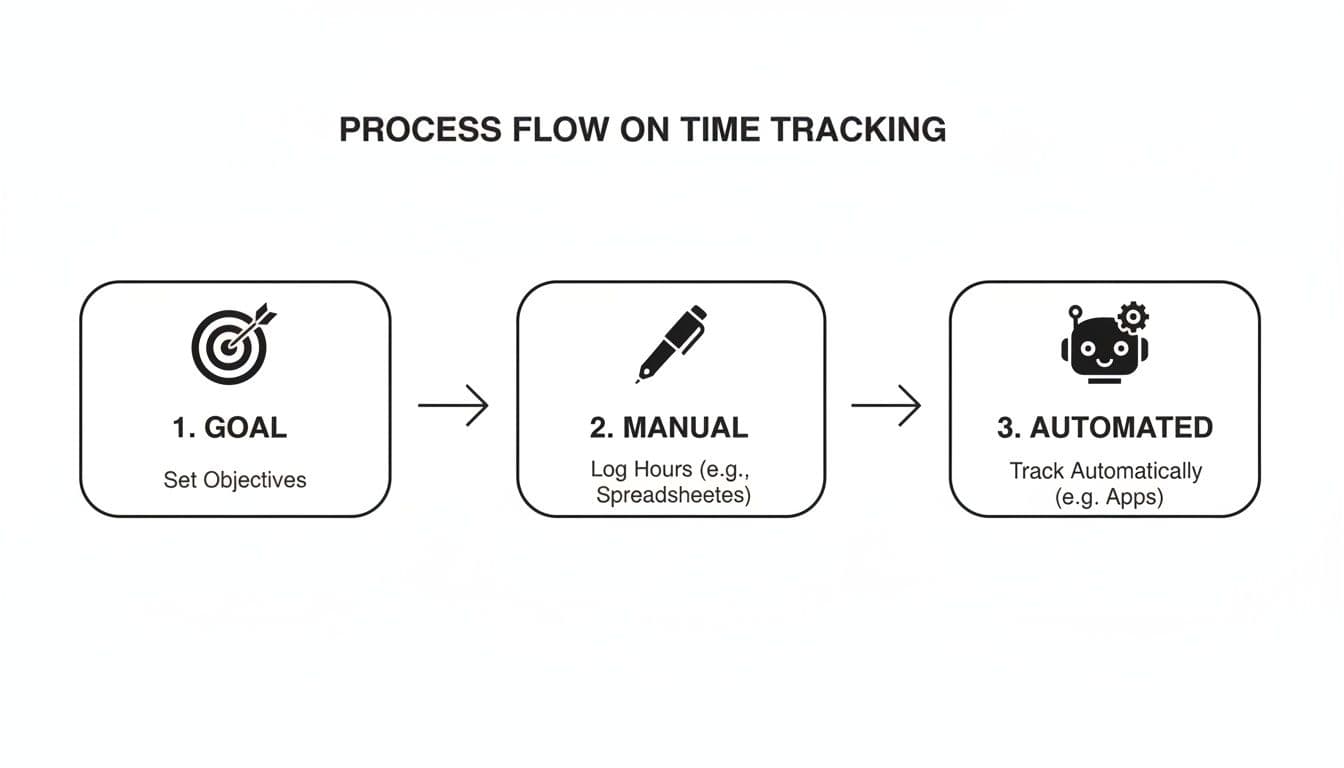
Automation is the final piece of the puzzle, building on a solid foundation to create a system that works for you, not the other way around.
Weave Tracking into Your Project Management Tools
A developer's entire world revolves around tools like Jira or Linear. They are the source of truth for every feature, bug, and review. When you connect your time tracker directly to these platforms, you create a powerful, two-way conversation that makes both systems smarter.
When you start a timer on a specific ticket, the system should instantly pull in all the important context: the ticket ID, project name, and its title. This kills manual data entry and guarantees every minute you track is tied to a real deliverable. You're no longer just logging "coding"; you're logging progress against FEAT-451: Implement new authentication flow.
But a deep integration does more than just log time. It can drive your entire workflow. For example, once you stop the timer on a ticket that was "In Progress," a good setup can automatically bump it over to "Code Review." This keeps your project board perfectly aligned with reality, cuts down on manual housekeeping, and gives everyone on the team a clearer picture of what's happening.
The goal is to turn your project management tool into an active partner. It stops being a passive backlog you update at the end of the day and becomes a dynamic dashboard that reflects your real-time effort.
Automate Your Status with Slack
Constant interruptions are the nemesis of deep work. A single "got a sec?" message on Slack can derail a complex thought process that takes forever to rebuild. This is where a smart Slack integration becomes an absolute game-changer. It’s like a digital "do not disturb" sign that you never have to remember to turn on.
Here’s how it works in the real world:
- You kick off a focus session on
BUG-789: Fix checkout page rendering issue. - Your Slack status immediately updates: "Deep Work: Fixing
BUG-789. Will respond later." - Your notifications are automatically snoozed for the duration.
This simple automation tells your team what you're doing without you ever leaving your editor or typing a single character in Slack. It sets clear expectations and fiercely guards your focus time, letting you stay locked in on the problem. When you're done, your status and notifications just snap back to normal.
Create a Truly Frictionless Experience
Ultimately, a seamless workflow is about hunting down and eliminating every single point of friction between you and your code. Every manual step you automate is a small but meaningful win for your focus and productivity.
Think about these small but high-impact connections:
- Git Integration: Link your time tracker to your Git client to log time based on your commits. When you push a commit with a message like
fix(auth): resolve token expiration #TICKET-123, the time can be automatically assigned to that ticket. No extra steps. - Calendar Sync: Connect your calendar to automatically import meetings as time entries. This ensures you're capturing all that time spent in sprint planning, retros, or daily stand-ups, giving you a complete picture of your day.
- APIs and Webhooks: For a truly custom setup, use APIs to build your own integrations. You could write a script that starts a timer from a terminal command or a webhook that logs deployment time whenever a build succeeds in your CI/CD pipeline.
By thoughtfully wiring your tools together, you transform time tracking from a manual, error-prone chore into an automated, invisible background process. The data you get is far more accurate, but more importantly, it frees up your mental energy to focus on what you do best: building incredible software.
Structuring Your Day for Deep Work Sessions
A perfectly integrated workflow is a great start, but the real value of time tracking for developers comes from how you use it to build your day. It’s not about logging hours after the fact. It's about proactively designing your schedule to protect your most valuable asset: uninterrupted deep work.
This is where you shift from being a passive record-keeper to an active architect of your own productivity.
The core idea is to embrace timeboxing—committing to a specific, focused block of time for a single task. The simple act of setting a timer creates a powerful psychological commitment. It helps you push past the initial friction of starting a complex coding problem and gives you a clear finish line, making even daunting tasks feel manageable.

This structured approach transforms your timer from a simple logging tool into a commitment device. When you hit "start," you're not just tracking time; you're making a promise to yourself to stay locked in on that one task until the clock runs out.
Building Your Daily Blueprint
A productive day doesn't happen by accident. It requires a deliberate plan that balances focused coding with the other demands of a developer's life, like meetings and code reviews. The key is to assign specific tasks to dedicated time blocks before your day even begins.
Start your morning by looking at your task list and your calendar. Identify your most challenging, high-concentration task—the one that requires true deep work. This is your number one priority. Schedule a 90-minute to 2-hour block for it, preferably during the time of day when you feel most sharp.
Here’s what a sample daily structure might look like:
- 9:00 AM - 9:30 AM: Daily stand-up and planning. Review priorities and slot tasks into time blocks for the day.
- 9:30 AM - 11:30 AM: Deep Work Session 1. Tackle your most complex coding task. Notifications off, Slack status updated.
- 11:30 AM - 12:00 PM: Code reviews and PR feedback. A great way to switch gears while still being productive.
- 12:00 PM - 1:00 PM: Lunch break. Actually disconnect.
- 1:00 PM - 2:30 PM: Deep Work Session 2. Focus on a secondary coding task or continue the morning's work.
- 2:30 PM - 3:00 PM: Buffer time for emails, Slack messages, or that thing that just came up.
- 3:00 PM - 4:00 PM: Meetings or collaborative sessions.
- 4:00 PM - 5:00 PM: Wind-down. Plan for tomorrow, handle minor admin tasks, or squash a few low-priority bugs.
This blueprint creates a predictable rhythm, helping you build and maintain momentum. If you're looking for more strategies, our guide on deep work for developers offers more tips on protecting your focus.
The Power of Data-Driven Focus
Structuring your day this way doesn't just feel more productive—the data proves it. Research projects that by 2026, AI-powered time trackers will continue to show that developers average just 2 hours and 53 minutes of truly productive work daily without intervention. But here's the kicker: using these tools to identify your personal bottlenecks can boost that productive time by 32%.
This data-driven approach helps freelancers increase billable hours by 20% and enables elite DORA teams to maintain lead times of less than an hour for deployments. When you integrate your tracker with tools like Jira, Linear, or GitHub, your efforts are logged automatically, creating a precise history that validates your output and makes deep work a consistent ritual. You can discover more insights about these software development metrics from Crossbridge.
A structured day isn’t about being rigid; it’s about being intentional. By creating a plan and using focus sessions, you take control of your time instead of letting your day control you.
Handling Interruptions and Staying Flexible
Of course, no plan is perfect. A critical bug will pop up. A teammate will need urgent help. The key is to handle these interruptions without letting them derail your entire day.
When an unexpected task arises, don't just drop everything. Take a beat to assess its urgency. If it can wait, add it to your backlog to be scheduled later. If it's a true emergency, create a new time entry for it, deal with it, and then consciously decide what to do next. Can you return to your original task, or do you need to reshuffle the rest of your day? This mindful approach keeps you in the driver's seat.
Turning Your Time Logs Into Actionable Insights
After a week of consistent time tracking for developers, you're sitting on a pile of raw data. That's a great start, but the logs themselves aren't the prize. The real magic happens when you turn that data into a feedback loop that sharpens your skills and makes you a more predictable, focused developer.
Think of your time log as the most honest mirror you have for your work habits. It cuts through the noise of feeling productive and shows you exactly where your time—your most valuable asset—is actually going. The first step is simple: grab your weekly report and just look for the patterns.
Are your best coding sessions always before noon? Do you consistently hit a wall after lunch? These aren't just quirks; they're clues you can use to structure your week around your brain’s natural energy cycles.
Uncovering Hidden Time Sinks
One of the first things you'll notice are the silent productivity killers. These are the small, recurring tasks and interruptions that feel insignificant in the moment but bleed hours from your week when you add them all up.
Scan your logs for those non-coding entries that pop up again and again. The usual suspects?
- Bloated Meetings: Is that daily stand-up consistently creeping from 15 minutes to 45? Did "sprint planning" just eat your entire Monday afternoon? Now you have the hard data to suggest a more streamlined process for your team.
- Tooling & Environment Friction: How many hours did you lose wrestling with a local development environment, waiting on a slow CI/CD pipeline, or battling flaky dependencies? Tracking this gives you concrete evidence of infrastructure problems that are holding everyone back.
- The Context Switching Tax: See a log filled with dozens of tiny, five-minute entries? That’s a massive red flag. It’s a clear sign that constant interruptions are shattering your focus and preventing any real deep work.
Calibrating Your Estimation Engine
Let’s be honest: estimation is one of the hardest parts of being a developer. We almost always anchor our estimates on the "happy path"—the ideal scenario where everything just works on the first try. Your time tracking data is the dose of reality you need to make your estimates reliable.
Your historical time data is the ultimate cheat sheet for future planning. It replaces optimistic guesswork with data-driven predictions, building trust with your team and clients.
The next time a new feature request lands on your desk, find a similar task in your old logs. Look at how long it actually took, including all the debugging, testing, and rework. Doing this over and over slowly recalibrates your internal "estimation engine." You'll start naturally accounting for the messy reality of software development and provide timelines you can actually deliver on.
From Tracked Hours to Polished Invoices
If you're a freelancer, this whole process isn't just about self-improvement—it's about getting paid what you're worth. A detailed time log is the bedrock of a professional invoice that leaves no room for questions or disputes. It justifies every billable minute.
Turning logs into an invoice should be painless. Group your time entries by project, pull in concise descriptions from your task titles, and present a clean, itemized breakdown. This simple act builds immense trust and ensures you’re billing for all the small fixes and quick check-ins that often get forgotten. If you want to dive deeper, we have a whole guide on tracking billable hours.
Finally, a quick word on privacy. Your time log is your personal data, period. It's a tool for you to gain insight, not for someone else to micromanage you. A modern, developer-first tool should always put you in complete control. The goal is to create a system that serves you—helping you defend your focus and master your craft.
Got Questions About Tracking Your Time?
Even with the best intentions, jumping into a new system for tracking your time can bring up some real-world questions. It's smart to tackle these head-on, so you can build a workflow that actually sticks. Let's get into the most common things we hear from developers.
The goal here isn't to add another chore to your day. It's to build a system that feels like an asset—something that protects your focus and proves your value, instead of just being more admin work.
Will This Feel Like I’m Being Watched?
This is the big one, and it's a completely fair question. Nobody wants to feel like they're under a microscope.
The good news is that modern tools built for developers are designed for personal productivity, not corporate surveillance. The difference is all about who controls the data. A good system puts you in the driver's seat. Time is only tracked against tasks you actively start, not through creepy screen monitoring or random screenshots.
Think of it as your private work log. It’s there to help you dial in your estimates, show the work behind the work, and defend your deep work sessions.
A good time tracker is a shield, not a weapon. It protects you from distractions and scope creep. The insights are for you first, helping you become a more effective and predictable engineer.
How Do I Track Non-Coding Stuff Like Reviews and Meetings?
A huge mistake is only tracking "hands-on-keyboard" coding time. Your workday is so much more than that, and a great time tracking system should reflect reality. The best way to handle this is to treat these non-coding activities just like any other task.
Get specific. Create entries like "Review PR #451: Auth Flow" or "Sprint Planning." It might seem small, but tracking these items gives you a brutally honest picture of where your time actually goes. This data is gold.
Suddenly, you can see if meetings are consistently torpedoing your most productive mornings or if code reviews are turning into multi-hour rabbit holes. Armed with that proof, you can have real, data-driven conversations with your team about making things better for everyone.
What's the Best Way to Start Without Getting Overwhelmed?
The secret to building any new habit is to start ridiculously small. Don't try to track every single second of your day right out of the gate. You'll burn out.
Instead, for the first week, focus on just one thing: your main coding task for the day.
Get into the simple rhythm of hitting "start" on a timer when you pull a ticket from Jira or Linear and hitting "stop" when you’re done. That’s it. You're just building the muscle memory.
Once that feels automatic, start layering in other things. Maybe you add code reviews next week, and meetings the week after. By building up gradually, you sidestep that initial friction that makes most people quit before they see the benefits.
How Does This Data Actually Help Me Make Better Estimates?
This is where it all pays off. Over time, your tracked hours become an incredible historical log of your work. It's what turns estimation from a wild guess into a data-backed process. We're all notoriously bad at estimating because we forget about all the "invisible" work that goes into every task.
Imagine a new feature request lands on your desk, and it feels a lot like that project you did three months ago. Instead of relying on fuzzy memory, you can just pull up your time logs.
You won't just see the total hours. You'll see a detailed breakdown: how much time you spent on the initial coding, sure, but also on debugging, writing tests, refactoring, and responding to PR feedback. This detailed history gives you a realistic baseline, letting you provide much more accurate timelines, push back on impossible deadlines, and build serious trust with your team.
Ready to transform your productivity? Locu combines a minimalist to-do list, rich notes, and a focus timer to help you turn tasks into consistent, high-quality output. Start building a precise history of your work and reclaim your deep work time. Start your free trial at https://locu.app.
Time tracking that protects your deep work
Join developers who protect deep work and get accurate billable time.