12 Essential Productivity Tools for Developers in 2026
In software development, the right toolkit is the foundation of quality, speed, and sustained focus. Juggling complex codebases, tight deadlines, and constant context switching demands more than just skill; it requires a streamlined workflow. This guide cuts through the noise to highlight essential productivity tools for developers, moving beyond generic lists to offer a curated selection designed to optimize every stage of your process. We focus on platforms that help you achieve deep work and distraction-free execution.
This article provides a comprehensive look at tools that solve specific developer pain points. We'll explore practical use cases, integration strategies, and honest limitations to help you build a personalized productivity stack. Our goal is to help you find the best platforms for your needs, whether you're a freelancer managing projects or part of a startup team coordinating tasks. From AI-powered coding assistants and robust issue trackers to command launchers that eliminate friction, these tools are chosen for their ability to amplify your output.
Each option in our list includes screenshots and direct links to help you evaluate it quickly. We analyze how each tool fits into a modern developer's workflow, including how platforms like Locu can complement or replace parts of your existing stack. For those wanting a broader overview before diving in, you might explore this comprehensive list of 12 Must-Have Developer Productivity Tools for High-Performing Teams to understand various options available. Our curated selection below is designed to let you focus on what matters most: shipping exceptional software.
1. Locu
Locu establishes itself as a premier productivity tool for developers by integrating deep work mechanics directly into the task management workflow. It’s not just a to-do list; it's a comprehensive workspace designed to guide you from planning to focused execution. At its core, Locu combines a minimalist task manager, rich note-taking capabilities, and an intelligent focus timer, complete with a built-in app and website blocker. This union creates an environment where developers can eliminate distractions and enter a state of flow with intention.
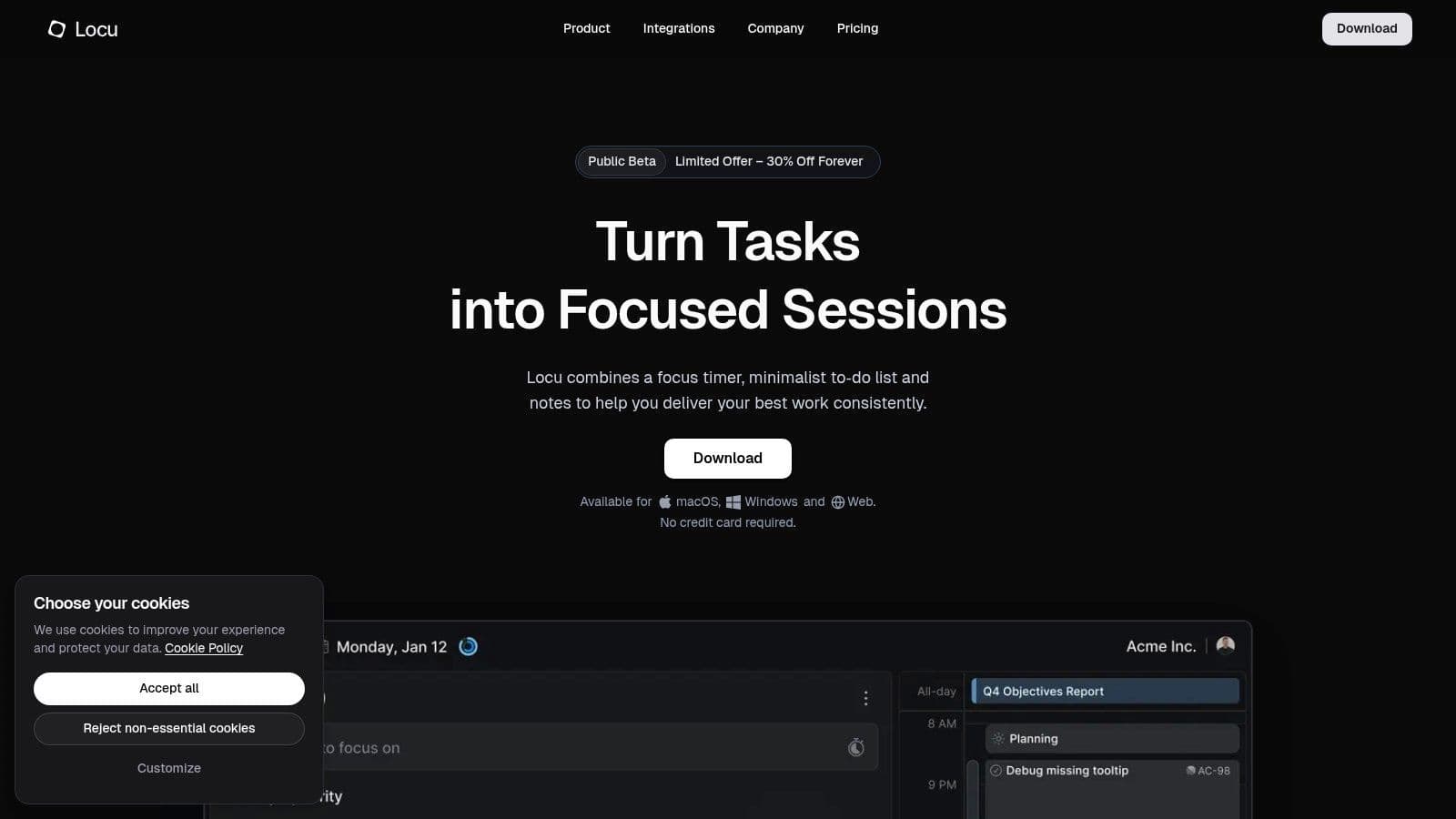
What sets Locu apart is its deep, native integration with the developer ecosystem. It provides robust, two-way synchronization with Linear and Jira, allowing tickets to be pulled into your daily plan and progress to be synced back automatically. This eliminates the context-switching and manual updates that typically fragment a developer's day. The Slack integration further preserves focus by letting you manage notifications and update your status without ever leaving the Locu interface.
Key Strengths and Use Cases
- Integrated Deep Work Sessions: Combine a specific task with a focus timer and a custom blocklist. This is ideal for tackling a complex coding problem, as Locu automatically tracks your time against that task, providing a precise, distraction-free work log.
- Unified Context Management: Link rich notes, subtasks, and meeting agendas directly to your to-do list. Before starting a coding session, you can outline your implementation plan in the notes, ensuring all context is in one place.
- Seamless Project Sync: A developer using Jira can pull their assigned tickets for the day into Locu, work on them in focused sessions, and have the time logs and status updates sync back to the team’s board, streamlining reporting.
- Actionable Performance Insights: The built-in reports offer a clear view of where your time is going. This is invaluable for freelancers who need to generate invoices from CSV exports or for team leads looking to understand and optimize development cycles.
Implementation and Access
Locu is built for performance with an offline-first, keyboard-friendly interface available on macOS, Windows, and the web. While it currently lacks dedicated mobile apps, its desktop and web platforms provide a robust, fast experience suited for a primary workstation. It offers a 10-day free trial, with flexible plans for individuals and teams available on its website.
2. JetBrains
JetBrains provides a suite of powerful, language-specific Integrated Development Environments (IDEs) like IntelliJ IDEA, PyCharm, and WebStorm, which are considered indispensable productivity tools for developers aiming for deep work. Unlike lightweight text editors that require extensive configuration, JetBrains IDEs offer a "batteries-included" experience. This means essential tools for debugging, version control, testing, and database management are tightly integrated, minimizing context switching and keeping you focused on writing code.

The platform’s strength lies in its intelligent code completion, on-the-fly inspections, and advanced refactoring capabilities. These features not only accelerate development but also actively improve code quality, which is a core principle for long-term productivity. This proactive approach to code health helps prevent technical debt before it accumulates. For a deeper look into such preventative strategies, explore these tips on how to improve developer productivity.
Use-Cases & Integration
- Best For: Developers who want a comprehensive, out-of-the-box coding environment that supports the entire development lifecycle from coding and debugging to testing and deployment.
- How it Complements Locu: While JetBrains optimizes the micro-level coding loop, Locu enhances the macro-level planning. You can use Locu to schedule deep work blocks dedicated to specific features, then dive into your JetBrains IDE to execute them with minimal friction. The IDE keeps you in the coding flow, while Locu ensures you're working on the right tasks at the right time.
Pros & Cons
| Pros | Cons |
|---|---|
| Industry-leading code navigation and refactoring tools. | Paid licensing can be costly for larger teams. |
| Mature, stable ecosystem with a rich plugin marketplace. | Higher memory and CPU usage than text editors. |
| Excellent built-in tools (VCS, database, terminal). |
Website: https://www.jetbrains.com
3. GitHub Copilot
GitHub Copilot is an AI pair-programming assistant that has rapidly become one of the most impactful productivity tools for developers. By providing intelligent, context-aware code suggestions directly within the IDE, it significantly reduces the time spent on boilerplate code, searching for syntax, and implementing common patterns. This immediate feedback loop allows developers to maintain flow state and focus on the more complex, creative aspects of problem-solving rather than getting bogged down in routine implementation details.

The platform functions as more than just an autocomplete tool; its chat and agent modes allow you to ask questions, debug code, and even get high-level architectural advice without leaving your editor. This seamless integration prevents costly context switches, preserving cognitive energy for deep work. For developers keen on optimizing their AI interactions, understanding frameworks for programmatic LLM development with an overview of methods such as outlining What Is DSPy can be invaluable for getting the most out of tools like Copilot.
Use-Cases & Integration
- Best For: Developers looking to accelerate their coding velocity, reduce cognitive load from repetitive tasks, and get real-time assistance with new languages or unfamiliar APIs.
- How it Complements Locu: Copilot excels at the micro-level of code generation within a specific task. You can use Locu to plan and time-box a feature development session, then leverage Copilot inside your IDE to execute that plan with maximum efficiency. Locu ensures you're building the right thing, while Copilot helps you build it faster.
Pros & Cons
| Pros | Cons |
|---|---|
| Immediate velocity gains for common coding patterns. | Premium feature usage governed by monthly 'premium request' quotas. |
| Works inside the tools developers already use (IDE integrations). | Heavy users may need add-ons for additional requests. |
| Accelerates learning new frameworks and languages. |
Website: https://github.com/features/copilot/plans
4. Visual Studio Code Marketplace
The Visual Studio Code Marketplace is the central hub for customizing and supercharging the VS Code editor, making it one of the most versatile productivity tools for developers. Unlike monolithic IDEs, VS Code's power comes from its extensibility. This marketplace provides access to a vast catalog of extensions that can transform the editor to suit any workflow, from linting and formatting to AI-powered coding assistants and advanced container management. This allows you to build a lean, personalized development environment tailored to your exact needs.
The platform’s strength is its sheer volume and the community-driven innovation behind it. Extensions like Prettier for code formatting, ESLint for JavaScript analysis, and Docker for container integration are considered essential for maintaining code quality and streamlining development cycles. By carefully curating your extension pack, you can automate repetitive tasks, enforce coding standards, and reduce cognitive load, freeing up mental space to focus on solving complex problems.
Use-Cases & Integration
- Best For: Developers who prefer a lightweight, highly customizable editor and want to handpick the tools that best fit their tech stack and personal workflow.
- How it Complements Locu: While the VS Code Marketplace provides tools to optimize the coding environment, Locu organizes the work that happens within it. You can plan a sprint in Locu, break down features into specific coding tasks, and then use your customized VS Code setup to execute them efficiently. The extensions handle the in-editor productivity, while Locu ensures your focus is directed at the highest-priority goals.
Pros & Cons
| Pros | Cons |
|---|---|
| Deep integration with VS Code and seamless one-click install. | Extension quality varies; vetting is needed for critical setups. |
| Most high-value extensions are free or offer trial periods. | Some powerful extensions may be paid or have freemium models. |
| Massive catalog covering virtually every development need. | Over-installing can lead to performance issues or conflicts. |
Website: https://marketplace.visualstudio.com/vscode
5. Atlassian (Jira)
Atlassian’s Jira is a cornerstone for dev workflow orchestration, providing a structured environment for backlog management and sprint planning. It serves as a central hub where development tasks are tracked from conception to deployment. Through its use of Scrum and Kanban boards, it helps teams visualize progress, identify bottlenecks, and maintain a steady development pace, making it one of the most widely adopted productivity tools for developers in corporate environments.

The platform's power comes from its extensive customizability and deep integrations. Custom workflows allow teams to model their exact development processes, while robust integrations with source control (like Bitbucket or GitHub) and CI/CD tools automate status updates. This ecosystem-based approach reduces manual overhead and ensures that the project board is always a single source of truth for task status. For those looking to streamline their reporting, it is beneficial to explore different methods for Jira time tracking to gain better insights into effort allocation.
Use-Cases & Integration
- Best For: Development teams, particularly in mid-to-large-sized companies, that need a highly configurable, enterprise-grade platform for Agile project management and issue tracking.
- How it Complements Locu: Jira excels at high-level project and sprint planning, but it can be noisy. Locu complements this by allowing developers to pull their assigned Jira tickets into a focused, distraction-free environment for deep work sessions. This creates a bridge between macro-level team planning in Jira and micro-level individual execution in Locu, ensuring alignment without the constant distraction of the full Jira interface.
Pros & Cons
| Pros | Cons |
|---|---|
| Ubiquitous in the industry with a strong ecosystem and integrations. | Can be complex and slow to administer for small teams. |
| Granular permissions and extensive reporting for enterprise needs. | Feature surface and admin overhead can be heavy. |
| Highly customizable workflows to match any development process. |
Website: https://www.atlassian.com/software/jira/pricing
6. Linear
Linear is a modern issue tracker designed from the ground up for high-performance software teams. It ditches the clunky, configuration-heavy nature of traditional project management tools in favor of a keyboard-first, speed-focused experience. This design philosophy makes it one of the best productivity tools for developers because it reduces the friction associated with updating tasks, creating issues, and managing backlogs, allowing teams to stay in a state of flow.

The platform's strength lies in its opinionated, yet flexible, workflows that resonate with engineering practices. Features like automated cycles, tight GitHub integration for linking pull requests to issues, and an exceptionally fast interface mean developers spend less time fighting their tools and more time building. Its recently introduced AI-powered Triage Intelligence further streamlines the process by automatically categorizing and prioritizing incoming issues, keeping the backlog clean and actionable.
Use-Cases & Integration
- Best For: Startups and product-focused teams that need a fast, low-overhead issue tracker that developers genuinely enjoy using.
- How it Complements Locu: While Linear excels at managing the team's backlog and development cycles, Locu provides the personal focus layer on top. A developer can pull their assigned Linear issues into Locu to plan their deep work sessions for the day, track focused time against each specific task, and protect their calendar from interruptions, ensuring that team-level plans translate into individual, uninterrupted execution.
Pros & Cons
| Pros | Cons |
|---|---|
| Very low overhead and great developer adoption due to its speed. | Advanced features require Business or higher-priced tiers. |
| Strong performance and a modern, streamlined design. | Less customizable than more traditional enterprise tools. |
| Keyboard-first UI with excellent search and navigation. |
Website: https://linear.app/pricing
7. Docker
Docker streamlines the entire software development lifecycle by containerizing applications, creating consistent and reproducible environments from development to production. For developers, this eliminates the "it works on my machine" problem, which is a massive productivity drain. Tools like Docker Desktop, which bundles Docker Engine with Kubernetes and Compose, allow you to build, test, and ship software reliably, ensuring that every team member works with an identical setup, dramatically speeding up onboarding and reducing configuration-related bugs.
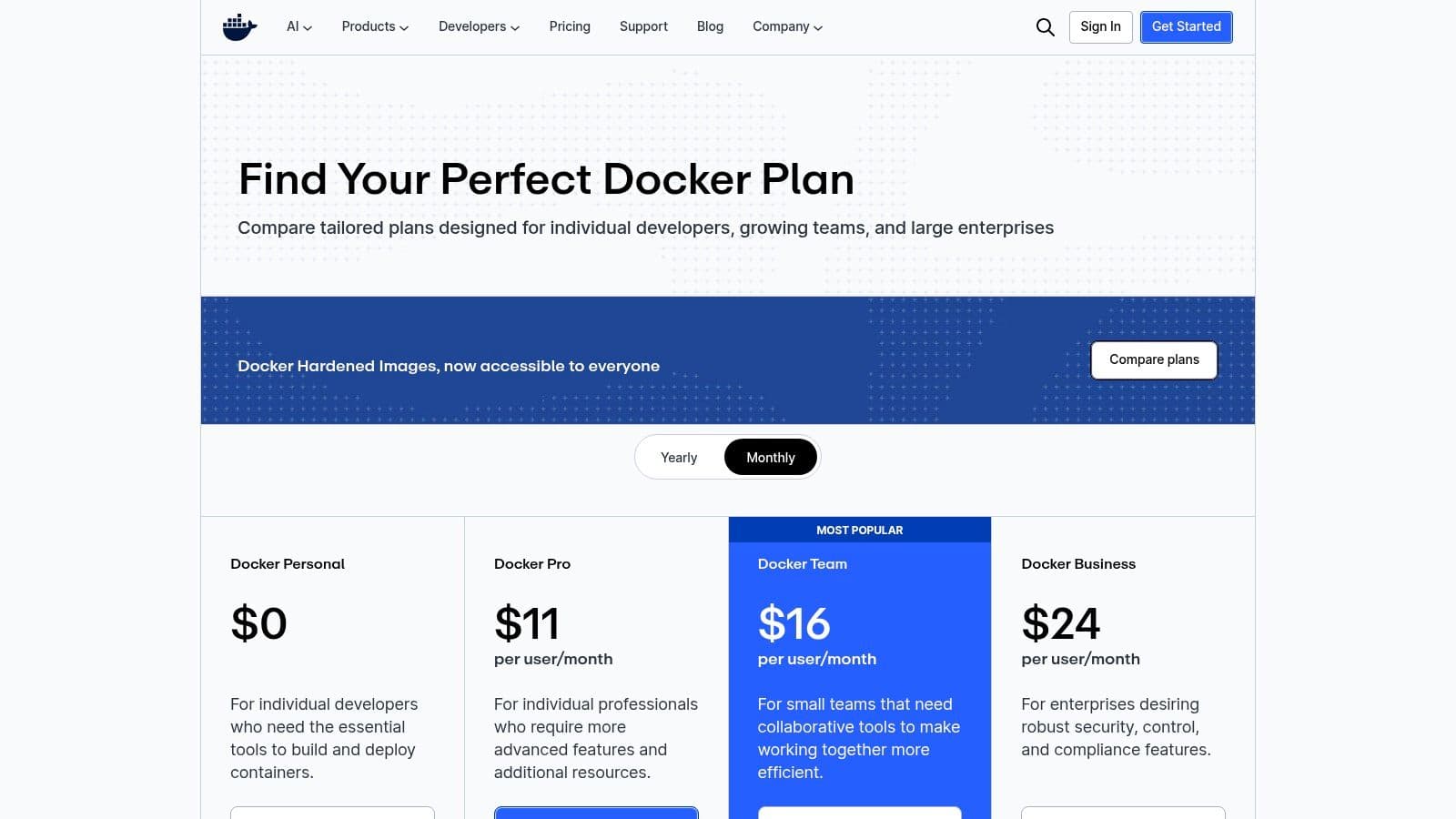
The platform's core strength is its ability to isolate dependencies and encapsulate application services, which makes it an essential component in modern microservices architectures. By standardizing the environment, Docker allows developers to focus purely on writing code, not on wrestling with system libraries or conflicting dependencies. This standardization is a key reason why it's considered one of the most fundamental productivity tools for developers today, as it directly reduces friction in the daily workflow.
Use-Cases & Integration
- Best For: Teams that need to ensure environmental consistency across development, testing, and production, and for developers looking to simplify complex application setups.
- How it Complements Locu: You can use Locu to plan a sprint that involves creating a new microservice. Within your scheduled deep work block, you can use Docker to containerize and test the service in isolation. Locu provides the high-level structure for what to build, while Docker provides the low-level, friction-free environment to build it efficiently.
Pros & Cons
| Pros | Cons |
|---|---|
| Standardizes developer workflow across macOS, Windows, and Linux. | Paid subscription required for commercial use in larger organizations. |
| Creates consistent, reproducible, and isolated environments. | Recent pricing changes have increased costs for some users. |
| Clear quotas and enterprise controls for teams. |
Website: https://www.docker.com/pricing/
8. Postman
Postman is an essential API platform that dramatically accelerates the development lifecycle by centralizing API design, testing, documentation, and collaboration. As one of the most vital productivity tools for developers working with APIs, it provides a unified interface to manage HTTP, GraphQL, WebSocket, and other protocols. This eliminates the need to juggle multiple tools for different stages of API development, such as manual cURL commands, separate documentation sites, and mock servers.
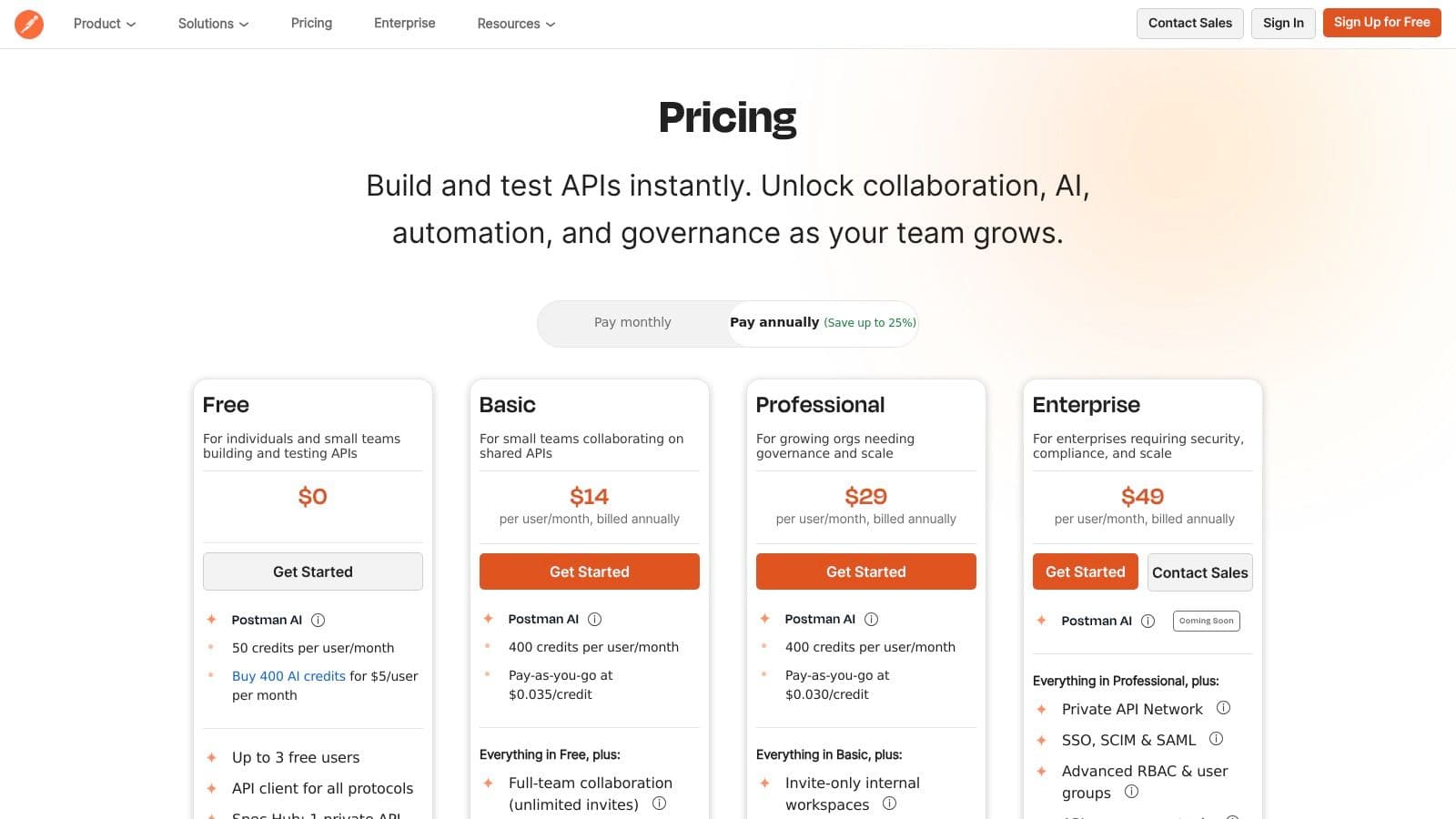
The platform’s real power comes from its integrated workflow. Developers can design an API specification, create mock servers for front-end teams to build against, write automated tests to validate endpoints, and generate interactive documentation all from one place. Features like collaborative workspaces and CLI integrations further streamline team-based workflows, ensuring everyone is working from a single source of truth and reducing the friction common in API-first development.
Use-Cases & Integration
- Best For: Backend, frontend, and full-stack developers who need a comprehensive solution for the entire API lifecycle, from initial design and testing to deployment and monitoring.
- How it Complements Locu: Postman handles the technical execution of API development, while Locu manages the strategic planning. You can use Locu to schedule specific sprints or deep work blocks for API feature development. Once it's time to work, you can dive directly into Postman to test endpoints or update documentation, ensuring your focused time is spent efficiently on the precise technical tasks you planned.
Pros & Cons
| Pros | Cons |
|---|---|
| Speeds up the API lifecycle with integrated tooling. | Features and pricing are being updated; migration may be required. |
| Scales from solo developers to large enterprises. | Some add-ons (mocks, AI credits) incur extra costs. |
| Extensive protocol support and collaboration features. |
Website: https://www.postman.com/pricing/
9. Raycast
Raycast is a blazingly fast, keyboard-driven command launcher that has become a staple for developers looking to minimize context switching and automate common workflows. It goes far beyond a simple app launcher by integrating a rich ecosystem of extensions, snippets, and AI capabilities directly into a single interface. Developers can use it to search for files, manage windows, run scripts, or interact with APIs from services like GitHub and Jira without ever leaving the keyboard. This drastically reduces the micro-interruptions that fragment focus throughout the day.

The platform's real power comes from its extensibility and team features. With thousands of community-built extensions and an SDK to create your own, you can tailor Raycast to your specific toolchain. For teams, shared commands and a private extension store ensure that everyone benefits from the same productivity boosts and standardized workflows. This focus on repeatable, efficient actions is critical for protecting your attention, a key component of deep work for developers.
Use-Cases & Integration
- Best For: Developers who live in the command line and want to consolidate their tool interactions into a single, keyboard-first interface to speed up daily tasks.
- How it Complements Locu: Raycast streamlines the execution of small, repetitive tasks, clearing the path for uninterrupted coding sessions. You can use Locu to block out a two-hour focus session for a complex feature, and then rely on Raycast within that block to quickly look up documentation, switch git branches, or run tests, all without the distraction of navigating multiple UI windows.
Pros & Cons
| Pros | Cons |
|---|---|
| Significant time savings on task switching and dev workflows. | Primarily focused on macOS; Windows support is less mature. |
| Extensible with a vast library of community and private extensions. | Advanced AI features require a paid Pro subscription. |
| Team features improve standardization and command reusability. |
Website: https://www.raycast.com/pricing
10. AWS Marketplace
AWS Marketplace serves as a curated digital catalog, streamlining how development teams discover, procure, and manage third-party software. Instead of juggling multiple vendor contracts and billing cycles, developers can access a vast library of tools spanning CI/CD, testing, code quality, and observability directly through their existing AWS account. This centralization is a major productivity boost, as it significantly cuts down the administrative overhead typically associated with onboarding new software.
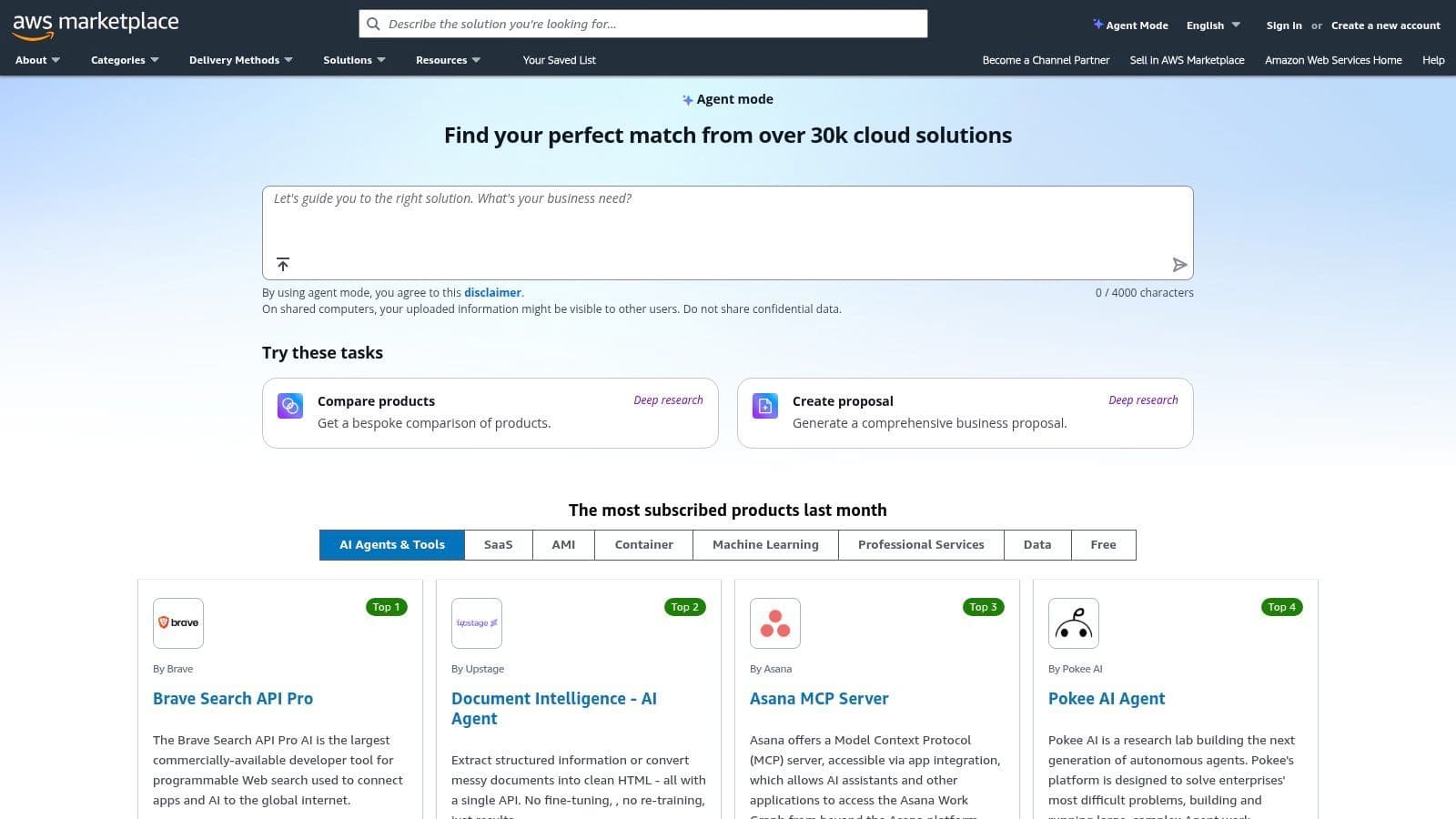
The platform's key advantage for developer productivity lies in its integration with AWS billing and governance. This allows teams to quickly spin up essential tools using flexible pricing models like pay-as-you-go or private offers, all consolidated into a single invoice. By simplifying procurement and ensuring compliance with company policies, AWS Marketplace lets engineers focus on building solutions rather than navigating complex purchasing processes, making it one of the more unique productivity tools for developers operating in the cloud.
Use-Cases & Integration
- Best For: Development teams and enterprises operating within the AWS ecosystem who need to simplify and accelerate the procurement of vetted third-party software.
- How it Complements Locu: While the AWS Marketplace streamlines tool acquisition, Locu organizes the work done with those tools. You can use Locu to plan a sprint that requires a new observability tool, procure it via the Marketplace to avoid delays, and then schedule focused work blocks in Locu to integrate and utilize the new software, ensuring a smooth transition from procurement to production.
Pros & Cons
| Pros | Cons |
|---|---|
| Simplifies vendor onboarding and compliance for US companies. | Listings vary by vendor; careful evaluation of each is required. |
| Centralized cost controls and consolidated invoices. | Procurement may still require additional vendor due diligence. |
| Flexible pricing options, including free trials and pay-as-you-go. |
Website: https://aws.amazon.com/marketplace
11. GitHub Marketplace
GitHub Marketplace serves as a central hub for discovering and integrating tools directly into the development workflow, acting as a significant force multiplier for developer productivity. Instead of searching across the web for solutions, developers can find verified apps and actions covering CI/CD, code quality, security, and project management, all within the GitHub ecosystem. This streamlined approach minimizes the friction of adopting new tools, allowing teams to enhance their repositories with powerful automations and insights with just a few clicks.
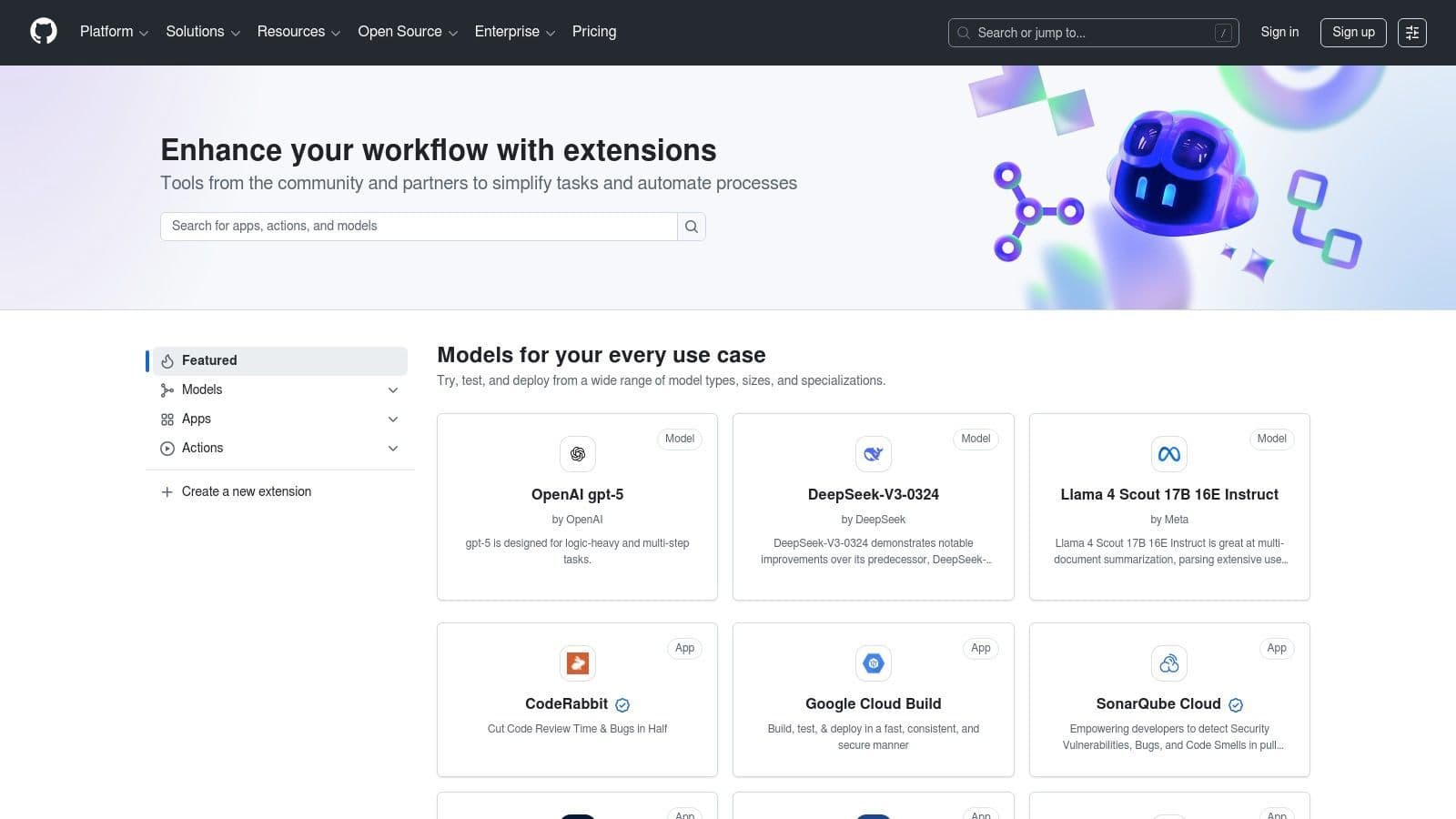
The platform’s core advantage is its seamless integration and consolidated billing. Subscribing to, trialing, and managing various services through a single GitHub account removes significant administrative overhead. This lets developers focus on what the tools do rather than how to procure and manage them. By leveraging the Marketplace, teams can quickly build a tailored, automated, and secure development environment, making it one of the most practical productivity tools for developers looking to extend their core toolchain.
Use-Cases & Integration
- Best For: Teams that want to augment their GitHub workflow with specialized tools for automation, security scanning, and code analysis without leaving the platform.
- How it Complements Locu: While the Marketplace provides tools that operate on your code (like CI/CD or linters), Locu helps organize the human effort behind the code. You can use Locu to plan a sprint and track deep work time on a feature, while a CI/CD app from the Marketplace automatically runs tests and deploys your code upon merging a pull request, creating a fully integrated development lifecycle.
Pros & Cons
| Pros | Cons |
|---|---|
| Tight integration with repositories, pull requests, and orgs. | Quality and support levels can vary significantly between vendors. |
| Centralized billing and subscription management via GitHub. | Some apps require paid tiers for full, meaningful functionality. |
| Easy discovery and one-click installation for many tools. |
Website: https://github.com/marketplace
12. Setapp
Setapp offers a unique approach to software acquisition by providing a subscription service for a curated catalog of macOS and iOS applications. Instead of purchasing individual licenses, developers gain access to a wide array of tools through a single membership, simplifying tool management and reducing costs. This model is particularly effective for equipping a Mac-based development environment with essential utilities like advanced terminals, Git clients, database GUIs, and merge tools without the friction of separate purchases and license keys.
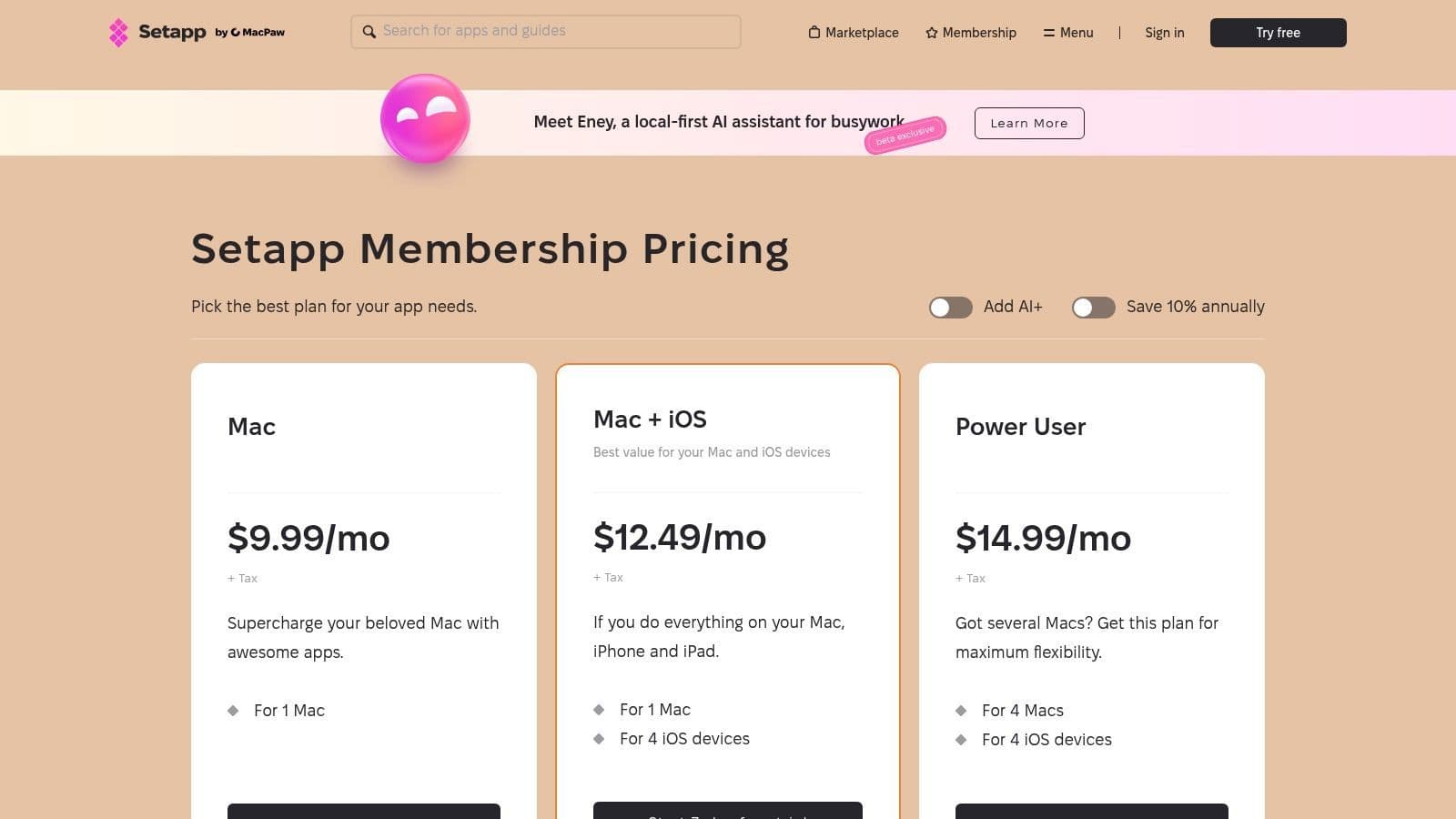
The platform's value lies in its convenience and discovery aspect, allowing developers to experiment with high-quality applications that might otherwise be overlooked. By bundling various productivity tools for developers under one roof, Setapp eliminates the administrative overhead of tracking multiple subscriptions and updates. This streamlined access ensures you always have the right tool for the job, from code snippet managers to API clients, all kept current and ready to use.
Use-Cases & Integration
- Best For: Mac-based developers and small teams who want to standardize their toolset and access a broad suite of high-quality utilities for a flat monthly fee.
- How it Complements Locu: Setapp provides the specific tools needed for execution, while Locu orchestrates the high-level plan. You can use Locu to schedule a "database optimization" task, then use a database client from Setapp, like TablePlus, to perform the work. This pairing ensures both your strategic planning and tactical execution are supported by best-in-class software.
Pros & Cons
| Pros | Cons |
|---|---|
| Cost-effective access to a large library of premium applications. | Exclusively for the macOS and iOS ecosystem; no Windows or Linux support. |
| Centralized billing and updates simplify software management. | Highly specialized or niche developer tools may not be in the catalog. |
| Discover new, high-quality tools you might not find otherwise. |
Website: https://setapp.com/pricing
Top 12 Developer Productivity Tools Comparison
| Product | Key features ✨ | UX & Quality ★ | Pricing / Value 💰 | Best for 👥 | Standout 🏆 |
|---|---|---|---|---|---|
| Locu 🏆 | Focus timer + app/site blocker, minimalist to‑do, rich notes, two‑way Linear/Jira sync | ★★★★★ — fast, offline‑first, keyboard‑friendly | 10‑day trial; flexible individual & team plans 💰 | Engineers, freelancers, founders, remote teams 👥 | Guided focus sessions that auto‑capture time; public API ✨ |
| JetBrains | Language‑specific IDEs, refactoring, VCS, DB tooling, plugins | ★★★★★ — mature, stable, feature‑rich | Commercial licenses & bundles; paid 💰 | Professional devs & engineering teams 👥 | Advanced refactoring, inspections & plugin ecosystem ✨ |
| GitHub Copilot | Inline code suggestions, chat, agent mode, multi‑IDE support | ★★★★☆ — boosts coding velocity | Tiered paid plans; request quotas for premium usage 💰 | Developers wanting AI pair‑programming 👥 | Inline AI assistant inside familiar IDEs ✨ |
| VS Code Marketplace | Massive extension catalog: linting, testing, AI, containers | ★★★★☆ — deep VS Code integration; quality varies | Mostly free extensions; some paid/freemium 💰 | VS Code users & extensibility‑focused devs 👥 | One‑click install for wide ecosystem of tools ✨ |
| Atlassian (Jira) | Scrum/Kanban, custom workflows, automation, Confluence integration | ★★★★☆ — enterprise‑grade, can be complex | Paid tiers; enterprise pricing & governance 💰 | Product managers, large engineering orgs 👥 | Scales to large teams with granular permissions ✨ |
| Linear | Keyboard‑first issue tracker, fast search, AI triage & insights | ★★★★☆ — very fast, low overhead | Free + paid tiers; advanced features on Business 💰 | Startups and fast‑moving engineering teams 👥 | Speedy keyboard UX and streamlined workflows ✨ |
| Docker | Docker Desktop, Hub, Build Cloud, RBAC/SSO for teams | ★★★★☆ — standard dev workflow; resource usage notable | Free for small use; paid for commercial orgs 💰 | DevOps, teams needing reproducible envs 👥 | Reproducible containers and onboarding tooling ✨ |
| Postman | API client: HTTP/gRPC/GraphQL, mocking, tests, docs, workspaces | ★★★★☆ — integrated API lifecycle tooling | Free tier; paid enterprise plans & add‑ons 💰 | API teams, QA, backend engineers 👥 | End‑to‑end API design, testing and collaboration ✨ |
| Raycast | Keyboard launcher, extension store, snippets, QuickAI | ★★★★☆ — very fast on macOS; Windows maturing | Free + Pro features/add‑ons 💰 | Mac developers & power users 👥 | Keyboard‑driven workflows and team shared commands ✨ |
| AWS Marketplace | Catalog of SaaS/AMI/container dev tools with consolidated billing | ★★★★☆ — enterprise procurement focus; vendor variance | Pay‑as‑you‑go; private offers & consolidated billing 💰 | Enterprises procuring cloud tools 👥 | Simplified procurement, billing & governance ✨ |
| GitHub Marketplace | GitHub Apps & Actions for CI/CD, security, PM, time tracking | ★★★★☆ — repo‑native installs; vendor quality varies | Mixed pricing models; billing via GitHub 💰 | Teams using GitHub for workflows 👥 | Tight integration with repos, PRs and org billing ✨ |
| Setapp | Curated subscription for macOS/iOS productivity & dev apps | ★★★★☆ — convenient, curated catalog | Subscription unlocks many apps; cost‑effective for Mac users 💰 | Individual Mac developers & small teams 👥 | One membership for vetted Mac apps and auto‑updates ✨ |
Choosing Your Ultimate Developer Productivity Stack
The journey to peak productivity is not about finding a single magic bullet, but about assembling a personalized arsenal of tools that seamlessly integrate into your unique workflow. We've explored a powerful spectrum of productivity tools for developers, from the integrated deep work environment of Locu and the intelligent coding assistance of GitHub Copilot to the robust project management frameworks of Jira and Linear. Each tool offers a distinct solution to a common development bottleneck, whether it's context switching, inefficient coding, or disorganized task management.
The core takeaway is this: the most effective productivity stack is one you build intentionally. It's not about adopting every tool on this list. Instead, it’s about a strategic process of self-assessment and targeted implementation. The goal is to create a cohesive system where each component complements the others, reducing friction and amplifying your ability to focus on what truly matters: writing great code.
From Tools to a Cohesive System
A list of tools is just a starting point. The real power comes from creating a system that works for you. An IDE like a JetBrains product or a customized VS Code setup forms the nucleus of your coding environment. Layering on a tool like GitHub Copilot accelerates your output within that environment. Meanwhile, platforms like Linear or Jira provide the high-level structure for your projects, defining what needs to be done.
The final, crucial layer is the one that manages your focus and ties everything together. This is where a tool like Locu becomes the central nervous system of your stack. It doesn't just track time; it integrates with your issue tracker to pull in tasks, helps you block out distractions, and provides a clear, actionable plan for your day. This integration transforms a collection of separate applications into a unified, powerful productivity engine.
Actionable Steps to Build Your Stack
Feeling overwhelmed by the options? Don't be. Here’s a practical, step-by-step approach to building or refining your developer productivity stack:
- Identify Your Biggest Bottleneck: Start by pinpointing your single greatest source of friction. Is it constant interruptions? Tedious manual API testing? Disorganized project backlogs? Be honest and specific.
- Select One Tool to Solve It: Choose one tool from this list that directly addresses that primary bottleneck. If context switching is killing your flow, start with a focus management tool. If your IDE feels sluggish, explore the VS Code or JetBrains marketplaces for targeted extensions.
- Integrate and Automate: Once you've chosen a tool, focus on integrating it with your existing workflow. For instance, connect Locu to your Jira or Linear board. Use Raycast to create aliases for your most common Docker or Git commands. The goal is to make the tool an invisible, effortless part of your process.
- Evaluate and Iterate: Give the new tool a fair trial period, at least a full project sprint. Assess its impact. Did it solve the problem? Did it create new ones? Productivity is a continuous improvement process, so don't be afraid to discard what isn't working and try something else.
By thoughtfully combining the right IDE, issue tracker, automation utilities, and a dedicated focus management system, you can construct a deeply personal and highly effective stack. This curated environment empowers you to reclaim your time, enter states of deep work more easily, and ultimately, spend your energy on the creative, problem-solving aspects of software development that you love. The best productivity tools for developers are the ones that disappear into the background, allowing you to simply build.
Ready to build a truly integrated and distraction-free workflow? Locu is designed to be the central hub of your developer productivity stack, pulling tasks from Linear and Jira directly into your focus sessions. Stop juggling tools and start shipping faster by trying Locu today.
Pick the right dev tools and ship reliably
Join developers who turn curated tools into distraction-free, shipped work.