Best Time Tracking for Jira in 2025 (Focus Timer + Private Notes)
Jira doesn't have great time tracking. You either log work manually after the fact (inaccurate), or bolt on Toggl and toggle timers all day (annoying).
Locu takes a different approach: import your assigned Jira issues, work in focused sessions, and get accurate time tracking as a byproduct. No manual logging. No remembering to start timers. Just work naturally and let time data accumulate.
The bonus? You barely need to open Jira during your sprint. Import issues once, execute in Locu and let time tracking happen naturally.
Why Jira's Built-in Time Tracking Falls Short
Jira has time tracking, but it's designed for reporting, not execution.
The problems:
- Manual logging after the fact — you work, then remember to log. Inaccurate.
- No focus structure — just a field to fill, no rhythm or sessions
- Public to team — your work log is visible to everyone
- No personal notes — context that doesn't belong in Jira has nowhere to go
For managers who need time estimates vs. actuals, Jira's tracking works. For individual contributors doing the work, it's friction.
The Problem With Toggl + Jira
Many teams use Toggl or Clockify alongside Jira. Here's the reality:
- Open Jira, find your issue (wait...)
- Copy issue key
- Open Toggl, create entry, paste issue key
- Start timer
- Actually work
- Get interrupted → forget timer is running
- Timer runs through lunch
- Manually fix entries at month end
Two slow systems instead of one. You're context-switching between Jira (slow) and Toggl (another window), and still getting inaccurate data.
How Locu Solves Jira Time Tracking
The core idea: time tracking as a byproduct of focused work, not a separate task.
1. Import Your Assigned Jira Issues
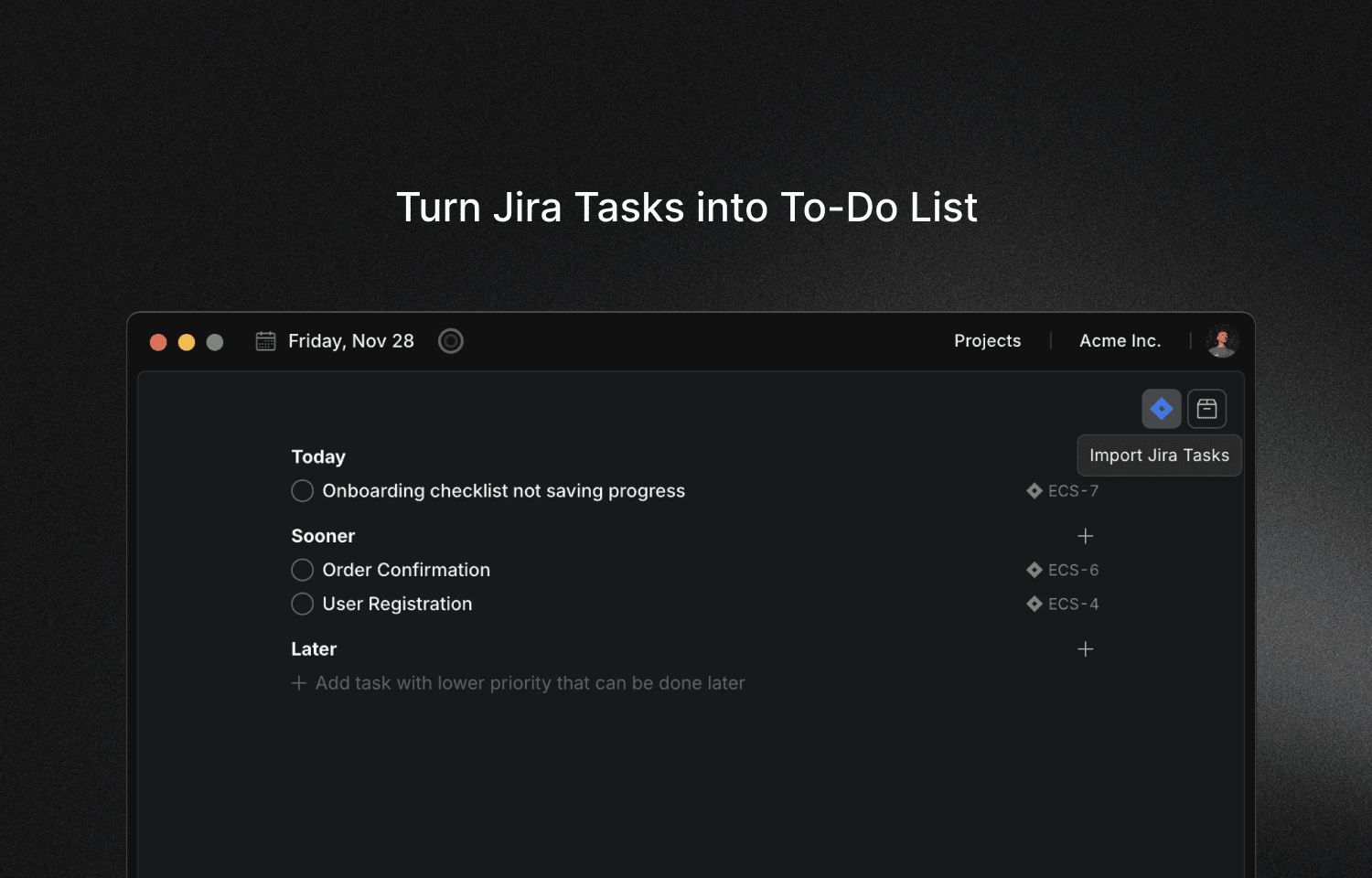
Connect your Jira workspace and import issues assigned to you. Your sprint backlog is now in Locu—ready to work on.
2. Work in Focus Sessions
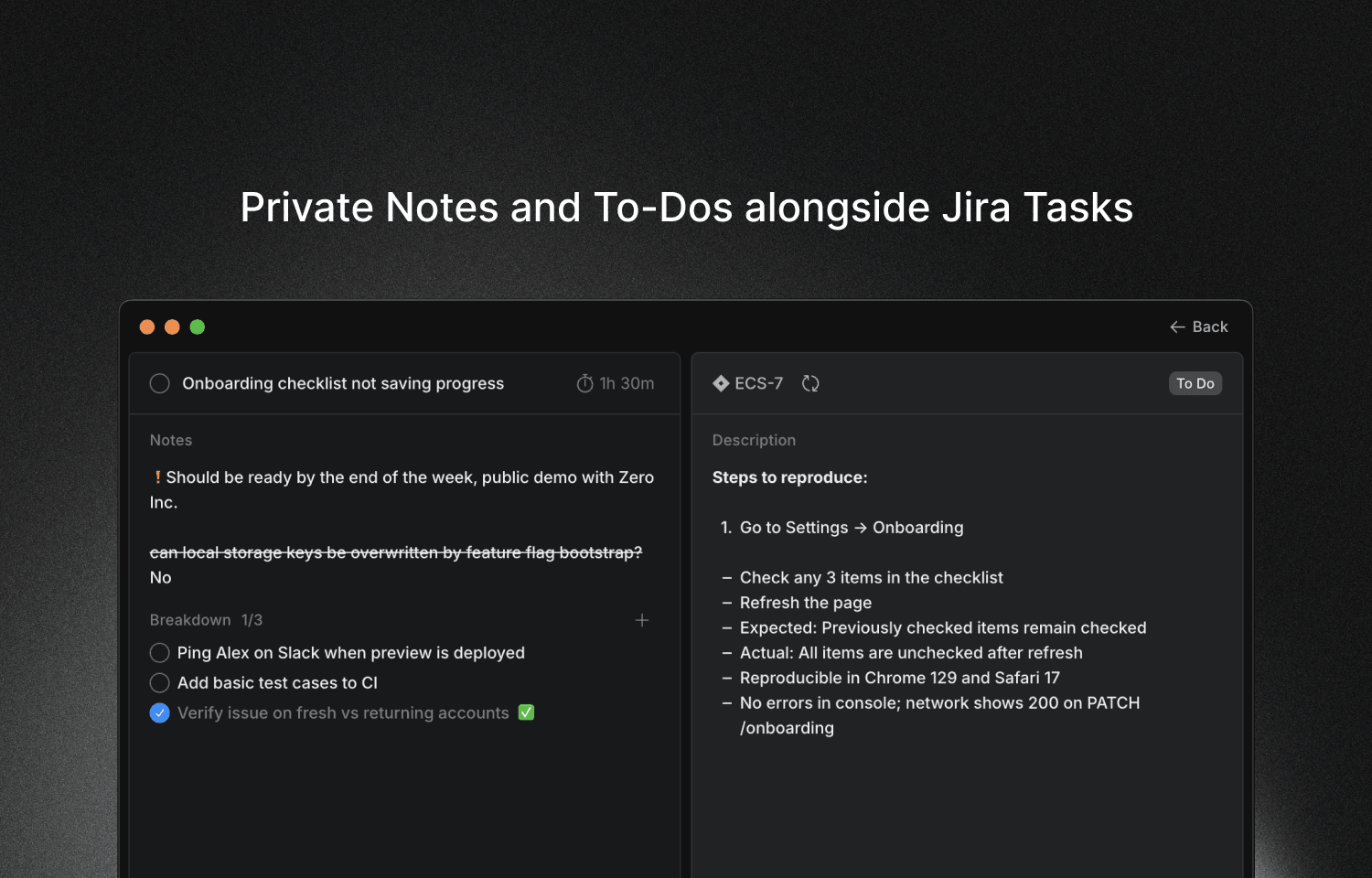
Start a 60-90 minute focus session, select your Jira issue, and get to work. While you're in the session:
- Time tracks automatically to that specific issue
- Issue details visible (status, priority, description)
- Your private notes alongside the Jira description
- Task breakdown for complex issues
You're not "tracking time." You're just working on your task—time data accumulates naturally.
3. Switch Tasks, Time Follows
Working on multiple issues? Just switch tasks within your session. Time follows automatically—no manual logging, no timer toggling.
4. See Exactly Where Time Went
At day's end (or month's end for invoicing), you have accurate time per Jira issue. Export to CSV for billing, or review where your hours actually went.
The Bonus: Skip Jira During Execution
Once you've imported your issues, you barely need to open Jira during your sprint. Everything you need for execution is in Locu—task details, your notes, time tracking. Only touch Jira when you need to update status or check on team stuff.
For anyone who's suffered through Jira's slow interface, this is a relief.
What Makes This Different
vs. Jira's Built-in Time Tracking
| Feature | Jira Time Tracking | Locu |
|---|---|---|
| Time entry | Manual after work | Automatic during sessions |
| Focus structure | None | 60-90 min brain-optimal |
| Private notes | No | Yes, linked to issue |
| Task context | Open Jira each time | Everything in one view |
vs. Toggl + Jira
| Feature | Toggl + Jira | Locu |
|---|---|---|
| Time tracking | Manual start/stop | Automatic during sessions |
| Task context | Separate windows | Everything in one view |
| Private notes | Not connected | Linked to issue |
| Setup friction | High | Import and go |
Why This Approach Works
The problem with manual time tracking: you have to remember to do it.
- Toggl: remember to start timer, remember to stop timer, remember to switch tasks
- Jira: remember to log work after you finish (but how long did it actually take?)
With Locu, you're not tracking time—you're working in focus sessions. Time data is a byproduct:
- Start session, select task
- Work on task
- Switch to next task when done
- Session ends, time is logged per task
No separate action for "logging time." It just happens because you're using the app to focus.
Key Features for Jira Users
Private Notes and To-Dos
Add notes that only you see—context that doesn't belong in the public Jira issue. "Ask Sarah about auth flow" or "Test on Firefox too" stays in your personal workspace.
Task Breakdown
Complex Jira epic? Break it into sub-steps directly in Locu. Track completion and stay focused on one piece at a time—without creating sub-issues in Jira.
Focus Timer
Native macOS timer that stays visible while you work. See remaining time, current task, and session progress without switching windows.
Focused Mode
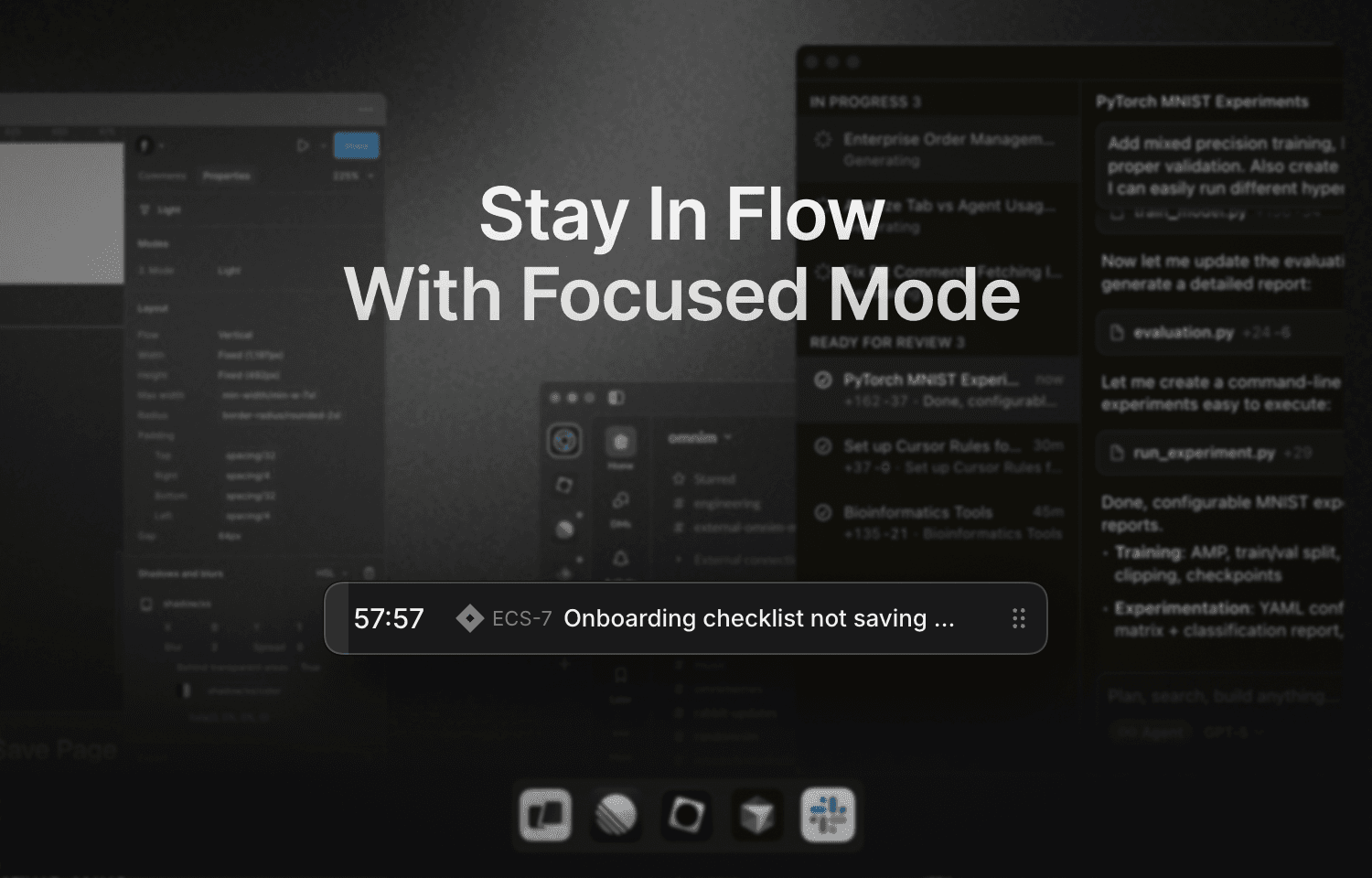
Enter distraction-free deep work. The focused mode shows only what matters: your current task, notes, and timer. Block distracting apps and websites automatically during sessions.
Slack Status Sync
Optionally update your Slack status during focus sessions. Teammates see "Focusing 🟡" and know not to ping you with non-urgent messages.
How to Set Up Jira + Locu
- Download Locu from locu.app/download
- Connect Jira in Preferences → Integrations → Jira
- Import issues assigned to you
- Start a focus session and select a Jira issue
- Work — time tracks automatically as you go
That's it. Your sprint is now in Locu. Work in focus sessions, switch between tasks as needed, and let time data accumulate naturally.
Who This Is For
Freelance developers billing clients on Jira:
- Accurate time per issue for invoicing
- Export time + task details for client reports
- Never lose billable hours to forgotten timers
- Time tracking happens naturally as you work
Remote engineers at companies using Jira:
- See how much deep work you actually did (vs. meetings and Slack)
- Build sustainable daily rhythms with session structure
- Personal notes for context your team doesn't need
- Focus on execution, not on Jira
Anyone who needs time tracking but hates the overhead:
- No more "remember to start timer" anxiety
- No more manual logging after the fact
- Just work in sessions, get time data automatically
The Bottom Line
Jira is good at what it does: issue tracking for teams. But its time tracking is designed for reporting, not for the people doing the work.
If you need to track time on Jira issues—for billing, focus measurement, or self-awareness—you need something that fits into how you actually work.
Locu integrates directly with Jira to give you:
- Time tracking as a byproduct of focused work
- Private notes and task breakdowns alongside issues
- One unified view for execution
- Sustainable 60-90 minute focus structure
Import your issues once, work in focus sessions, and let time data accumulate naturally. You barely need to open Jira during your sprint.
Track time on Jira issues naturally
Import your Jira issues, work in focused sessions, get accurate time tracking as a byproduct. No manual logging, no timer toggling.