How to Improve Developer Productivity: Practical Tips for Faster Delivery
Boosting developer productivity isn't about grinding out more hours. It's about getting rid of the friction that trips engineers up all day long. And the biggest source of that friction? The constant barrage of meetings, Slack pings, and notifications that obliterate focus. Protect a developer's ability to get into a deep work state, and you'll ship better software, faster.
The Hidden Drain on Developer Productivity
Picture this: A developer is deep in the zone, wrestling with a tricky algorithm bug. Suddenly, a Slack notification slides onto the screen—a question that could have waited. They answer it. A minute later, an email dings. Then a calendar alert for a meeting that just got squeezed in. Each interruption feels tiny on its own, but together, they’re a massive drag on momentum. This isn't some made-up story; it's the daily reality for countless engineers.
The root of the problem is the crushing cognitive cost of context switching. When an engineer is pulled away from a complex task, the entire mental model they've built of the problem evaporates. Research shows it can take over 20 minutes to fully rebuild that state of deep concentration, often called a 'flow state.' A few interruptions an hour can completely kill any chance of making real progress.

This picture says it all—a developer drowning in digital noise, unable to focus on the one thing that actually matters: solving the problem in front of them.
The Real Cost of Constant Interruptions
This goes way beyond just feeling frustrated. Fragmenting a developer's focus has real, measurable consequences for individual output and the team's overall velocity. We’re talking about massive amounts of time lost, but the good news is that it can be clawed back with tools designed to block out distractions and enable deep work.
Take Uber's Local Developer Analytics. By tracking command-level data across 5,000 engineers, they pinpointed context switching as a major productivity killer. By optimizing workflows to minimize these disruptions, they saved an incredible 4,167 hours every single day. Even as developers adopt AI tools, we're seeing a 'productivity paradox' where individual gains don't translate to team-wide throughput unless focus is protected.
Protecting a developer's focus isn't a luxury; it's a fundamental requirement for shipping high-quality software on time. When interruptions become the norm, productivity, code quality, and morale all take a nosedive.
The answer isn't to lock developers in a room with no internet. It’s about being deliberate in structuring the workday to defend against unnecessary distractions. This means carving out and protecting windows of uninterrupted time where the hard, complex problem-solving can actually happen. Without that protected space, developers are stuck working in short, inefficient bursts, constantly rebuilding their mental context only to have it torn down again. You can learn more about how to stop context switching and its damaging effects in our detailed guide.
This constant churn leads directly to:
-
More Bugs: When you're rushing to code between interruptions, you make simple mistakes and miss obvious edge cases.
-
Longer Task Times: A task that should take two hours of focused work can easily stretch across an entire day when it's fragmented by distractions.
-
Developer Burnout: The mental strain of constantly trying to get back into the zone is exhausting. It's a recipe for tanked motivation and high turnover.
Once you acknowledge the true cost of these interruptions, you can start putting strategies in place to protect your most valuable resource: focused developer time.
Designing Your Deep Work Environment
Great code doesn't happen by accident. It's the product of deep, sustained focus. But in our world of constant pings and notifications, that kind of focus is under siege.
Improving your productivity isn't just about finding a quiet room—it's about systematically dismantling the digital and physical distractions that pull you out of the zone. You need to build an environment where focus is the default state, not something you have to claw back every five minutes.
This goes way beyond the generic advice to "turn off notifications." We're talking about building a deliberate, repeatable system. A fortress for your attention that lets you dive deep into complex problems without the constant threat of being derailed.
Building Your Digital Fortress
Let's be honest, your digital workspace is probably the biggest source of chaos. The endless stream of emails, Slack messages, and social media alerts makes sustained thought almost impossible. The trick is to stop relying on willpower to ignore them and instead build a system that blocks them proactively.
This is where a dedicated tool like Locu comes in. It lets you create specific, timed focus sessions that automatically put up the walls for you. It’s not just a fancy timer; it’s an active shield for your attention.
Here's how you can set up your own digital fortress:
-
App & Website Blockers: You know your biggest time-sinks. Whether it's Twitter, Reddit, or that one news site you can't stop checking, add them to a blocklist. During a focus session, they simply become inaccessible. Temptation, removed.
-
Automated Status Updates: We've all forgotten to set our Slack status to "focusing." A system that does it for you the second a deep work session begins is a game-changer. It signals your unavailability to the team without you ever having to think about it.
-
Integrated Task Management: Keep your target locked. Instead of bouncing back to Jira or your notes app, pull your current task directly into your focus session. This keeps your objective visible at all times and kills context switching.
The most productive developers don't have more willpower; they have better systems. They design an environment where it's easier to focus than it is to get distracted, making deep work the path of least resistance.
This proactive approach fundamentally changes the game. Instead of playing defense against a flood of distractions, you create a protected space where you can fully immerse yourself in the code. For a deeper dive into structuring these sessions, check out our guide on deep work for developers.
A Practical Deep Work Session in Action
Let's walk through what this looks like. Imagine you're setting up a 90-minute "Feature Development" session in Locu to build out a new endpoint. This is how all the pieces come together to create a bulletproof block of time.
First, you define the session. You give it a clear name, like "Implement User Auth Endpoint," and set the timer for 90 minutes. That's not a random number—it’s long enough to get deep in the zone but short enough to avoid burnout.
Next, you build out your context right inside the tool, so everything you need is in one place:
-
Define Your Objective: You link the session straight to the relevant Jira ticket. The title and key details get pulled in automatically. No more jumping between apps.
-
Break Down the Task: Inside your Locu workspace, you jot down a quick checklist for this session. It might be simple things like "Create database migration," "Write API route," and "Add initial unit tests." Checking these off gives you that small hit of dopamine and a real sense of momentum.
-
Add Your Notes: Any thoughts, code snippets, or questions that pop up go directly into the integrated notes panel. This keeps all your session-specific context in one spot, clearing the mental clutter of having ten different windows open.
The moment you hit "start," the system takes over.
The websites and apps on your blocklist are now inaccessible. Your Slack status flips to "Heads down - focusing." The timer quietly ticks down. Your entire world shrinks to your code editor and your focus session dashboard. No pings. No alerts. No easy escape hatches.
You are completely free to just code. When the timer dings, you'll look up and realize you've made real, tangible progress—all because you designed an environment that made it possible.
Connecting Your Tools to Eliminate Friction
A perfectly designed deep work environment is a great start, but even the best focus session gets torpedoed by a clunky, disconnected toolchain. Productivity dies in the frustrating gaps between apps.
We've all been there: track a task in Jira, outline a solution in a separate notes app, then finally write the code in an IDE. Each jump is a tiny context switch, a small papercut that bleeds mental energy until your focus is gone.
To get serious about developer productivity, you have to kill this friction. The goal is a seamless workflow where information flows effortlessly from your project manager into your dedicated focus space. It’s about turning a dozen browser tabs into a single, cohesive source of truth.
Creating a Single Source of Truth
Imagine connecting a tool like Jira or Linear directly to a focus workspace like Locu. Instead of manually copying ticket details or toggling back to remember the ACs, you just import your assigned issues with a click.
This simple integration immediately centers your entire workflow. The ticket you grabbed from Jira becomes the foundation for your deep work session in Locu. All the context is right where you need it, exactly when you need it.
From there, you can atomize the bigger task into smaller, concrete subtasks. For instance, a ticket for "Build User Profile Page" gets deconstructed right inside your focus session:
-
Create frontend component structure
-
Implement API call to fetch user data
-
Develop form for updating profile information
-
Write unit tests for the new component
Suddenly, a vague ticket transforms into an actionable plan. Each subtask becomes a mini-goal, giving you a clear path forward and a steady stream of progress markers that keep you motivated.
This is especially critical now that AI coding assistants are everywhere. AI tools have seen a massive surge in adoption, with 84% of developers either using or planning to use them. But these individual boosts often run head-on into organizational friction. A workspace that syncs Jira issues and lets you add rich notes provides the necessary context for both you and your AI assistant, finally ending the tab-switching hell that undermines deep work.
The Power of Two-Way Synchronization
A one-way import is nice, but the real magic happens when the connection works both ways. A two-way sync creates a frictionless feedback loop that keeps your team updated without ever pulling you out of the zone.
Let's go back to that "User Profile Page" ticket. You start a focus session in Locu with the ticket and your subtasks. As you knock out each item on your checklist—finishing the API call, completing the form—you check it off.
Here’s what a two-way sync does automatically:
-
Status Updates: Once you mark all subtasks complete in Locu, the parent ticket in Jira can automatically transition from "In Progress" to "In Review."
-
Effortless Time Logging: The time you spent in your focus session can be logged directly on the Jira ticket as a comment or worklog entry. Perfect transparency, zero effort.
-
Team Visibility: Your teammates see the ticket move across the board in real-time. They know you’re done without you ever having to leave your editor to type "PR is up."
This kind of automated communication is a game-changer. It respects your focus while still fulfilling your responsibility to keep the team in the loop. This is crucial for maintaining flow, since even a quick "status update" ping can shatter your concentration. For more on this, check out our Slack integration.
A seamless, two-way sync between your tools doesn't just save a few clicks. It preserves your most valuable resource—uninterrupted focus—by handling the administrative overhead of your work for you.
This simple flow shows just how powerful an integrated deep work session can be.
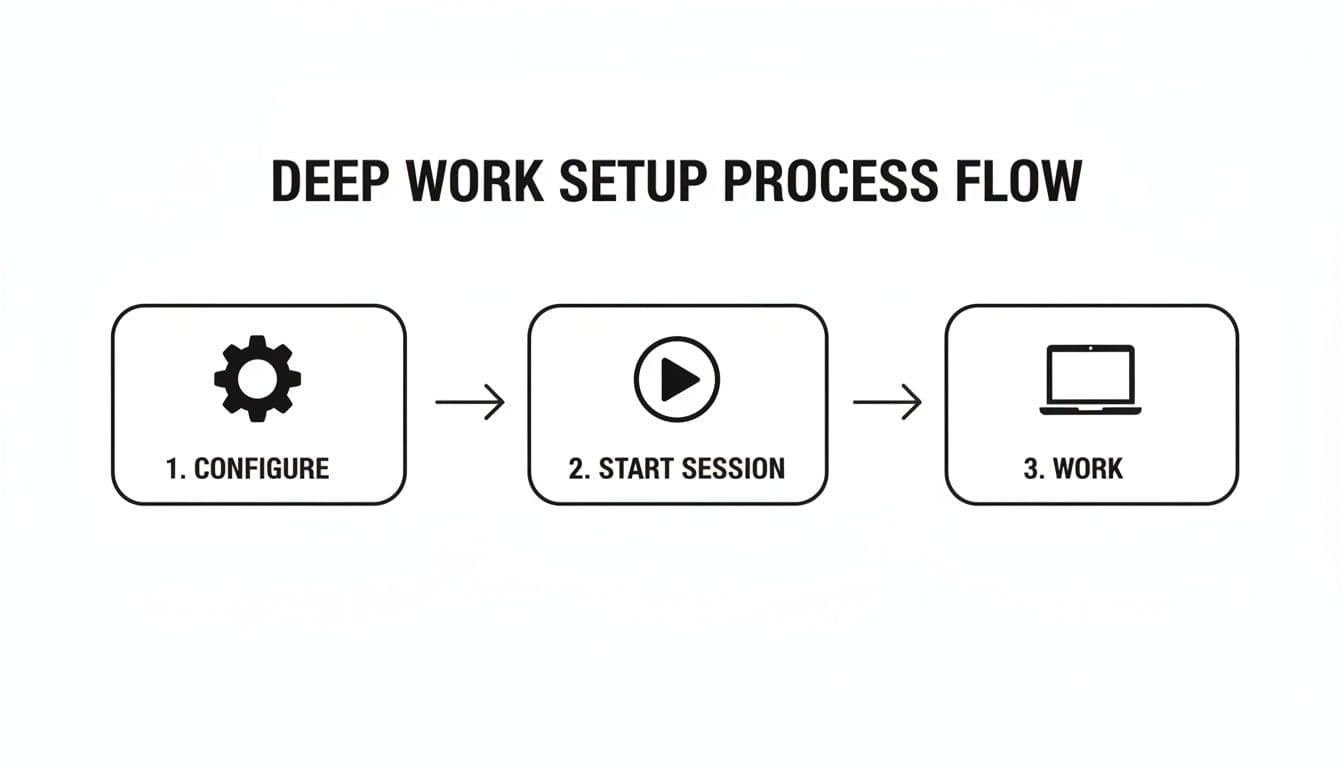
It’s a simple loop: configure your tools, start a session, and just work. By connecting everything upfront, you build an environment where the code itself is the only thing that demands your attention.
Planning Your Day for Maximum Impact
Having the right setup is half the battle. You’ve got a distraction-free space and your tools are synced up. But that just sets the stage—it doesn’t guarantee you’ll actually work on what matters.
The real gap between a busy developer and a productive one often boils down to a single, powerful habit: intentional daily planning.
Without a clear plan, it's dangerously easy to get sucked into the vortex of endless Slack pings and low-priority bug fixes. You end the day feeling completely drained, but with little to show for it.
This isn't about scheduling every single minute with military precision. It's about building simple, repeatable rituals that bring clarity and purpose to your day. A solid structure at the start and end of each workday transforms your time from a reactive scramble into a series of deliberate, high-impact actions.
These rituals ensure you’re not just spinning your wheels, but consistently pushing the needle on your most important projects.
The Morning Routine: Win Your First 30 Minutes
How you spend your first thirty minutes can set the trajectory for the entire day. A proactive morning routine lets you take control of your schedule before it takes control of you. It's where you define your mission for the day and lay out a realistic roadmap.
This is where a tool like Locu becomes your co-pilot. You can build a 'Morning Routine' template that automatically kicks off your day. It’s not complicated, but it's a critical lever for boosting your productivity.
Here’s what that looks like in practice:
-
Scan Your Calendar: First thing's first—get a clear picture of your commitments. Pull your meetings directly into Locu to see the immovable blocks of time you have to work around.
-
Define Your Top Priorities: Look at your imported tickets from Jira or Linear and decide: what one or two things are absolute must-dos today? Drag them right onto your daily timeline.
-
Map Out the Day: Now, visually block out your deep work sessions around those meetings. This simple act of time blocking turns a vague intention like "work on the API" into a concrete plan, like "9:30-11:00 AM: Focus Session on API endpoint."
This routine gives you an incredible sense of control. You're no longer just reacting to whatever lands on your plate; you're executing a plan you built yourself. You know exactly what needs to get done and when you have the dedicated time to do it.
To see just how big of a difference this makes, let's compare two typical workdays.
Daily Planning Ritual Comparison
Here's a look at how a day driven by reactive work compares to one structured with a proactive planning ritual using Locu. The contrast is stark—one is a recipe for burnout, the other for sustained impact.
| Activity | Reactive Workday (Unplanned) | Proactive Workday (Planned with Locu) |
|---|---|---|
| Morning Start | Checks email & Slack, gets pulled into urgent-but-not-important tasks. | Spends 10 mins reviewing priorities, blocking out focus time in Locu. |
| First Task | Starts on the "noisiest" task from a teammate's DM. | Begins a pre-planned 90-minute focus session on the day's top priority. |
| Mid-Morning | Jumps between three different tasks based on incoming requests. | Finishes the first focus block, takes a scheduled break, then starts the next planned task. |
| Afternoon | Feels overwhelmed by a long to-do list with no clear starting point. | Works on a secondary priority, knowing the main goal for the day is already achieved. |
| End of Day | Logs off feeling exhausted, unsure of what was actually accomplished. | Runs a 5-minute shutdown routine, logs time, and feels a sense of accomplishment. |
The takeaway is clear: A few minutes of intentional planning compound into hours of focused, productive work and a much healthier relationship with your job.
The Evening Routine: The 5-Minute Shutdown
A strong start is crucial, but a clean finish is just as important. An evening routine helps you process the day, acknowledge your progress, and set yourself up for a smooth start tomorrow. This ritual is what prevents work from bleeding into your personal time and stops you from waking up already feeling behind.
Your shutdown should be quick and all about closure. It's about tying up loose ends so you can mentally clock out.
-
Review Your Wins: Take a moment to look at your completed tasks and focus sessions. Acknowledging what you got done provides a real sense of accomplishment and fights that nagging "busy but not productive" feeling.
-
Log Your Time: With automated time tracking in Locu, your focus sessions are already recorded. All it takes is a quick review to make sure everything looks right before you export it.
-
Prep for Tomorrow: The single most effective thing you can do is identify the top priority for the next day. Having that one task ready means you can hit the ground running in the morning without wasting mental energy figuring out where to start.
A well-structured day is the ultimate productivity hack. It turns abstract goals into a concrete timeline, making it crystal clear where your focus should be at any given moment.
By bookending your day with these simple planning rituals, you create a powerful system for consistent, high-impact work. You replace chaos with clarity, ensuring that your most valuable resource—your focused time—is always aimed at what truly matters.
Measuring Progress That Truly Matters
"You can't improve what you don't measure." It's an old cliché, but for developers, it’s gospel. Gut feelings about productivity are often wrong. They trick you into chasing the wrong problems while the real bottlenecks go unnoticed.
To actually get better, you have to look past vanity metrics like commits or lines of code. Those don't tell the real story. The only resource that truly matters is your focused time, and tracking it is the key.
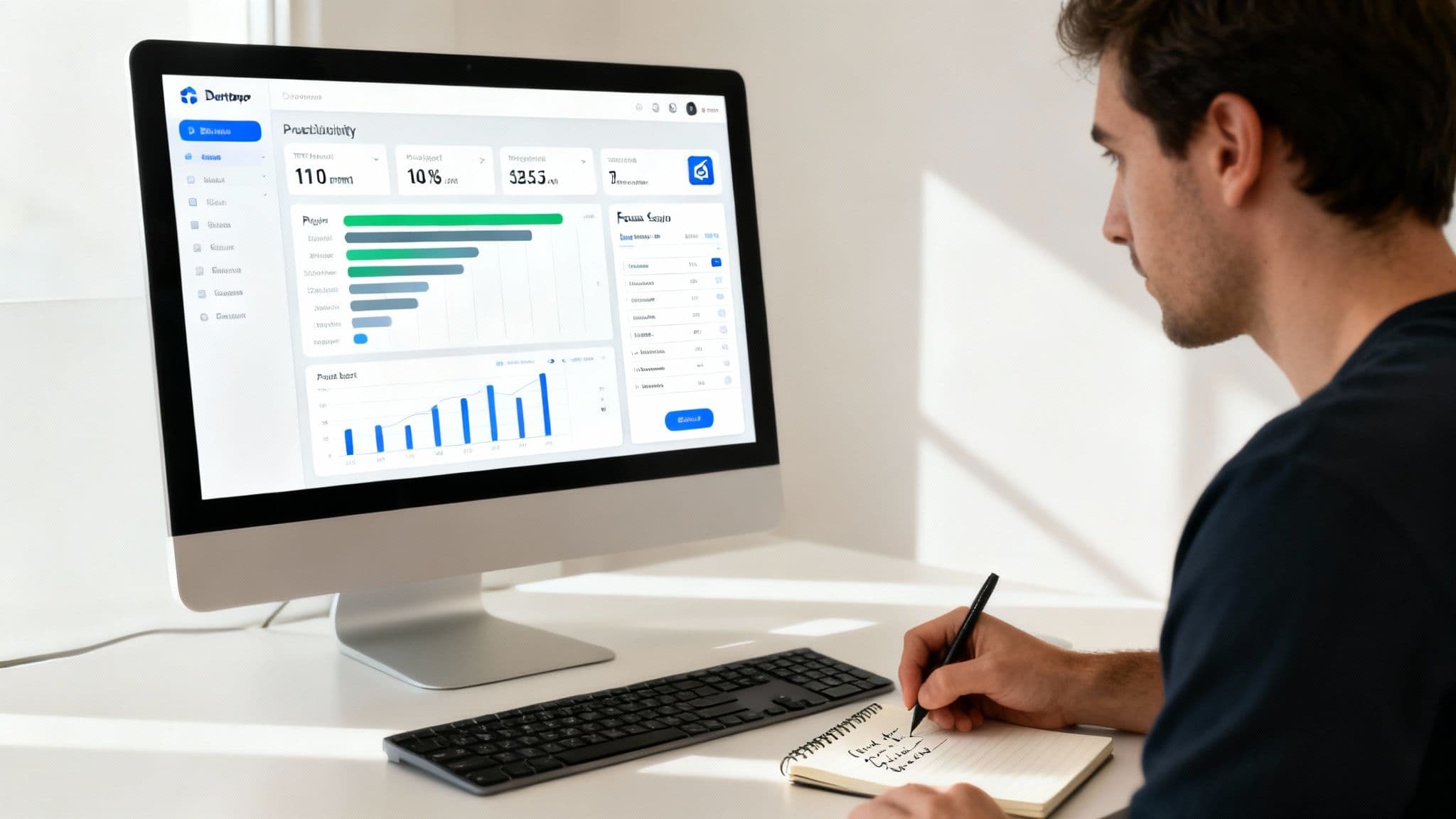
This is where the structure of dedicated deep work sessions becomes your secret weapon for analysis. When you work inside a timed, distraction-free block, you’re creating a clean data set. Automated time tracking during these sessions gives you a precise, effortless log of where your energy is really going.
No more manual timers or messy spreadsheets. Every focus session becomes a data point, automatically logged against a specific task. Suddenly, productivity isn't some vague goal anymore; it's a tangible skill you can systematically break down and improve.
Uncovering Your Personal Work Patterns
Give it a week or two. Once you have that data, you can start hunting for patterns. This is where a tool with built-in reports, like Locu, really pays off. It lets you visualize your work patterns by day, week, or project, revealing personal bottlenecks you probably never knew existed.
You might just uncover some surprising truths about your workflow:
-
The Sneaky Time Sink: You notice that one project consistently eats up 20% more time per task than others. Is it because of unclear requirements? Or is there a mountain of technical debt hiding under the surface?
-
The "Quick" Meeting Tax: Your reports show that those "quick" 30-minute meetings are wiping out your most productive morning hours, costing you what could have been a full 90-minute focus block.
-
Bug-Fixing Treadmill: You planned to spend about 15% of your time on bug fixes, but the data shows it's closer to 40%. That’s a massive red flag pointing to deeper issues with code quality or testing.
Data doesn't lie. By tracking where your focused time goes, you replace guesswork with objective insights. You can finally pinpoint the real friction in your workflow and make changes that actually work.
This is how you stop just treating symptoms and start solving root causes. It gives you the hard evidence you need to have a real conversation with your team about process changes or to simply adjust your own daily plan for better outcomes.
Turning Insights into Actionable Improvements
Measurement is pointless without action. The goal isn't just to collect data—it's to use it to drive meaningful change. The insights you get from tracking your focus sessions give you a clear roadmap for improving week over week.
For instance, after seeing how much time you're losing to bug fixes, you could dedicate your first focus session every Friday to refactoring and shoring up test coverage. It’s a direct, data-driven action aimed squarely at reducing future unplanned work.
And this data is useful for more than just personal growth. With a clear record of time spent on specific tasks and projects, you have everything you need for accurate client invoicing or internal reporting. Just export your time logs from Locu, and you’ve got a detailed breakdown ready to go.
This transforms your productivity data into a professional asset. It proves your value, justifies your timelines, and creates total transparency for clients and stakeholders. By measuring your progress, you gain the clarity to not just work harder, but finally start working smarter.
From Constant Chaos to Consistent Output
So, where do we go from here? We’ve walked through the a clear path to solving the developer productivity puzzle: killing distractions, centralizing your tools, planning with intention, and actually measuring what matters. This isn't about finding a single silver bullet; it's about building a system.
The big takeaway is that a tool like Locu isn't just a collection of features. It’s a framework designed to fundamentally change how you approach your work. It's about creating an environment where deep, focused work is the default state, not something you have to constantly fight for. This is how you reclaim your time and, more importantly, your attention.
Taking the First Step
It’s time to stop accepting the chaos of constant pings and context switching as just "how things are." Real progress starts the moment you decide to design your workday for focus. You don't have to boil the ocean and implement everything at once. The best changes always start small.
The goal isn’t to work more hours, but to make the hours you work count. A single, protected two-hour focus block can produce more valuable output than an entire day of fragmented, reactive work.
To truly move from constant chaos to consistent output, mastering the software bug life cycle is a game-changer. It might seem like a separate issue, but it's not. When you have a solid process for handling bugs, you drastically reduce the unplanned, reactive work that blows up your carefully planned day. Better processes there create a ripple effect of calm across your entire workflow.
The final piece is just sticking with it. The real power comes from turning these practices into habits. So, just pick one thing and commit to it for a week. See what happens.
-
Try Time Blocking: Carve out just one 90-minute focus session every morning. No exceptions.
-
Use a Planning Ritual: Take five minutes before you log off to decide on your single most important task for tomorrow.
-
Connect One Tool: Sync your Jira or Linear board to Locu. Eliminate one reason to switch tabs.
Take that first step. Set up a dedicated focus session right now and see how different it feels.
Still Have Questions? Let's Talk Through Them
Even with the best intentions, overhauling your work habits brings up real-world concerns. I get it. Here are some of the most common questions I hear from developers trying to build a more focused, productive workflow.
"How Can I Convince My Manager to Let Me Block Out Focus Time?"
The fastest way to get buy-in is with cold, hard data. Don't just ask for permission—propose a small experiment.
Try this: for the next two weeks, formally block out two or three hours of "deep work" on your calendar each day. Treat it like a meeting you can't miss.
During this trial period, use a tool like Locu to track exactly what you're shipping. When the two weeks are up, you can walk into your next one-on-one with concrete proof: "Look how many more tickets I closed," or "I resolved this complex bug 40% faster when I had uninterrupted time." When managers see a direct impact on team velocity, they don't just approve; they become advocates.
"Will Using a Focus Tool Make Me Seem Unavailable to My Team?"
Not if you do it right. The goal isn't total isolation; it's shifting your team toward asynchronous communication. A good focus tool doesn't just put up a wall—it communicates for you.
Think about it. An integration that automatically flips your Slack status to "In a focus session" is a game-changer. It’s a simple, clear signal that tells your team, "I'm heads-down right now, but I'll get back to you." This small change encourages teammates to batch their non-urgent questions and respects everyone's time far more than just going invisible.
"I Have Too Many Meetings for Deep Work. What Can I Do?"
This is probably the most common roadblock I see. The first step is a quick calendar audit. Take one week and brutally categorize every single meeting on your schedule:
-
Essential: Critical for making a decision or unblocking work. Keep it.
-
Could Be an Email: Status updates or info-dumps that a quick summary could replace.
-
Not Needed: That recurring meeting that lost its purpose three months ago.
For the meetings that are truly essential, plan your day around them. Schedule your deep work sessions in the gaps. You’d be amazed at what you can accomplish in just two uninterrupted 90-minute blocks. It’s infinitely more powerful than trying to code in the fragmented 15-minute slivers between calls.
The real win isn't just about finding more time; it's about making the time you have more effective. Protecting your focus is the single most impactful way to improve developer productivity.
If you want to dig deeper into other workflows and tools, these actionable strategies to improve developer productivity offer some great ideas for tackling your specific challenges.
Ready to stop the chaos and start shipping better software, faster? Locu is the integrated workspace built to help you kill distractions, plan your day with intention, and create a system for consistent, high-impact work.
Start your free 10-day trial and feel the difference at https://locu.app.
Defend focused time, ship code faster
Join engineers who block distractions and ship reliable features.