10 Effective Note Taking Methods to Boost Productivity in 2026
In the world of deep work, the quality of your output is directly tied to the quality of your input and how you process it. Effective note taking is not just about transcribing information; it's a foundational skill for thinking clearly, retaining knowledge, and turning fleeting ideas into concrete action. For knowledge workers juggling complex projects and constant information flow, a haphazard approach leads to lost insights, fragmented tasks, and wasted effort. A structured system is the difference between a graveyard of random thoughts and a dynamic engine for productivity.
This guide moves beyond generic advice to provide a detailed roundup of 10 proven, effective note taking methods. We will dissect each system, explaining precisely what it is, its core strengths and weaknesses, and the specific scenarios where it excels. You'll gain a clear understanding of when to use the visual structure of Mind Mapping versus the systematic rigor of the Zettelkasten method, or how to apply the Feynman Technique for deep learning instead of the GTD capture system for task management.
More importantly, this article provides a practical playbook. For each method, we'll offer concrete, step-by-step templates and explicit implementation workflows showing you how to adopt it directly within Locu. You'll learn how to integrate these powerful techniques into your daily routines, from syncing meeting notes with Jira and Linear tickets to structuring focus-session captures and building a robust tagging strategy. This is your comprehensive resource for transforming how you capture, organize, and ultimately act on information.
1. Cornell Note-Taking System
The Cornell Note-Taking System is a highly structured method developed by Walter Pauk, a Cornell University professor, designed to optimize learning and retention. As one of the most enduring effective note taking methods, its strength lies in its systematic format for recording, organizing, and reviewing information. The page is divided into three distinct sections: a main notes column, a narrower cues column, and a summary section at the bottom.
This organized approach is exceptionally beneficial for developers and technical professionals who need to distill complex information into a structured, searchable format. The system encourages active engagement with the material, forcing you to summarize key concepts and formulate questions, which reinforces memory and understanding.
How It Works: A Step-by-Step Guide
- Divide Your Page: Create a large "T" shape on your page. The main column on the right (about 6 inches) is for your detailed notes. The left column (about 2.5 inches) is for cues. Leave a 2-inch space at the bottom for the summary.
- Record: During a meeting, lecture, or focus session, take detailed notes in the main column. Focus on capturing key ideas, code snippets, or technical specifications.
- Question & Cue: Shortly after the session, review your notes. In the left-hand cues column, jot down keywords, questions, or short phrases that correspond to the notes on the right. For a developer, these could be function names, API endpoints, or key architectural decisions.
- Summarize: In the bottom section, write a one- or two-sentence summary of the entire page's content. This critical step forces you to synthesize the information at a high level.
- Review: Cover the main notes column and try to answer the questions or explain the concepts based only on your cues. This active recall practice is crucial for long-term retention.
Best For:
The Cornell method is ideal for situations that require structured learning and recall, such as:
- Documenting complex technical systems or APIs.
- Taking notes during technical lectures, workshops, or conference talks.
- Structuring meeting notes to separate discussion points from key decisions and action items.
How to Implement in Locu:
- Use a Locu rich text document and create a two-column table to replicate the notes and cues sections. Add a horizontal line at the bottom for your summary.
- For a technical meeting, populate the main notes column with discussion details. After the meeting, pull out key decisions or Jira/Linear issue numbers into the cues column for quick reference.
- Write your summary at the bottom and use Locu's tagging feature (e.g.,
#CornellNotes,#APIDesign) to categorize and easily find it later.
2. The Zettelkasten Method (Slip Box)
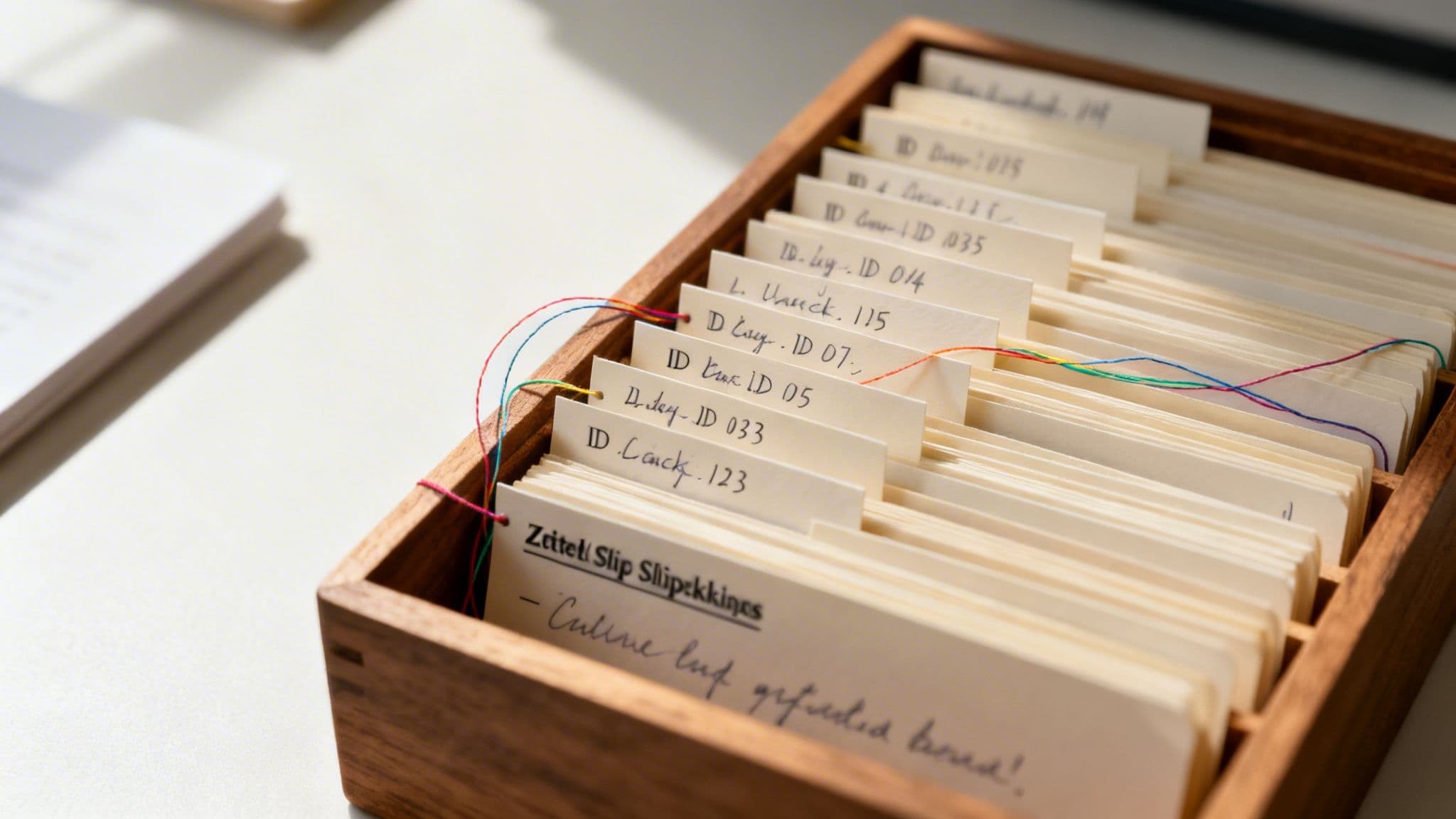
The Zettelkasten Method, which translates to "slip box," is a powerful knowledge management system popularized by sociologist Niklas Luhmann. This approach is one of the most dynamic effective note taking methods because it treats your notes not as static records but as a networked web of ideas. Instead of a single, linear document, you create small, atomic notes, each focused on a single concept, and link them together to foster new connections and insights.
For developers, founders, and product managers, the Zettelkasten is invaluable for building a personal knowledge base that grows and evolves. It moves beyond simple information capture, creating a system where your ideas interact, leading to novel solutions and a deeper understanding of complex domains like system architecture or product strategy.
How It Works: A Step-by-Step Guide
- Create Atomic Notes: Capture a single idea, concept, or piece of information in one note. This is the core principle. For a developer, one note might explain a single API endpoint, while another details a specific design pattern.
- Assign a Unique ID: Give each note a unique identifier, such as a timestamp (e.g.,
202310261030) or a sequential number. This makes linking precise and permanent, regardless of the note's title. - Link Your Notes: As you create a new note, think about how it connects to existing ones. Create explicit links between them using their unique IDs. This is how you build a network of knowledge rather than a pile of isolated facts.
- Add Metadata and Tags: Use tags (e.g.,
#api-design,#scalability) to add context and create thematic entry points into your network of notes. - Maintain an Index: Create an index note that serves as a high-level table of contents, linking to key starting points or major themes within your Zettelkasten.
Best For:
The Zettelkasten method excels in long-term knowledge development and creative synthesis. It is ideal for:
- Building a personal wiki for a complex software project or product.
- Researchers connecting insights from multiple technical papers or architectural reviews.
- Founders linking strategic ideas from market analysis, user feedback, and team meetings.
- Freelancers developing a repository of reusable solutions and client-specific knowledge.
How to Implement in Locu:
- Create a new Locu rich text note for each individual idea. Use a consistent titling convention, like
[ID] Note Title, to keep things organized. - Use Locu's internal linking feature to connect related notes, creating a powerful web of information. For example, link a note about a Jira epic (
[ID] User Authentication Epic) to several notes detailing specific API endpoints. - Leverage Locu's tagging system to categorize your atomic notes (e.g.,
#product-requirements,#backend,#meeting-insight). This allows you to filter and find related concepts quickly. - Create a dedicated "Index" note in Locu and pin it for easy access, using it as your main entry point to major topics in your slip box.
3. The Outline Method
The Outline Method is a classic and intuitive hierarchical approach that organizes information using main topics, sub-topics, and supporting details. This structure makes it one of the most logically sound effective note taking methods, especially for content that has a clear, inherent structure. Its power lies in its ability to show the relationship between different pieces of information at a glance through indentation.
For developers and product teams, this method is exceptionally useful for breaking down complex systems into manageable parts. It naturally mirrors the structure of software specifications, project plans, and API documentation, making it easy to create, read, and act upon. The linear, organized flow clarifies dependencies and priorities, turning notes into a direct blueprint for action.
How It Works: A Step-by-Step Guide
- Establish a Main Topic: Start with a primary heading or topic at the top of your page. This is your level-one entry (e.g., I. API Endpoint Documentation).
- Add Sub-Topics: Indent beneath your main topic to add a sub-topic. This becomes a level-two entry (e.g., A. User Resource).
- List Supporting Details: Continue indenting for more specific details, such as GET/POST methods, required parameters, or acceptance criteria (e.g., 1. GET /users, a. Query Parameters).
- Capture and Refine: During a meeting or session, focus on capturing main points as top-level entries. You can fill in the more granular details during a review period shortly after.
- Maintain Consistency: Use a consistent indentation and numbering/bulleting system (e.g., I, A, 1, a) to keep the hierarchy clear and readable.
Best For:
The Outline Method excels in scenarios where information can be logically categorized and nested:
- Planning software projects and sprints, with user stories as main topics and acceptance criteria as sub-points.
- Structuring technical documentation for APIs, where each endpoint is a major heading.
- Organizing meeting notes where main decisions are top-level items and discussion points are nested below.
- Creating detailed test plans for QA, organized by feature and specific test cases.
How to Implement in Locu:
- Locu's rich text documents natively support hierarchical outlines with bullets and indentation. Start typing your main topic, press
Enter, and thenTabto create an indented sub-point. - During a sprint planning meeting, create an outline with each user story. Convert key sub-points (like "Implement authentication middleware") directly into Locu subtasks for a traceable workflow.
- Structure your Linear or Jira issue descriptions using a clear outline in Locu first. This ensures all team members understand the task's scope and requirements before you sync it.
- Quickly outline your daily priorities in a morning planning session, then export the high-level outline to a team Slack channel for alignment.
4. The Feynman Technique
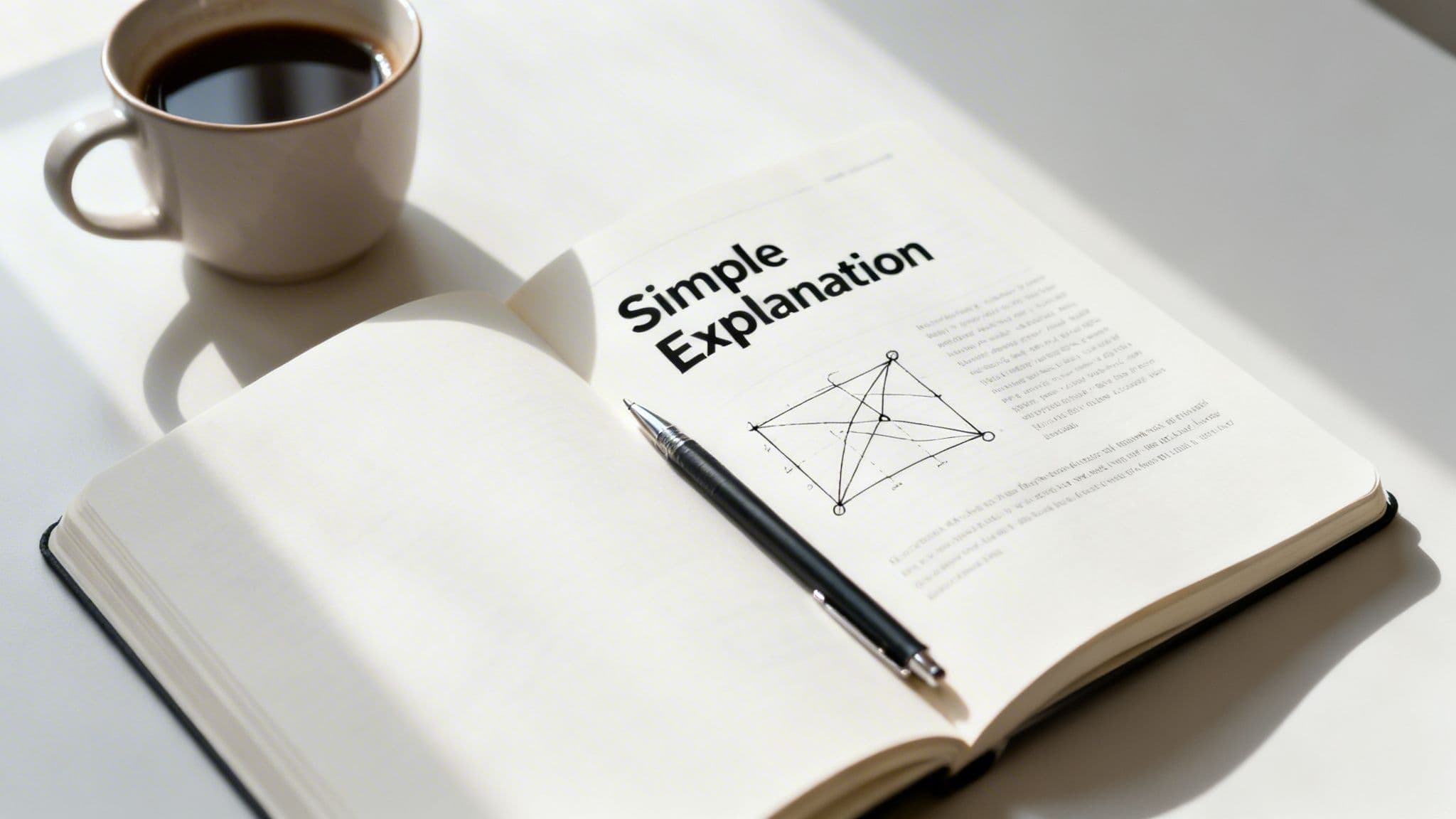
The Feynman Technique is a powerful mental model turned into one of the most effective note taking methods for achieving true comprehension. Developed by Nobel laureate physicist Richard Feynman, it operates on a simple principle: to truly understand something, you must be able to explain it in simple terms. The method forces you to confront gaps in your knowledge by translating complex ideas into plain language, as if teaching them to a beginner.
For developers and founders, this technique is invaluable for solidifying understanding of intricate systems, business models, or architectural decisions. It moves beyond mere memorization, ensuring you can articulate technical concepts clearly to non-technical stakeholders, write better documentation, and onboard new team members with ease.
How It Works: A Step-by-Step Guide
- Choose a Concept: Start with a specific topic you want to understand deeply. This could be a new programming language, a complex algorithm, or a business strategy.
- Explain It Simply: Write down an explanation of the concept using the simplest language possible. Avoid jargon and analogies that mask misunderstanding. Imagine you are teaching it to a 12-year-old.
- Identify Gaps: Review your explanation and pinpoint areas where you struggled, used complex terms, or felt your understanding was weak. This is where your learning is incomplete.
- Refine and Simplify: Return to the source material-books, documentation, or code-to fill those knowledge gaps. Once you have a better grasp, refine your simple explanation until it is clear, concise, and accurate.
- Review and Repeat: Read your simplified note aloud. If it doesn’t sound clear and straightforward, repeat the process. This active engagement is key to building durable knowledge.
Best For:
The Feynman Technique excels in scenarios requiring deep, functional understanding, such as:
- Learning new technologies, programming paradigms, or complex codebases.
- Preparing to explain technical decisions to product managers or executives.
- Creating clear, accessible internal documentation or onboarding materials.
- Solidifying personal knowledge after solving a challenging technical problem.
How to Implement in Locu:
- Create a new rich text document in Locu titled with the concept you are learning (e.g., "Feynman: OAuth 2.0 Flow").
- After a focus session dedicated to learning, write your simple explanation in the document. This process requires dedicated concentration; you can improve your focus at work by minimizing distractions during this critical step.
- Use Locu's formatting to highlight areas where you feel unsure. After reviewing the source material, update these sections with your refined, simpler explanation.
- Create a dedicated folder or tag (e.g.,
#Feynman,#SimpleExplanations) in Locu to build a personal knowledge base of simplified concepts for future reference.
5. Bullet Journaling Method
The Bullet Journaling Method, created by digital product designer Ryder Carroll, is a customizable and forgiving analog system for organizing tasks, notes, and events. This highly adaptable framework uses rapid logging with symbols to capture information quickly, making it one of the most versatile effective note taking methods available. Its power lies in its flexibility, allowing you to combine a to-do list, planner, and diary into a single, unified system.
For developers and technical professionals, this method provides a tangible, distraction-free space to plan daily priorities, track tasks, and jot down ideas without context-switching on a computer. It encourages mindfulness about how time is spent and what truly needs attention, which is invaluable for deep work and focused execution.
How It Works: A Step-by-Step Guide
- Create Your Key: At the beginning of your notebook, create a legend for your symbols. For example: a dot (
•) for tasks, a circle (o) for events, and a dash (-) for notes. - Set Up Your Index: Reserve the first few pages for an index to track where important collections and logs are located.
- Use Rapid Logging: Capture entries as short-form, bulleted sentences. Assign the appropriate symbol from your key to each entry.
- Migrate Tasks: At the end of the day or week, review your open tasks (
•). Cross out completed tasks (x), and migrate incomplete tasks to the next day's log by rewriting them with an arrow (>). - Create Collections: Use dedicated pages for specific projects or topics, like "API Refactor Ideas" or "Q3 Sprint Goals," and add them to your index for easy retrieval.
Best For:
The Bullet Journaling method is ideal for individuals who need a flexible, all-in-one system for personal organization, such as:
- Startup founders tracking daily priorities, meeting notes, and strategic ideas.
- Freelancers combining project notes, task management, and client information.
- Developers planning daily tasks away from digital distractions to enhance focus.
How to Implement in Locu:
- Use your analog bullet journal for morning planning. Jot down your top three priorities for the day using your symbol system.
- Transfer those high-priority tasks into a Locu focus session to time and track your work. This creates a powerful analog-to-digital workflow.
- For a hybrid approach, create a "Daily Log" document in Locu using the same bullet and symbol conventions. You can link these tasks to specific Jira or Linear issues, combining the simplicity of bullet journaling with the power of digital integration. Learn more about creating a powerful to-do list with notes to enhance this process.
6. The PARA Method (Projects, Areas, Resources, Archives)
The PARA Method, developed by productivity expert Tiago Forte, is not just a note-taking technique but a comprehensive organizational system. As a standout among effective note taking methods, its power comes from categorizing all digital information into four simple, action-oriented buckets: Projects, Areas, Resources, and Archives. This structure helps knowledge workers, especially developers and product managers, manage complex information streams with clarity.
This system is designed for actionability, organizing information based on when and how you will use it. For technical professionals juggling multiple initiatives, PARA provides a mental model to separate active, goal-oriented work from ongoing responsibilities and long-term reference material, preventing information overload and boosting focus.
How It Works: A Step-by-Step Guide
- Define Your Categories: All your notes and documents are filed into one of four top-level folders:
- Projects: Short-term efforts with a specific goal and a deadline (e.g., "Launch v2.1 of the API," "Q3 Website Redesign").
- Areas: Long-term responsibilities with no end date (e.g., "Product Development," "Team Management," "Personal Health").
- Resources: Topics of ongoing interest or reference material (e.g., "Python Libraries," "Competitor Analysis," "UX Design Principles").
- Archives: Inactive or completed items from the other three categories (e.g., completed projects, old resources).
- Organize Information: When creating or saving a new note, document, or file, ask yourself: "Where will I need this for a specific project?" If it belongs to a project, file it there. If not, consider if it supports an Area or is just a Resource.
- Prioritize Action: Your focus should primarily be on the Projects folder, as this contains your most active and time-sensitive work. Areas are reviewed periodically, and Resources are for "just-in-time" learning.
- Review and Archive: Regularly review your Projects and Areas. Once a project is completed or an area becomes inactive, move all related materials to the Archives. This keeps your active workspace clean and relevant.
Best For:
The PARA method is exceptionally effective for managing dynamic workloads, making it perfect for:
- Freelancers organizing client projects, business development (Area), and swipe files (Resources).
- Product teams separating active feature sprints (Projects) from ongoing system maintenance (Areas).
- Startup founders managing a fundraising round (Project), HR responsibilities (Area), and market research (Resources).
- For a deeper dive into managing concurrent initiatives, explore our guide on how to manage multiple projects.
How to Implement in Locu:
- Create top-level folders in your Locu workspace for
1. Projects,2. Areas,3. Resources, and4. Archives. The numbers help maintain the correct order. - Link Locu focus sessions directly to a note within a specific project folder (e.g.,
1. Projects/API Refactor/Endpoint Testing Notes). - Use Locu's tagging system to add PARA categories (e.g.,
#project,#area) to notes, allowing for quick filtering across your entire workspace. - Conduct a weekly review where you drag and drop completed project folders from
1. Projectsinto4. Archivesto keep your dashboard focused on current priorities.
7. Mind Mapping Method
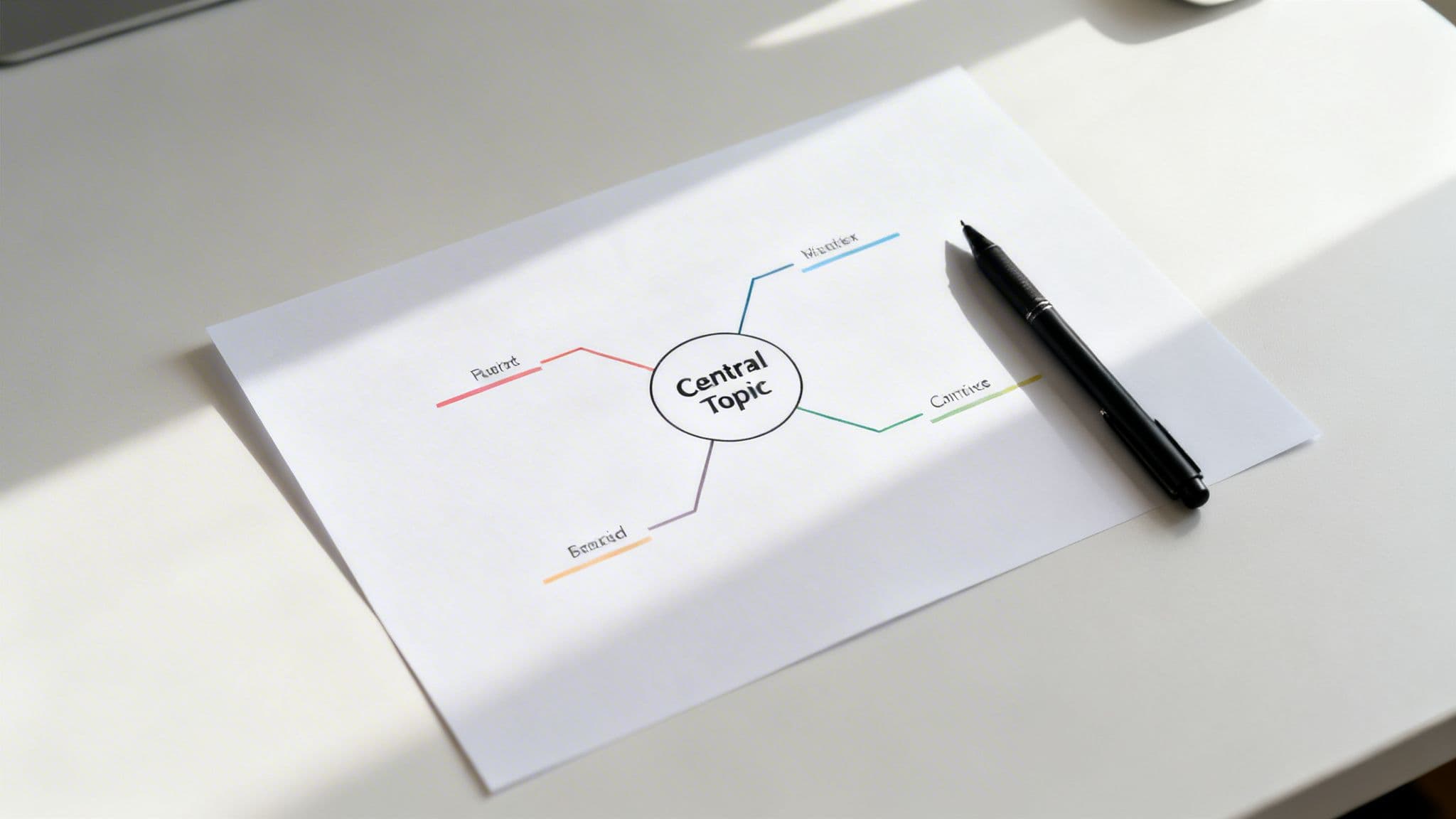
The Mind Mapping Method is a highly visual and non-linear technique that helps organize information around a central concept. Popularized by Tony Buzan, this approach is one of the most creatively liberating effective note taking methods, allowing you to capture the relationships between ideas in a free-flowing, radial structure. It starts with a core topic in the center, with associated ideas branching out like a tree.
This method is particularly powerful for developers, product managers, and founders because it mirrors how the brain naturally links concepts. It excels in scenarios where understanding complex interdependencies is critical, such as brainstorming new features, planning system architecture, or mapping out sprint dependencies. The visual nature aids recall and provides a clear, high-level overview at a glance.
How It Works: A Step-by-Step Guide
- Start with a Central Idea: Place your main topic, problem statement, or project name in the center of the page. This is the nucleus of your mind map.
- Create Main Branches: Draw thick branches radiating from the central idea. Each branch represents a major sub-topic or primary theme. For a new feature, these might be "UI/UX," "Backend API," "Database," and "Testing."
- Add Sub-Branches: From your main branches, draw smaller, connected branches for related details. For the "Backend API" branch, you might add sub-branches for "Endpoints," "Authentication," and "Data Validation."
- Use Keywords and Images: Keep text minimal. Use single keywords or very short phrases on each branch. Incorporate colors, icons, and simple drawings to make the map more memorable and easier to scan.
- Expand and Connect: Continue adding branches as new ideas emerge. You can also draw lines between different branches to show cross-connections and dependencies.
Best For:
Mind mapping is ideal for creative, strategic, and complex planning situations, such as:
- Brainstorming feature sets and user journey paths in product development.
- Visualizing complex system architectures and component interdependencies.
- Planning sprint content and identifying task dependencies between teams.
- Mapping out a business strategy by connecting market, product, and team goals.
How to Implement in Locu:
- Use a digital mind mapping tool like MindNode or XMind during a brainstorming or planning session. Export the final mind map as an image.
- Embed the exported image directly into a Locu rich text document to create a central reference point for your project or meeting notes.
- Review the mind map and convert the major branches and sub-branches into actionable tasks and subtasks within Locu.
- Use Locu’s tagging system (e.g.,
#MindMap,#SystemArchitecture,#Q3Planning) on the note containing the map to ensure it's easily searchable.
8. The Two-Column Method (Notes + Reflections)
The Two-Column Method is a structured approach that separates objective information from subjective analysis, bridging the gap between passive capture and active processing. As a highly effective note taking method, it dedicates one column to factual notes and a second to personal reflections, connections, or implementation ideas. This dual-entry system encourages deeper engagement with the material, transforming simple note-taking into a powerful learning and ideation tool.
For developers and technical professionals, this method is invaluable for learning new frameworks or documenting complex systems. It allows for the clean separation of "what it is" (code snippets, API specs) from "what it means for me/us" (potential gotchas, integration ideas, team-specific context). This active reflection solidifies understanding and makes notes far more actionable.
How It Works: A Step-by-Step Guide
- Divide Your Page: Create a simple two-column layout. The left column (typically wider) is for objective notes. The right column is for your reflections, questions, and insights.
- Capture Facts: During a learning session, meeting, or documentation review, populate the left column with factual information. This includes code examples, technical specifications, direct quotes, or key decisions made.
- Reflect and Connect: In the right column, add your personal thoughts. This is where you connect new information to existing knowledge, ask clarifying questions, note potential implementation challenges, or brainstorm next steps. This step can happen in real-time or during a later review.
- Review Both Columns: Periodically review your notes, paying special attention to the relationship between the facts and your reflections. The reflection column often reveals patterns, repeated challenges, or emerging ideas that require action.
- Synthesize Actions: Convert key insights from the reflection column into actionable tasks, documentation updates, or team discussion points. For example, a reflection on an API's complexity might become a task to create a simplified wrapper for your team.
Best For:
This method excels in scenarios that benefit from separating information from interpretation, such as:
- Engineers learning new programming languages or frameworks.
- Documenting API usage, separating technical details from team-specific implementation notes.
- Capturing meeting minutes, with factual outcomes on the left and implications or action items on the right.
- Reviewing technical papers, with experimental results on the left and your interpretation on the right.
How to Implement in Locu:
- In a Locu rich text document, create a two-column table to serve as your template. Label the headers "Notes" and "Reflections."
- When learning a new library, paste code snippets into the left "Notes" column. In the right "Reflections" column, add comments like "Watch out for this null pointer exception" or "This could replace our legacy module."
- Use Locu's tagging system (e.g.,
#CodeReview,#API-Learning) to categorize your two-column notes. During a weekly review, filter by these tags to quickly surface key learnings and convert reflections into synchronized Jira or Linear tickets.
9. The GTD (Getting Things Done) Capture System
The Getting Things Done (GTD) Capture System is less a note-taking format and more a systematic framework for managing commitments and ideas to achieve a state of mental clarity. Developed by productivity consultant David Allen, this method is one of the most powerful effective note taking methods for knowledge workers because it focuses on getting everything out of your head and into a trusted external system, freeing up cognitive resources for deep work.
For developers and founders, the constant influx of feature requests, bug reports, and strategic ideas can be overwhelming. GTD provides a robust methodology to capture this chaos without losing focus, ensuring that every commitment is recorded, processed, and organized for future action. Its core principle is that your brain is for having ideas, not holding them.
How It Works: A Step-by-Step Guide
- Capture Everything: The first step is to establish a reliable "inbox." This can be a physical tray, a digital app, or a specific Locu document. The goal is to collect all incoming items: tasks, ideas, meeting notes, reminders, and reference material. Do not filter or organize at this stage; just capture.
- Clarify & Process: Regularly (daily or weekly), process your inbox. For each item, ask: "Is it actionable?" If not, you either trash it, file it as reference material, or put it on a "someday/maybe" list.
- Organize Actionable Items: If an item is actionable, decide the very next physical action. If it takes less than two minutes, do it immediately. If it takes longer, delegate it or defer it by adding it to a "Next Actions" list or scheduling it on your calendar.
- Reflect & Review: The system's integrity relies on consistent reviews. A quick daily review keeps you on track, while a more thorough Weekly Review ensures all projects are up-to-date, and priorities are aligned for the upcoming week.
- Engage: With a clear and organized system, you can confidently engage with your work, trusting that nothing important has been forgotten.
Best For:
The GTD Capture System is ideal for professionals managing high volumes of information and tasks, such as:
- Software engineers tracking technical debt, code review feedback, and feature ideas.
- Freelancers juggling multiple client requests, project deadlines, and administrative tasks.
- Startup founders who need to capture strategic thoughts, hiring needs, and customer feedback without context switching.
How to Implement in Locu:
- Designate a Locu document as your central GTD "Inbox." Use quick-capture shortcuts to add thoughts and tasks instantly without breaking your flow.
- Integrate your Slack with Locu to send important messages or action items directly to your Inbox.
- During your daily review, process your Locu Inbox. Drag and drop items into dedicated "Next Actions," "Projects," or "Reference" documents. Use tags like
#actionableor#somedayfor easy filtering. - Schedule a recurring "Weekly Review" task in Locu. During this session, go through your lists, clear completed items, and use the timeline view to plan your next week's priorities.
10. Active Recall and Spaced Repetition Note Taking
Active Recall and Spaced Repetition are less of a single note-taking format and more of an evidence-based learning strategy that supercharges any notes you take. This approach structures your learning process around deliberately retrieving information from memory at increasing intervals. It's one of the most effective note taking methods for long-term mastery, transforming passive review into an active mental workout.
This method is exceptionally powerful for developers and engineers who must internalize complex information, such as new programming languages, cloud service APIs, or intricate system architectures. Instead of rereading notes, you create a system that forces your brain to work to recall the information, which dramatically strengthens neural pathways and combats the natural forgetting curve.
How It Works: A Step-by-Step Guide
- Capture and Convert: Take notes during a learning session as you normally would. Afterward, process these notes by converting key concepts into question-and-answer pairs or flashcard-style prompts.
- Initial Recall: Within a day, test yourself using these prompts. Cover the answer and force yourself to retrieve the information from memory. This is the active recall part.
- Schedule Repetition: For concepts you recall correctly, schedule the next review further out (e.g., 3 days). For concepts you struggle with, schedule a review sooner (e.g., the next day).
- Increase Intervals: As you successfully recall information, progressively extend the time between reviews (e.g., 1 day, 3 days, 7 days, 16 days). This is the spaced repetition component.
- Integrate and Refine: Continuously add new question-answer pairs from new learning sessions into your review schedule, creating a robust, personalized knowledge base.
Best For:
This learning-centric method is ideal for committing complex information to long-term memory, such as:
- Mastering a new programming language, framework, or complex API.
- Onboarding new engineers and ensuring they retain critical knowledge about the team's tech stack.
- Studying for certifications or preparing for technical interviews.
How to Implement in Locu:
- Create a "Knowledge Base" document in Locu. For each concept, create a toggle list. The question is the toggle's title, and the answer is hidden inside.
- Use Locu's tagging system to manage your review schedule. Tag items with
#review-1d,#review-3d,#review-7d, etc. Use daily routines to check which tags are due for review. - During your weekly review, identify key technical decisions or code patterns from your meeting notes and convert them into question-answer pairs for your knowledge base.
- For a more automated experience, use Locu to draft your questions and answers, then export them to a dedicated spaced repetition tool like Anki.
10-Method Note-Taking Comparison
| Method | 🔄 Implementation complexity | ⚡ Resource / speed | ⭐ Expected effectiveness | 📊 Ideal use cases | 💡 Key advantages |
|---|---|---|---|---|---|
| Cornell Note-Taking System | Medium — structured layout, needs discipline | Medium — works digital/analog; slower capture | ⭐⭐⭐⭐ — organized retrieval & review | Lecture/meeting notes, technical docs, code snippets | Built-in review space; good for spaced repetition |
| Zettelkasten (Slip Box) | High — steep learning curve and linking discipline | Medium–High — best with digital tools; upfront time | ⭐⭐⭐⭐⭐ — powerful synthesis & idea network | Long-term research, cross-project knowledge, strategy | Atomic notes + backlinks; value grows over time |
| Outline Method | Low — simple hierarchical structure | High — very fast real-time capture, low overhead | ⭐⭐⭐⭐ — clear, scannable structured documentation | Specs, sprint planning, meeting notes, API docs | Fast capture; maps naturally to code/architecture |
| Feynman Technique | Medium — iterative explanation and refinement | Medium — time-intensive but low tooling needs | ⭐⭐⭐⭐ — deep understanding and teachable docs | Onboarding, debugging, explaining architecture to non‑tech | Reveals gaps; produces simple, shareable explanations |
| Bullet Journaling Method | Low — flexible symbol system, easy to start | High — very quick capture; analog-friendly | ⭐⭐⭐ — great for planning; limited for detailed docs | Daily planning, mixed tasks/notes, analog backup | Extremely flexible; combines planning, notes, tracking |
| PARA Method | Medium — initial setup and regular recategorization | Medium — works across tools; ongoing maintenance | ⭐⭐⭐⭐ — reduces cognitive load; clearer archives | Managing multiple projects/clients, team knowledge org | Clear rules for where info belongs; scalable for teams |
| Mind Mapping Method | Medium — conceptual layout skills required | Low–Medium — needs space/tools; slower polished output | ⭐⭐⭐⭐ — excellent for ideation and relationship clarity | Brainstorming, system design, architecture planning | Visualizes relationships; aids memory and creativity |
| Two-Column Method (Notes + Reflections) | Low–Medium — simple layout but needs reflection | Medium — uses more space/time than single-column | ⭐⭐⭐⭐ — improves implementation readiness | Learning new tech, documenting code + gotchas, meetings | Separates facts vs insights; bridges capture and processing |
| GTD (Getting Things Done) Capture System | Medium — process-driven; requires habit | High — rapid capture plus regular processing time | ⭐⭐⭐⭐ — reliable task capture; lowers mental load | Managing tasks across tools, distributed teams, deep work | Trusted inbox workflow; prevents items from being lost |
| Active Recall & Spaced Repetition | High — needs question design and scheduling | Medium — upfront effort; best with SRS tools | ⭐⭐⭐⭐⭐ — maximal long-term retention & mastery | Learning APIs, languages, onboarding, technical mastery | Evidence-based retention; measurable improvement |
From Capture to Clarity: Building Your Integrated Note Taking System
We’ve explored a diverse landscape of effective note taking methods, from the structured precision of the Cornell System to the networked creativity of Zettelkasten. We've seen how the Outline Method can bring order to complex meetings, how the Feynman Technique can transform passive learning into deep understanding, and how PARA can create an actionable digital filing system for your entire life. Each technique offers a unique lens through which to capture, process, and retrieve information.
However, the most crucial takeaway is that there is no single "best" method. The true power lies not in rigidly adopting one system, but in skillfully blending several to create a personalized framework that matches your specific context, cognitive style, and professional demands. The ultimate goal is to build an integrated system that serves you, not the other way around.
Your Path to a Hybrid Note Taking System
The journey from chaotic capture to systematic clarity is an iterative one. A software engineer might find the Outline Method perfect for mapping out code architecture in a planning meeting, while using the Feynman Technique in a Locu focus session to deconstruct a complex algorithm. A freelance consultant could leverage the GTD capture system for client requests, the Two-Column Method for debriefing calls, and PARA to manage project deliverables alongside personal development resources.
The key is to think like a craftsperson selecting the right tool for the job. Your note taking practice should be a dynamic toolkit, not a static rulebook.
Consider these actionable steps to build your own hybrid system:
- Start with Your Biggest Pain Point: Is your main challenge disorganized meeting notes? Start by implementing the Outline or Cornell Method specifically for meetings. Are you struggling to retain what you learn? Experiment with Active Recall and the Feynman Technique.
- Combine and Conquer: Don't be afraid to mix elements. Use the Bullet Journaling method's rapid logging symbols within an Outline Method structure. Create a Zettelkasten-style "slip-box" of insights within your PARA "Resources" folder.
- Connect Notes to Action: The real value of effective note taking methods is unlocked when they bridge the gap between information and execution. This is where integrating your notes directly into your workflow becomes a game-changer. When a meeting note can be instantly linked to a Jira ticket, or a learning insight from a focus session can be tagged for a future project, your notes transform from a passive archive into an active productivity engine.
Beyond Capture: The True Goal is Reduced Cognitive Load
Ultimately, a masterful note taking system isn't about creating a perfect, beautiful archive. It's about externalizing your thoughts to free up your mind for what it does best: deep thinking, creative problem-solving, and focused execution. When you trust your system to capture everything, your brain is released from the burdensome task of remembering everything.
This reduction in cognitive load is the secret weapon of top performers. It allows for sustained concentration, prevents context-switching whiplash, and creates the mental space required for genuine innovation. By intentionally choosing and integrating effective note taking methods into a tool designed for focus, you’re not just getting organized; you are fundamentally upgrading your ability to produce high-value work consistently. Your notes become a trusted partner in your professional growth, helping you move from initial capture to final, polished clarity.
Ready to stop juggling apps and start building your integrated note taking and focus system? Locu is designed to unify your notes, tasks, and deep work sessions, complete with native Jira and Linear sync. Transform your notes from a passive archive into an active productivity partner today.
Turn notes into action with repeatable systems
Join developers who turn notes into tracked, focused work.