How to Manage Multiple Projects Without the Burnout
If you're trying to manage multiple projects, you need a single, unified system to capture everything, decide what matters most, and get it done without distraction. This means ditching the scattered to-do lists, sticky notes, and random Slack messages. We're going to build one source of truth for every single commitment, so you always know exactly what to work on next.
Taming the Chaos of Modern Work
Juggling multiple projects feels like the new normal, but let's be honest—it's a fast track to burnout, not a badge of honor. The constant whiplash from switching between different initiatives, tools, and clashing deadlines creates a state of perpetual chaos. The old-school, one-project-at-a-time methods just don't work anymore; they can't handle the reality of overlapping timelines and shared resources.
This constant scramble is probably all too familiar. It leads to some classic problems:
-
Missed Deadlines: When everything feels urgent, the truly important work gets buried under whatever is making the most noise.
-
Subpar Quality: Rushing to put out fires means you're not giving your work the attention it deserves. Quality inevitably suffers.
-
Team Burnout: The mental fatigue from trying to keep track of it all is draining. It’s simply not sustainable.
-
Lost Information: Key details vanish into the black hole of email threads, Slack DMs, and forgotten documents, leading to frustrating delays and rework.
The solution isn't about working harder or longer. It's about working smarter with a modern, focus-first framework that turns that mess of priorities into a calm, controlled system.
Adopting a Systematic Approach
The whole idea here is to build a central command center. This "single source of truth" is where you'll capture, prioritize, and execute tasks from every single one of your projects. It gives you a clear roadmap, making sure what you do day-to-day actually moves the needle on your biggest goals.
The real problem isn't the number of projects you have; it's the lack of a reliable system to manage them. Without one, you're constantly reacting instead of proactively driving progress.
And this skill is becoming non-negotiable. The global economy is expected to need 2.3 million new project-oriented professionals every single year through 2030. That's a staggering demand for people who can effectively manage complex initiatives. In the U.S. alone, jobs for project management specialists are set to grow by 6 percent by 2034—way faster than the average. You can dig deeper into this growing talent demand and what it means for the future of work.
Before we dive into the specific tools and workflows, let's establish the core principles that will guide our system. These are the foundational ideas that make everything else work.
| Principle | Why It's Critical |
|---|---|
| Single Source of Truth | A centralized system prevents tasks from falling through the cracks and eliminates the mental overhead of tracking multiple lists. |
| Prioritize Ruthlessly | Not all tasks are created equal. A clear prioritization framework ensures you're always working on what delivers the most value. |
| Protect Your Focus | Deep, uninterrupted work is where high-quality results are born. Your system must be designed to enable and protect these focus sessions. |
| Decouple Planning from Doing | Separate the act of organizing your work from the act of executing it. This clarity prevents overwhelm and improves decision-making. |
| Embrace Asynchronous Communication | Reduce reliance on real-time meetings and messages. A system that supports async work gives everyone more control over their time and focus. |
Mastering these concepts is the key to handling a complex workload without the stress.
This guide is designed to give you that reliable system. We'll walk through the practical, real-world steps to build a workflow that doesn't just help you manage your projects—it helps you protect your focus and consistently deliver great work. It's time to turn that chaos into clarity.
Creating Your Centralized Command Center
If you're going to get a real handle on multiple projects, your first move is to build a single source of truth. We've all been there—tasks, notes, and files are scattered across emails, random documents, and a half-dozen apps. You end up spending more time digging for information than actually getting work done. The goal here is to create one central hub where every piece of project information has a home.
Building this command center is all about applying solid knowledge management best practices. This isn't just about creating a digital filing cabinet; it’s about designing an active, organized workspace that gives you instant clarity. You stop wasting mental energy trying to remember where that one specific file or conversation lives.
It all boils down to a simple, powerful workflow.
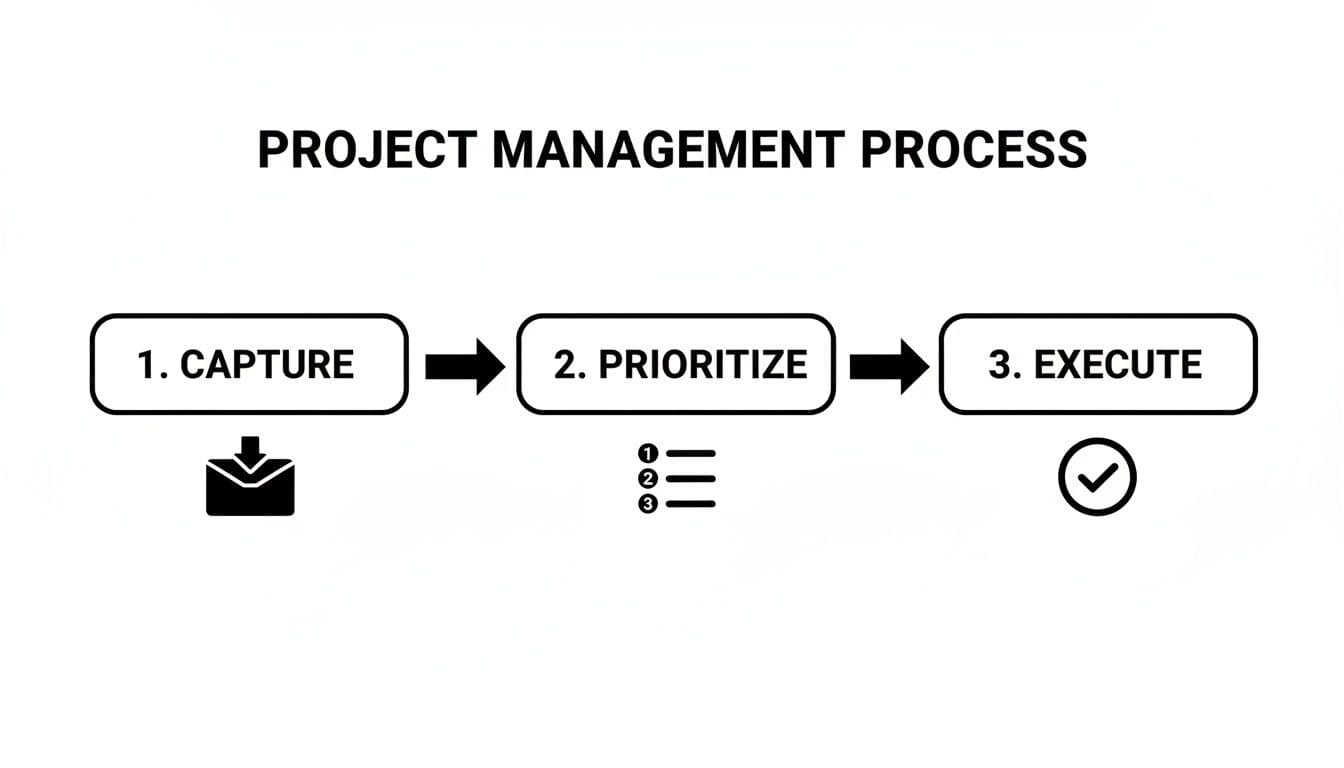
This process really has three core stages: capturing every single thing that comes your way, prioritizing what actually matters, and then executing the work with deep focus.
Build a Project Intake System
The single biggest threat to your focus is the constant firehose of new requests, ideas, and "quick questions." A simple project intake process is your shield. It's a way to capture everything without completely derailing what you're working on right now.
Think of it as a digital inbox tray. A request might pop up in Slack, an email, or even a hallway chat. Instead of dealing with it on the spot, you just dump it into your central hub. The moment you capture it, you've freed your mind from the burden of trying to remember it later.
This quick-capture habit is powerful for two reasons:
-
It guards your focus. You don't have to immediately switch contexts to evaluate a new request. Just log it and move on.
-
It ensures nothing gets lost. Every idea and task is safely stored in one place, waiting for you to review it when you decide.
Enrich Tasks with Essential Context
Let's be honest: a task title by itself is rarely enough to get started. To avoid that future moment of confusion ("Wait, what was this about again?"), you need to enrich every task with context right from the start.
Make it a habit. For every new task you capture, immediately add:
-
Detailed Notes: Flesh out the description. What’s the real goal? What does "done" actually look like?
-
Subtasks: Break down big, intimidating tasks into small, concrete steps. This makes the work feel less daunting and clarifies the path forward.
-
Linked Documents: Attach the relevant files—Google Docs, Figma links, spreadsheets—directly to the task. Everything you need should be just one click away.
When all this context lives with the task, you eliminate that frustrating hunt for information right when you’re ready to dive in.
Front-loading the effort to add context saves an incredible amount of time and mental friction later. A task with clear notes and attached resources is a task that's ready for focused work.
Bridge Your Tools with Two-Way Sync
Most of us don't work in a vacuum. Our teams rely on specialized tools like Jira or Linear for development and project tracking. A crucial piece of this puzzle is making sure your personal command center stays perfectly aligned with these team platforms. This is where two-way sync is a total game-changer.
Instead of the soul-crushing routine of manually copying tasks and updating statuses in two different places, two-way sync automates it all. For example, when you pull a Jira ticket into your workspace, any updates you make—completing subtasks, adding notes—are instantly pushed back to Jira. The reverse is also true.
This creates a seamless connection between high-level team planning and your focused, day-to-day work. You get to plan your day and get things done in your own environment without ever falling out of sync with the team's progress. It’s the ultimate bridge between personal productivity and team collaboration.
And if your days are packed with meetings, you can also integrate your project hub with Google Calendar to see your scheduled events right alongside your tasks.
Prioritizing Ruthlessly and Scheduling with Purpose

Okay, so you’ve wrangled every task, idea, and request into your command center. That’s a huge step. But looking at that massive list can feel like staring into the abyss. This is where the real work begins—slicing through the noise to build a concrete, actionable schedule.
This isn't just about picking what feels most urgent. It's about systematically weighing every single item against your bigger goals. I’ve seen so many people get stuck in a reactive cycle, constantly putting out fires and feeling busy, but never making real progress. They’re tackling what’s loudest, not what’s most important. Let’s change that.
Choose Your Prioritization Framework
A generic to-do list is your enemy. It gives a minor bug fix the same visual weight as a major feature launch, and that’s a recipe for disaster. To handle a complex workload, you need a system that forces you to make the hard calls.
I’ve found two classic methods that work exceptionally well when you’re juggling a dozen things at once.
-
The Eisenhower Matrix: You’ve probably heard of this one. It’s a simple grid for sorting tasks by urgency and importance. It's perfect for a quick, high-level triage of your day or week. The sweet spot, and where you want to live, is in the Important, but Not Urgent quadrant. That’s where strategic work happens.
-
The MoSCoW Method: This comes from the agile development world and is brilliant for scoping out a project. You categorize everything as a Must-have, Should-have, Could-have, or Won't-have. It’s the best way I know to prevent scope creep and define what a "win" actually looks like for a specific initiative.
The goal isn't to follow these rigidly, but to adopt one as a consistent mental model for making decisions. The trick is to apply it across all your projects, giving you a unified view of what truly needs your attention.
How to Prioritize Across Different Projects
Here’s where it gets tricky. How do you apply these frameworks when you have competing deadlines from completely different projects?
Imagine you’re launching a client website (Project A) while also pushing an internal software update (Project B). Do you fix a critical bug in the software or finalize the website’s design mockups? Both feel important.
This is where you need to add another layer to your thinking: cross-project impact.
Instead of just asking "Is this urgent?" I’ve learned to ask, "How many people are blocked if this doesn't get done?" The software bug in Project B might seem like a lower priority on its own, but if it's holding up three other developers, its ripple effect is massive. The website mockups for Project A, while critical, might only be blocking you. Suddenly, the bug becomes the clear winner.
When prioritizing across multiple projects, the most important task is often the one that unblocks the most downstream work for the most people, regardless of which project it belongs to.
Turning Priorities into a Realistic Plan
You've got a perfectly prioritized list. Great. Now, you have to actually do the work. This is the final, and most crucial, step: moving from an abstract list to concrete time on your calendar. This is where most systems break down.
The answer is time blocking.
It’s exactly what it sounds like: you schedule appointments with your tasks. Instead of a to-do list you glance at, your calendar becomes your battle plan. For Monday, you might block 9:00-10:30 AM for "Finalize Project A Mockups" and 1:00-3:00 PM for "Debug Project B Authentication Flow."
This simple habit changes everything.
-
It forces you to be realistic. You have 8 hours in a workday, not 12. Time blocking makes you confront the finite reality of your schedule.
-
It protects your focus. A blocked-out calendar is a powerful "do not disturb" sign for both you and your colleagues. It helps you carve out the deep work time you need.
-
It eliminates decision fatigue. When you sit down at your desk, you don’t waste precious mental energy figuring out what to tackle next. Your calendar has already made the decision for you. You just execute.
By connecting ruthless prioritization with purposeful scheduling, you forge a direct link between your big-picture strategy and what you're doing at 2 PM on a Tuesday. This is the foundation for managing a heavy workload without letting it manage you.
Turning Plans into Progress with Guided Focus
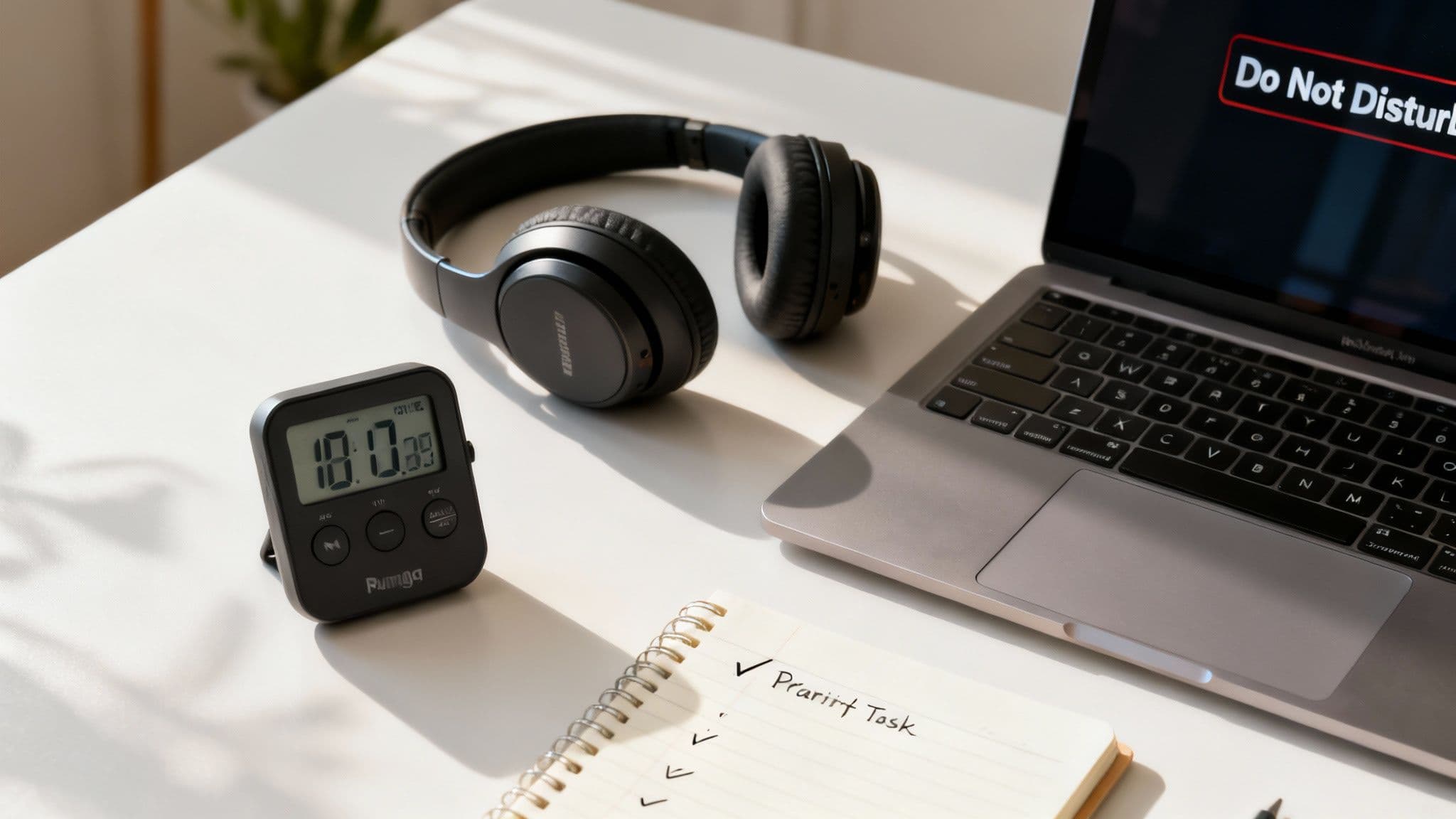
A perfectly time-blocked schedule is a great start, but it means nothing if you can't execute. This is where the rubber meets the road—the moment you have to turn those calendar blocks into real, high-quality work. The biggest roadblock isn't a lack of drive; it's the constant flood of distractions that yanks you out of a productive flow.
To win this battle, you need a strategy designed to guard your attention. That’s where guided focus sessions come in. It’s a simple but potent technique that pairs a dedicated timer with tools that block distracting apps and websites, creating an impenetrable bubble for your most critical tasks.
How to Architect Your Focus Sessions
A focus session is more than just hitting "start" on a timer and hoping for the best. It's about intentionally engineering an environment for success. The structure is simple, but it demands commitment.
First, pick a single, highly specific task from your schedule. For instance, instead of a vague goal like "Work on Project A," get granular: "Draft the introduction for the Project A technical brief." That kind of clarity removes all doubt about what "done" looks like for the next chunk of time.
With your task defined, set a timer for a realistic duration. The Pomodoro Technique (25 minutes of focused work followed by a 5-minute break) is a popular starting point. But for really complex work that requires deep thought, you might find that longer sessions of 60-90 minutes are more effective.
Now for the non-negotiable part: activate an app and website blocker. This is your frontline defense against the muscle memory that makes you check email, scroll social media, or get sucked into a Slack rabbit hole. Tools like Locu build this right into their focus timer, so creating that distraction-free zone is completely seamless.
The Hidden Superpower: Automatic Time Tracking
One of the most powerful byproducts of working in guided focus sessions is the data you generate. When your work is contained within a timed session, you're not just getting things done—you're automatically creating a precise, effortless record of where your time truly goes.
This automatic time tracking is a huge advantage for anyone figuring out how to manage multiple projects. You can finally stop relying on fuzzy memories or tedious manual spreadsheets to guess how long a task took. Instead, you have an accurate, undeniable log.
A detailed work history is your ultimate feedback loop. It exposes unrealistic estimates, reveals your most productive hours, and gives you the concrete data needed to plan your future workload with confidence.
Over time, this data becomes one of your most valuable assets. You might discover that "debugging API endpoints" consistently takes 30% longer than you budget for, or that your best creative work happens between 9 AM and 11 AM. This kind of self-awareness is the secret to building a project management system that’s both effective and sustainable.
Dealing with the Inevitable Interruption
No matter how well you wall yourself off, interruptions will find a way through. A colleague will stop by your desk, or an urgent notification will break through your defenses. The trick is to handle these moments gracefully so they don't completely shatter your concentration.
When an interruption hits, just follow this simple three-step process:
-
Pause with purpose: Stop your focus timer. This small action creates a conscious break.
-
Assess and capture: Quickly figure out if the interruption needs immediate attention. If it doesn't, jot it down in your inbox and let the person know you'll get to it after your session.
-
Resume with intention: Once the interruption is handled or deferred, take a second to re-read your task goal, and then restart your timer.
This structured approach keeps a minor disruption from turning into a major context switch. For a deeper look at this, our guide on how to stop context switching offers specific tactics for developers and other knowledge workers. By mastering guided focus, you'll move from just having a plan to consistently delivering on it.
Keeping Everyone in the Loop, Automatically
Juggling multiple projects means you're not just managing your own to-do list; you're also managing expectations. Stakeholders, clients, and teammates all need to know where things stand. If you don't have a system for this, you're signing up for a constant barrage of "just checking in" pings, repetitive status meetings, and endless email threads. It's a productivity killer.
The trick isn't to over-communicate, but to automate it. This isn't about hiding away from people. It's about giving them clear, consistent updates without having to break your own focus to do it.
Let Your Status Do the Talking
One of the easiest wins for cutting down on interruptions is to make your availability—or lack thereof—obvious. Many focus tools can hook directly into communication apps like Slack, and this simple connection can make a world of difference.
When you kick off a guided focus session for a specific task, this integration can automatically:
-
Update your Slack status to something like "Deep work" or "In a focus session."
-
Snooze your notifications, protecting you from the constant stream of alerts.
This one small change sends a powerful signal to your team. It tells them you're head-down on something important and will get back to them later. It manages their expectations for an immediate response, which is crucial for preserving your own concentration.
Instant, Data-Backed Progress Reports
Manually pulling together progress reports is a grind. It’s tedious, prone to errors, and takes you away from the actual work you should be doing. But when your system automatically logs your time during focus sessions, generating reports becomes a simple click of a button.
Instead of guessing how long something took or trying to remember what you worked on last Tuesday, you have a clear, visual record of your effort. You can slice and dice the data by project, client, or date range to get exactly the insights you need.
When reporting becomes an automated byproduct of your work, you stop spending time talking about the work and let the data tell the story for you. It's accurate, unbiased, and incredibly powerful.
This is what it takes to learn how to manage multiple projects without losing your mind. You move from subjective updates like "I feel like I'm making good progress" to objective, data-backed statements that build trust. It’s no surprise that research shows 77% of high-performing projects rely on project management software, with nearly 80% of organizations reporting better internal communication after adopting it. You can dig into more of these trends in project management here.
From Time Log to Paid Invoice
If you're a freelancer, consultant, or run an agency, the line between time tracking and getting paid is a very direct one. Being able to export your work history isn't just a nice-to-have feature; it’s a critical part of your business operations.
A good system lets you export all that rich time-tracking data into a CSV file, ready to be dropped right into your invoicing or accounting software. This creates a seamless workflow from focused work to billable hours.
Think about it. You wrap up a busy week working across three different client projects. Instead of trying to reconstruct your hours from memory or messy notes, you just:
-
Filter your work history for a specific client.
-
Export the detailed log for the week.
-
Upload that file to your invoicing tool to create a perfect, itemized bill.
This turns a dreaded administrative chore into a quick, repeatable process. It guarantees accuracy, saves you hours of busywork, and gives your clients a transparent look at what they're paying for. That's how you build professional trust and get paid faster.
Common Questions About Managing Multiple Projects
Even with the best system, the real world is messy. Life happens. Priorities get shuffled, and curveballs get thrown your way. Let’s tackle some of the most common hurdles people face and how you can adapt your workflow without losing your sanity.
How Do I Handle Unexpected Tasks and Priority Shifts?
Flexibility is your superpower here. The goal is to build a system that can absorb shocks, not one that shatters at the first sign of trouble. My number one rule? Never, ever book your day to 100% capacity. I always leave at least an hour or two of unscheduled time as a buffer. It’s a lifesaver.
When a new "urgent" request lands on your desk, your centralized project hub is where you go first. It lets you step back and calmly assess the situation. Is this new task really more important than the critical work you already committed to today?
If it is, the next step is absolutely vital: make a conscious trade-off. Don't just try to cram it in. That’s a recipe for chaos. Instead, look at your calendar, pick a task of similar effort, and deliberately move it. Either send it back to your backlog or reschedule it for later in the week. This small action keeps you in control and ensures you're making a strategic choice, not a panicked one.
What’s the Best Way to Estimate Timelines?
Good estimates come from data, not gut feelings. This is where tracking your time during focus sessions pays off big time. After just a few weeks, you'll have a goldmine of objective data on how long different kinds of tasks actually take you.
Here's how I approach estimating a new project:
-
Break it down. I deconstruct the big project into smaller, familiar pieces of work I’ve done before.
-
Check the records. I’ll look at my past time reports in Locu. If "Debug API endpoint" consistently takes two 90-minute sessions, that’s my baseline.
-
Do the math and add padding. I sum up the estimates for all the sub-tasks, then add a 20% contingency buffer. This covers the inevitable meetings, Slack interruptions, and unforeseen hiccups.
This turns estimating from a high-pressure guessing game into a simple calculation. It also builds incredible trust with managers and clients because your timelines are based on reality, not wishful thinking.
How Can I Avoid Burnout with Overlapping Deadlines?
Burnout isn’t just about working hard; it’s about feeling out of control. When you're drowning in commitments and feel powerless to change anything, the stress becomes immense. A clear, documented system is the best antidote because it gives you that control back.
When deadlines start to collide, use your project plan and time reports to have a proactive conversation. Don't just say, "I'm swamped." Show them the data.
"To hit the deadline for Project A, my focus time is fully booked for the next three days, as you can see from my schedule. We can either shift the Project B deadline by a few days or simplify this specific feature in Project A to free up the necessary time. Which of these is the higher priority for the business right now?"
This completely changes the conversation. You’re no longer the bottleneck; you’re a strategic partner helping the business make an informed decision. It invites collaboration and leads to realistic expectations. If you're struggling with this, there are more great strategies on how to manage multiple projects without burnout.
For those in tech, the pressures can be unique. We've also put together a guide specifically on managing burnout as a remote software engineer with advice tailored to that role.
Ready to build a system that gives you clarity and control over your projects? Locu combines a minimalist to-do list, a powerful focus timer, and seamless integrations to help you turn scattered tasks into consistent, high-quality work. Start your free 10-day trial and experience what it feels like to be in command of your day. Get started at https://locu.app.
Centralize projects and avoid burnout
Join engineers who ship across multiple projects without burnout.