A Better Agenda for Daily Standup Meetings That Boost Team Focus
An effective agenda for your daily standup should be all about synchronizing the team, not just a series of status reports. It's about spotting blockers and coordinating the day’s work, turning the meeting into a launchpad for productivity instead of a look-back chore.
Why Most Daily Standups Are a Waste of Time
Let’s be honest. How many standups have you been in that felt like an absolute chore? They’re sold as quick, focused syncs but often turn into rambling monologues that suck the energy out of the room before the day has even started.
Instead of aligning the team, they become this ritualistic time-sink where everyone just waits for their turn to speak, half-listening to updates that have nothing to do with them.

This isn't just annoying; it’s a massive drain on resources. Unproductive meetings cost American businesses an eye-watering $37 billion annually. Even worse, research shows that a single weekly meeting of mid-level managers at a large company can waste $15 million per year in lost time.
The Real Purpose of a Standup
The problem usually boils down to a fundamental misunderstanding of what a standup is for. It’s not a daily report for the manager. It’s a peer-to-peer commitment and coordination session for the team.
A great standup nails three things:
- Synchronize: Everyone walks away with a crystal-clear picture of where the project stands and what’s happening today.
- Unblock: Team members have a dedicated moment to say, "Hey, I'm stuck," so the team can swarm on a solution.
- Adapt: The team can make small, daily course corrections based on new info, keeping everyone pointed toward the sprint goal.
When these three elements go missing, the meeting dies. It becomes a passive event instead of an active planning session. It's the difference between a huddle on the football field and a boring roll call.
A thoughtfully structured agenda for the daily standup is the single most important fix. It’s the key to getting that momentum back, boosting morale, and setting a productive tone for the rest of the day. For more on this, check out our guide on how to improve focus at work.
Mastering The Three Core Questions
The classic standup agenda—those three famous questions—isn't the problem. The problem is how teams answer them. When updates sound like a robotic task-list reading, the meeting dies a slow, boring death. The goal is to move from a sluggish status report to a high-impact sync, and a simple shift in how you frame your answers is all it takes.
The whole point of a standup is to sharpen communication, build accountability, and crush blockers before they fester. It’s no surprise that research shows 79% of workers believe a clear agenda is what makes meetings productive. That structure is everything. You can dig into more of the data on how top companies collaborate by checking out the full research on effective work practices.
What Did I Accomplish Yesterday?
This isn't an invitation to read your Git commit log aloud. The real purpose here is to signal progress against the team's goals, not just tick off your personal to-do list. A great answer connects yesterday's work to a tangible outcome for the project.
For example, instead of saying, "I worked on the user authentication ticket," try this: "Yesterday, I pushed the backend logic for our Google SSO feature. That moves JIRA-123 to QA and completely unblocks the front-end team to start their integration work." See the difference? One is a diary entry; the other provides context, signals real progress, and clarifies dependencies for everyone else.
Pro Tip: Always frame your update around the impact of your work. Did you unblock a teammate? Did you get a key project deliverable one step closer to the finish line? Focusing on outcomes keeps the conversation centered on what actually matters—shipping value.
What Will I Work On Today?
Just like the first question, this is about commitment and coordination, not just reciting your calendar. You're signaling your focus for the day so your teammates know where you're heading and where they might need to jump in to help. It’s a simple, powerful way to prevent duplicated effort and make sure everyone is pulling in the same direction.
A vague answer like, "I'm just gonna keep working on my tickets," is a waste of everyone's time. It offers zero value.
A much stronger update sounds like this: "Today, I’m picking up the password reset flow, that's JIRA-125. I’m planning to have the API endpoints defined by noon, and I'll need a quick review from Sarah before I dive into the implementation." This communicates a clear plan and proactively sets up a collaboration point.
What Is Blocking Me?
This is it. This is arguably the most critical question of the entire standup. It’s a direct call for help and the team’s single best chance to swarm on a problem before it kills the sprint. A blocker is anything—technical, logistical, or informational—that’s stopping you cold.
But articulating blockers is a skill. This isn't a complaint session; it's about crisply presenting a problem for the team to solve.
- Ineffective Blocker: "I'm still stuck on that database thing."
- Effective Blocker: "I'm blocked on the database migration script. The latest version keeps failing in the staging environment, and I’ve already tried my usual troubleshooting steps. I could really use a second pair of eyes on this right after standup."
The second example gets it right. It defines the problem, shows you've already tried to solve it, and makes a specific, actionable request for help. This transforms a blocker from your problem into a team responsibility, which is the entire point.
Turning generic standup updates into goal-oriented communication is the fastest way to increase the meeting's value. It shifts the focus from "what I'm doing" to "how we're progressing."
From Vague Updates to Clear Progress
This table breaks down how to transform standard, task-focused answers into the kind of goal-oriented updates that actually drive momentum and keep the team aligned.
| Question | Purpose | Effective Answer (Goal-Oriented) | Ineffective Answer (Vague Task List) |
|---|---|---|---|
| What did I do yesterday? | Communicate progress against sprint goals and unblock others. | "Finished the API endpoint for user profiles, which unblocks the mobile team. Ticket PROJ-123 is ready for review." | "I worked on ticket PROJ-123." |
| What will I do today? | Signal intent, coordinate with teammates, and set expectations. | "I'm starting the checkout page redesign. I'll have a wireframe draft in Figma by EOD for feedback, specifically on the payment processor integration." | "I'm going to work on the UI." |
| What's blocking me? | Surface impediments quickly and request specific help from the team. | "I'm blocked on the analytics integration because I need the API key for the production environment. Can someone with access ping me after this?" | "I can't get the analytics to work." |
By adopting this goal-first mindset, every update becomes a valuable piece of information that helps the entire team navigate the sprint more effectively. It’s a small change in language that delivers a huge impact on clarity and speed.
Adapting Your Standup Agenda for How Your Team Works
A one-size-fits-all standup agenda is a recipe for a meeting everyone dreads. While the classic three questions—what I did, what I’m doing, and what’s blocking me—provide a decent starting point, real value comes from tailoring the format to how your team actually works.
Your team’s structure is the single biggest factor. A co-located crew, a fully remote squad, or a globally distributed team all have wildly different communication dynamics. What works for one will fall flat for another.
This is the classic standup flow most teams start with. It's a solid foundation for understanding progress and surfacing blockers.
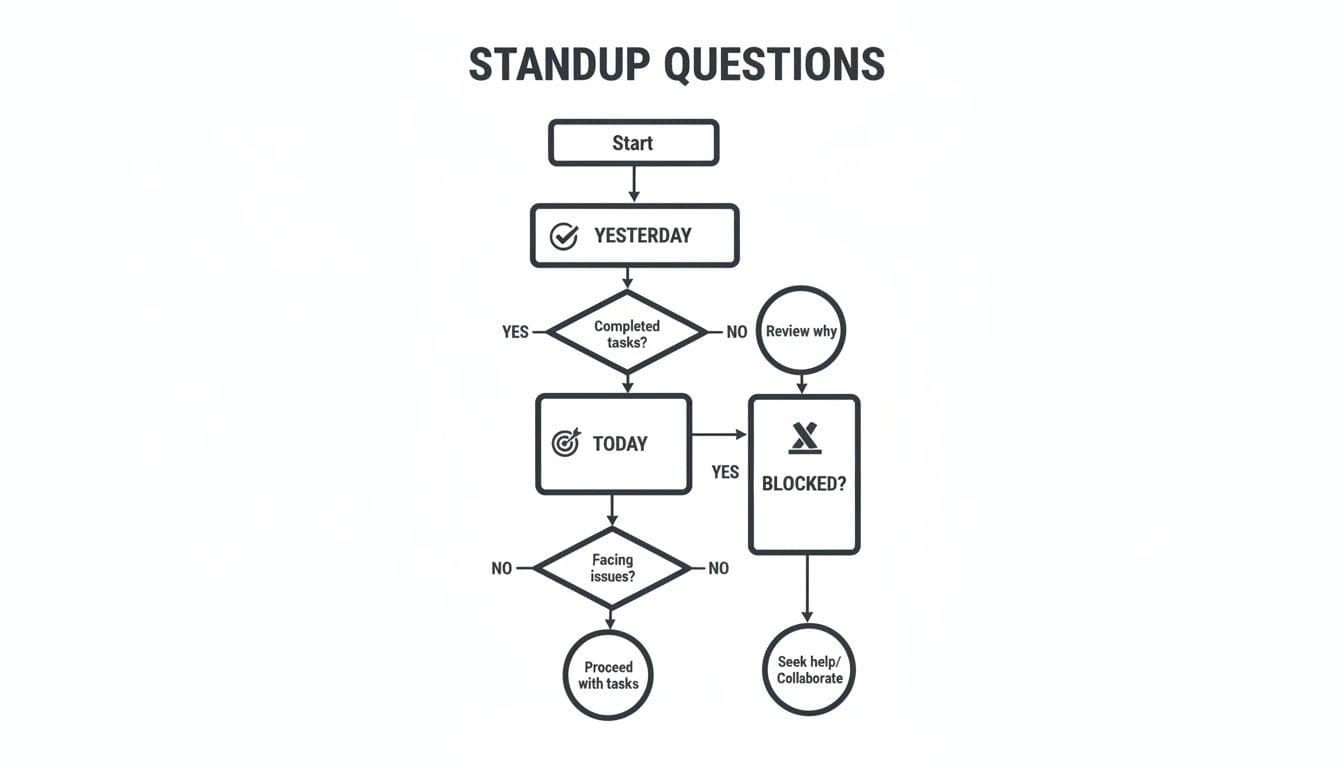
But the way you answer those questions is what matters. Let’s break down how to craft an agenda for daily standup that actually fits your team’s reality.
The Classic Engineering Standup
For engineering teams sharing an office, the standup is a quick, tactical huddle. The goal is simple: unblock progress for the day. It’s sharp, technical, and all about moving tickets across the board.
The agenda here is brutally efficient:
- Ticket-First Updates: Updates are tied directly to ticket numbers. "Moving JIRA-451 to code review" gives everyone immediate context and ties the conversation back to your project management tool. No fluff.
- Explicit Blockers & Dependencies: This is where the standup shines. A developer can say, "I'm blocked on the API integration until Sarah merges her PR." This isn't just a status update; it's an active request for coordination that gets resolved on the spot.
- Code Review Call-Outs: A simple "I have a PR up for the caching logic that needs eyes" is one of the highest-leverage things you can do. It prevents work from getting stale and keeps the development cycle churning.
In this setting, the facilitator’s most important job is to be a ruthless timekeeper. Any deep-dive technical debate gets punted to a "parking lot" for a smaller group to tackle after the standup. Protect the momentum at all costs.
Agendas for Remote and Hybrid Teams
When your team is distributed, the standup’s purpose shifts. It's no longer just a work sync; it’s a critical thread of human connection. A good remote standup agenda has to be more intentional about building visibility and team cohesion.
This means you have to deliberately make space for the informal chatter that happens naturally in an office. Kicking things off with a simple one-minute icebreaker or asking "What's everyone's energy level today?" can do wonders for psychological safety.
For remote teams, standups are as much about connection as they are about coordination. A well-designed agenda prevents people from feeling like isolated cogs in a machine.
Updates in a remote setting also need to be clearer and more detailed since you can't rely on body language or overhearing a conversation later. The facilitator has to be more active, making sure everyone gets a chance to speak and gently probing for the details that might otherwise get lost.
The Asynchronous Standup Model
For teams scattered across wildly different time zones, a real-time meeting is often a non-starter. This is where the asynchronous standup, done entirely in writing, becomes your best friend. It keeps everyone aligned without wrecking deep work schedules or forcing someone to join a call at 10 PM.
This model usually lives in a dedicated Slack channel or right inside your project tool. Everyone posts their update at the start of their day, following a clear, scannable template. The bonus? You get a searchable, written record of daily progress and blockers.
The biggest trap with async standups is engagement. It’s easy for updates to become a chore—a box-ticking exercise that no one actually reads. You have to build a culture where people actively read and react to each other's posts, using threads to ask questions or offer help. If your team is moving in this direction, it's worth digging into asynchronous communication best practices for engineering teams.
To make the choice clearer, here’s a quick breakdown to help you decide which model makes the most sense for your team's unique setup.
Which Standup Model Fits Your Team
| Standup Model | Best For | Key Agenda Focus | Recommended Tools |
|---|---|---|---|
| Classic Engineering | Co-located teams in a single office. | Ticket progress, technical blockers, code review requests. | Jira, Physical Whiteboard |
| Remote/Hybrid | Teams split across different locations but with significant timezone overlap. | Project updates, cross-functional visibility, and social connection. | Linear, Around, Slack Huddles |
| Asynchronous | Globally distributed teams with minimal timezone overlap. | Documenting progress, identifying blockers without meetings, maintaining alignment. | Locu, Slack Channels, Notion |
Ultimately, the best standup format is the one your team will actually stick with and get value from. Don't be afraid to experiment and ask for feedback. What works today might need a tweak next quarter as your team and projects evolve.
Common Standup Problems and How to Fix Them
Even with a perfectly designed agenda, a standup can go completely off the rails. Once bad habits creep in, that quick daily sync easily becomes the most dreaded fifteen minutes of everyone's day. Spotting these common problems is the first step to getting your meeting back on track.
Most of these issues boil down to a simple loss of focus. What should be a collaborative planning session degrades into a series of disconnected, low-energy updates. Standups are supposed to improve communication, but without careful management, they can actually make things worse. One experiment even found that teams in rigid standups developed less-novel products, suggesting the format can kill innovation if it gets too stale.
This gets magnified by the crushing weight of meeting fatigue. With 46% of professionals already sitting through three or more meetings daily, every single minute counts. If you want to dive deeper into how modern teams are striking a balance, check out this great breakdown of the pros and cons of standup meetings.
The Never-Ending Meeting
The Problem: Your "15-minute" standup consistently bleeds into 20, 25, or even 30 minutes. The team’s energy tanks, and the meeting eats into precious deep work time before the day has even properly started.
The Fix: You have to be ruthless about time. The facilitator’s number one job is to protect the clock. Put a timer on the screen where everyone can see it. When someone starts rambling, you have to gently but firmly cut them off.
For those deeper discussions that inevitably pop up, create a "parking lot." Just jot the topic down and make it clear it will be addressed after the standup, and only with the people who actually need to be there.
The standup is a trailer, not the whole movie. Its goal is to surface issues, not solve them in real-time. Respecting the 15-minute timebox is about respecting everyone's focus and time.
The Status Report Trap
The Problem: Team members aren't talking to each other; they're just reporting their status directly to the manager. The meeting loses all its peer-to-peer value and turns into a boring, one-way update that could have been an email.
The Fix: The facilitator needs to redirect the flow of conversation. If someone is just staring at the manager while they talk, jump in and ask, "That's great—who on the team needs to know about that?" This simple question forces them to engage with their peers.
Another powerful move is to have the manager attend less frequently. Or, better yet, rotate the facilitator role among all team members. When everyone has a turn running the meeting, it reinforces the idea of shared ownership.
Unprepared Team Members
The Problem: There's always one person who shows up with no clue what they did yesterday or what they plan to do today. Their update is vague, they start scrolling through tickets live, and it completely kills the meeting's momentum.
The Fix: Set a crystal-clear expectation: everyone spends two minutes before the standup reviewing their work and prepping their update. A great agenda for a daily standup starts before the meeting even kicks off. If the problem keeps happening, the facilitator needs to have a quiet, one-on-one chat with that person.
This isn't just about process; it's about building the right culture.
- Lead by example: The facilitator must always come prepared. No exceptions.
- Use your tools: Your Jira or Linear board should be your cheat sheet before the meeting, not a crutch you lean on during it.
- Frame it as respect: Being prepared isn't a chore. It’s a fundamental sign of respect for your teammates' time.
By tackling these issues head-on, you can pull your standup out of its death spiral and turn it back into the high-value, energizing sync it was always meant to be.
Using Tools to Sharpen Your Standup Flow
The sharpest standups I've ever been a part of weren't just well-facilitated; they were powered by smart, integrated tools that cut out the busywork and kept everyone locked in. A great agenda for a daily standup shouldn't just be a list of talking points for the meeting. It needs to be part of a seamless workflow that starts well before the call and keeps delivering value long after it's over.
The real goal here is to create a frictionless loop from planning to discussion to deep work.
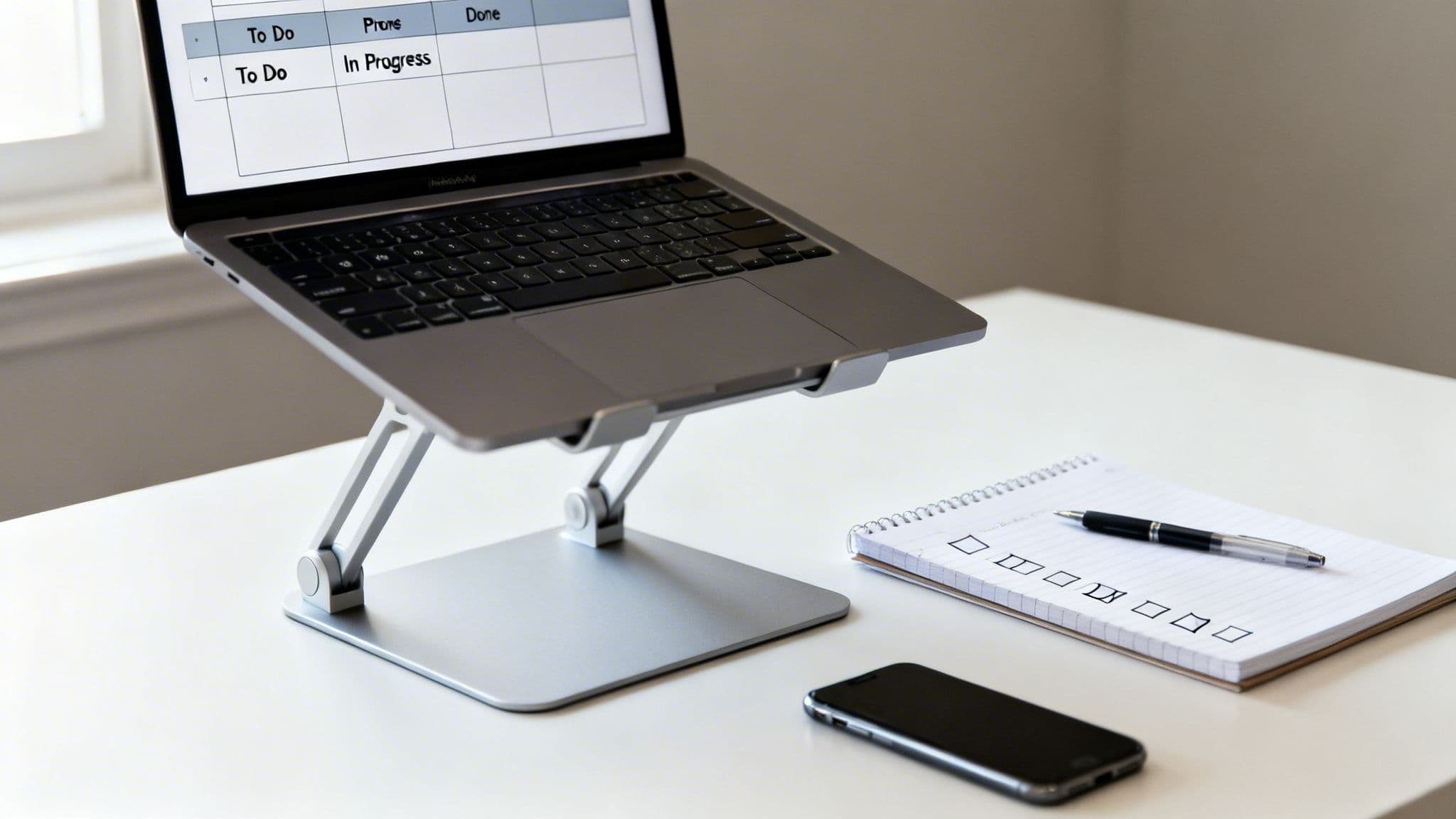
This all starts by connecting your project management tools—your Jira, your Linear—directly to your standup prep. When your team can pull their assigned tasks and priorities into a dedicated workspace before the meeting, they show up ready. They're prepared to give concise, relevant updates instead of fumbling through browser tabs.
It's this pre-meeting prep that makes the difference between a sluggish, disorganized ramble and a razor-sharp sync.
Creating a Frictionless Workflow
A powerful standup flow isn't just about those fifteen minutes of talk time. It's about the entire support system built around it. The right tools automate the soul-crushing parts of prep and follow-up, which frees up your team's mental energy for the collaborative work that actually moves the needle.
This is where dedicated workspaces and tight integrations really shine.
A two-way sync between a personal workspace and the team's project management tool is an absolute game-changer. Think about it: you update a ticket's status or add a quick note, and it's instantly reflected back in Jira without you ever having to leave your flow. No context switching, no duplicate work.
By pulling everything into one place, everyone can prep their updates in a fraction of the time, without toggling between a dozen tabs. It's not just a time-saver; it prevents important details from slipping through the cracks.
From Discussion to Execution
The workflow doesn't just stop when the Zoom call ends. A dedicated space for meeting notes lets the facilitator—or anyone on the team—capture key decisions, action items, and blockers the second they're mentioned. This creates an immediate, shareable source of truth that keeps everyone accountable.
An effective standup isn't just a meeting; it's a trigger for a productive day. The moment it ends, every team member should know exactly what their top priority is and have a clear path to start working on it.
This is where the right tooling really pays off. Action items captured during the standup can be turned directly into tasks right in the same workspace. You're closing the loop between talking about the work and actually doing the work.
This simple shift transforms the standup from a passive status report into the real launchpad for a focused, productive day. If you want to dig deeper into structuring your workday for momentum, check out our guide on using a daily task tracker.
Your Burning Questions About Daily Standups, Answered
Even with the perfect template, running a daily standup in the real world brings up questions. You start to wonder about the little details that make the difference between a high-energy sync and a soul-crushing status report.
Let’s dig into the common questions that pop up when teams get serious about making their standups work. Getting these right is what turns the meeting from a daily chore into your team's most valuable 15 minutes.
How Long Should a Daily Standup Be?
Keep it under 15 minutes. Full stop.
This isn't an arbitrary number—it’s a forcing function. A hard time limit makes everyone get to the point, respecting the fact that the team's most valuable work happens after the meeting. When a standup drags on, it cannibalizes the deep focus time engineers need to actually solve problems.
To hit this mark, each person gets about one to two minutes for their update. If a bigger conversation starts to brew—maybe a debate over an implementation or a tricky bug—the facilitator’s job is to step in. Just say, "Great point, let's 'park' that and circle back after the standup with the right people." This keeps the meeting moving and saves everyone else from a discussion they don't need to be in.
Who Should Run the Daily Standup?
A Scrum Master or team lead often kicks things off, but the goal should be to rotate the facilitator role among all team members.
When you rotate, something powerful happens: the team develops a shared sense of ownership. It stops feeling like a status report to a manager and becomes what it was always meant to be—a planning session for the team.
The facilitator isn't a boss; they're a guide. Their job is simple: keep the meeting on schedule, make sure everyone gets a chance to speak, and gently steer conversations back on track if they go into the weeds.
A standup is a peer-to-peer sync, not a top-down report. The most effective standups happen when the team, not a manager, owns the outcome. Rotating the facilitator role is a simple way to build this culture of shared responsibility.
Is a Standup Different From a Status Meeting?
Yes, and this is probably the most important distinction to understand.
A status meeting is a report "up" the chain to a manager or stakeholder. The primary goal is to provide visibility to leadership.
A daily standup is a sync "across" the team. It's for engineers to coordinate with each other, unblock their peers, and align on what's happening today. It’s tactical, collaborative, and focused on the immediate future. Shifting the focus from reporting up to syncing across is what unlocks its real value.
Should Managers Attend the Daily Standup?
Honestly, it’s usually better if they don't. A standup needs to be a safe space for the team to be candid about what's really going on, and a manager’s presence can subtly change the dynamic.
When a manager is in the room, team members might start "performing" or sugarcoating blockers instead of being transparent. It's not intentional, it just happens. Managers can get all the updates they need from tools like Jira or written summaries, leaving the standup as a protected space for the core team to do its work.
A great agenda for a daily standup is a solid start, but your tools need to support that focus, not fight it. Locu integrates with Jira and Linear to help you prep for standups, capture quick notes, and dive right back into your work without breaking flow. Start your 10-day free trial of Locu today.
Make Your Standups Actually Drive Progress
Join teams who unblock work faster and keep daily focus.