Brag Document for Software Engineers: What to Track & How
Every quarter, engineers scramble to remember what they shipped. Don't be that engineer. A brag document (or "brag doc") is your running log of accomplishments—and the single best investment in your career.
What Is a Brag Document?
A brag document is a personal record of your work accomplishments. It's not for your manager—it's for you. You update it continuously, then reference it for:
- Performance reviews
- Promotion packets
- Job interviews
- Salary negotiations
- Fighting impostor syndrome
Julia Evans popularized the term in her viral post, and top engineers at Google, Meta, and Stripe swear by it.
What to Track in Your Brag Doc
1. Shipped Features & Projects
✓ Shipped real-time notifications system (Q2 2025)
  - Reduced user response time by 40%
  - 50k+ daily active users
  - Led 3-person team, coordinated with mobile
2. Technical Wins
✓ Optimized database queries
  - Reduced P99 latency from 800ms → 120ms
  - Saved $3k/month in compute costs

✓ Fixed critical production bug (incident #1234)
  - Root cause: race condition in payment flow
  - Prevented ~$50k in potential chargebacks
3. Impact & Metrics
Always quantify when possible:
- Users impacted
- Time saved
- Money saved/earned
- Latency improvements
- Error rate reductions
4. Leadership & Collaboration
✓ Mentored 2 junior engineers through onboarding
✓ Led architecture review for auth system redesign
✓ Wrote RFC that shaped team's API strategy
5. Feedback & Recognition
Screenshot Slack messages. Save emails. Document when:
- Someone thanked you
- Your code review helped a teammate
- A customer praised your work
Example Brag Document Entry
Here's a real-world example structure:
## Q4 2025

### Project: Search Infrastructure Overhaul

**Role:** Tech Lead
**Timeline:** Oct - Dec 2025

**What I did:**

- Designed new Elasticsearch cluster architecture
- Migrated 2M+ documents with zero downtime
- Created runbooks for on-call engineers

**Impact:**

- Search latency: 450ms → 85ms (81% improvement)
- Infrastructure cost: -$8k/month
- Search availability: 99.2% → 99.95%

**Skills demonstrated:**

- System design
- Cross-team coordination
- Technical writing

**Recognition:**

- Featured in engineering all-hands
- Slack kudos from VP of Product
The Problem: Maintenance Burden
Most engineers start a brag doc, then abandon it. Why?
- Forgetting to update it
- Context switching to a separate document
- Losing track of metrics and details
- "I'll do it later" syndrome
The Solution: Track as You Work
The best brag document is one that builds itself. When your work tracking and accomplishment logging are the same action, you never fall behind.
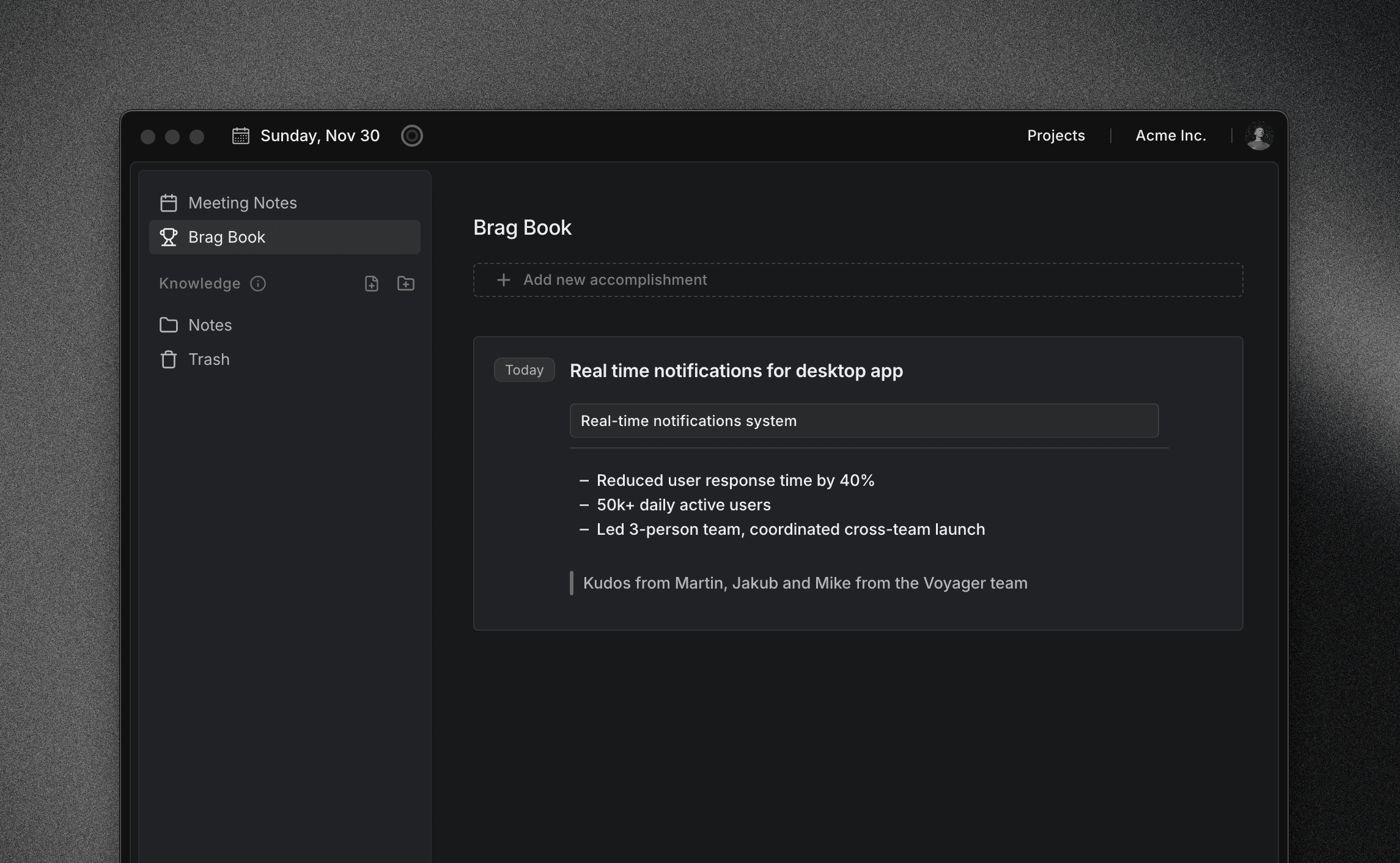
Locu solves this by capturing context as you work:
- Focus Sessions help you track time spend on each task
- Task context and notes are captured at one place
- Easy to prepare for performance reviews
How Often to Update
Ideal: After every meaningful task
Minimum: Weekly 10-minute review
Worst case: Monthly, but you'll forget details
The compound effect is real. 5 minutes of daily logging beats 2 hours of quarterly reconstruction.
Brag Doc Template
Start simple. Copy this:
# Brag Document - [Your Name]

## Q[X] [Year]

### [Project/Task Name]

**Date:** [When]
**What I did:**

- [Bullet points]

**Impact:**

- [Metrics if possible]

**Skills:**

- [What this demonstrates]

---
Your Career ROI
Engineers with documented accomplishments:
- Negotiate 15-20% higher raises
- Get promoted faster (evidence > memory)
- Interview better (ready STAR stories)
- Experience less review anxiety
The 5 minutes you spend logging today could be worth thousands in your next review.
Start Now
Don't wait for Q4. Open a doc—or better, use a tool that captures your work automatically—and write down one thing you shipped this week.
Your future self will thank you.
Build your brag doc automatically
Every task you complete becomes a searchable record of your accomplishments.